Facebooks WhatsApp reaches the next level with its Voice Calling Functionality

Read the Full Story here: http://www.forbes.com/sites/parmyolson/2015/04/07/facebooks-whatsapp-voice-calling/

Whatsapp-Future

„WhatsApp’s head office is among the most impressive you can find in start-up infested Mountain View, California, with glass walls cascading down from a rooftop patio that apparently glows at night.

You’d never guess that one of the most disruptive forces in the history of the telecommunications industry was housed inside.

Like the older, smaller digs it once frequented down the road on Bryant Street, there is no hint of corporate signage out in front. Just an abstract sculpture called “Caring” by California artist Archie Held, and a small Zen garden tucked in a corner of the lobby.

All very calming, but not for mobile carriers. This time last year, WhatsApp’s then-470 million users had already erased an estimated $33 billion in SMS revenue from wireless operators. That number is growing. Between 2012 and 2018 the entire telecommunications industry will have lost a combined $386 billion between 2012 and 2018 because of OTT services like WhatsApp and Skype, according to Ovum Research.

Today WhatsApp has more than 700 million people using it at least once a month, sending more than 10 billion messages a day. At its current rate of growth it should pass the 1 billion user mark before the end of 2015. The company doesn’t push through many updates. While other messaging apps like WeChat, Kik and Facebook Messenger host content and e-commerce services to become all-encompassing platforms, WhatsApp has limited its new features to communications.

Now the stakes for the world’s biggest messaging company are about to get much higher as it pushes through one of the most fundamental methods of communication out there: voice calling.

In February WhatsApp began rolling out the feature to select users across the world who could receive calls through the app. Receiving a call allowed them to make calls too. Then last week it offered an application file on its website which, if downloaded, allowed anyone with an Android phone to call other WhatsApp users.

The feature is expected to launch on Windows Phones and iOS phones soon, and already, around 20 million people including 2 million in Germany have been able to test it, says Pamela Clark-Dickson, a telecom analyst at Ovum Research, citing a source close to Facebook.

WhatsApp’s staff of approximately 80 people were spread thinly across three stories in their impressive 20,000 square foot building when I last visited in late 2014. The edgy graffiti that once adorned WhatsApp’s walls had taken on a more sophisticated, Banksy-like flavor inside: marking the third floor’s entrance was a huge mural of a woman riding a bicycle in Hong Kong, a reminder of WhatsApp’s international popularity.

WhatsApp had been living a hermetic, four-year existence in the Silicon Valley bell jar before Facebook swooped in and bought the company for $22 billion in February 2014. It continued that air of secrecy in the months afterwards, except now it was subject to a steady stream of visitors and it needed a pair of security guards to mind the entrance to its headquarters.

WhatsApp’s resources with Facebook were only just starting to converge in the wake of their landmark deal, with Facebook now helping with legal matters and public affairs. “We were very cheap when we were WhatsApp,” said Neeraj Arora, WhatsApp’s long-time business development head when asked about how money was being spent. “We’re more disciplined now because we are part of a public company.”

Yet Facebook’s largesse makes it easier to pull off big expansion plans. At the top floor, Arora pulled back one of the blinds and pointed to the roof of another building about a block away that was still under construction.

Milling about on top in ant-like proportions were half a dozen construction workers wearing bright yellow vests. This was WhatsApp’s next headquarters, scheduled to be ready for them to move in in 2015: an 80,000-square-foot colossus that would include a gym and a floor big enough for all departments to be together once again.

WhatsApp had actually leased the building before the Facebook deal, a confident move by the founders who fully believed that in three-to-five years they would have a workforce of around 500.

Today with big plans to become a comprehensive communications service and all-round-new-breed of phone company, that looks more likely than ever.

Though many of us already make free calls on Skype, Viber or Apple’s FaceTime, WhatsApp’s calling service stands to be the most popular of them all simply because it has the highest single number of active users.

“It has the potential to affect mobile voice revenues [for carriers] more so than LINE or Viber or even Skype, which is not that big on mobile,” says Clark-Dickson.

That’s troubling news for carriers like AT&T or Vodafone for two reasons. WhatsApp’s rise coincides with the gradual erosion of a carrier’s relationship with consumers, relegating them to the grey world of infrastructure inhabited by Cisco and Ericsson, packet-based networks whose primary role is to transport data.

It will also cost them revenue. Voice minutes are already falling across the industry, according to Ovum, which says mobile network revenues will contract for the first time in 2018 as over-the-top services like WhatsApp push us towards using data rather than voice minutes.

While mobile data revenues will grow by a compound annual rate of 8% to reach $586.4 billion globally in 2019, voice will decline by 3% over the same period, to $472.7 billion. North America and Western Europe will be hardest-hit with respect to mobile voice revenues, with these regions representing nearly 80% of the global voice revenue decline.

This points to the frustrating paradox for carriers: enormous growth but tighter margins. Consumers have developed an insatiable demand for data, Facebooking, YouTubing and Netflixing on their mobile phones at all hours of the day. Cisco predicts mobile data traffic will increase 11-fold from 2013 to 2018. But the average revenue per user (ARPU) for carriers is falling, because the cost of data is getting cheaper. Imagine McDonald’s customers buying 10 times more food, but only ordering french fries.

Data used to contribute a disproportionately high level of revenue in relation to traffic when it was mainly related to SMS. Back in 2005 for instance, someone sending 3,000 text messages was sending less than 0.1MB data per month. Now that load has increased into the gigabytes. ARPU for carriers has remained steady since 2010, but what’s changed is that data now makes up more than half of their total revenue, and overshadowed voice for the first time earlier this year.

Data is essentially devouring voice. T-Mobile and Verizon are already dealing with this by launching Voice over LTE which transforms a voice call into a data call, and doubling the amount of data available to customers for the same price.

With voice and SMS margins dwindling, carriers may eventually be forced to stick to flat-rate data plans which are being pioneered by younger operators like 3 and Tele2, and taking full advantage of their expensive new 4G networks. WhatsApp’s voice feature might not necessarily be a disaster for carriers if it boosts their data revenues further. But Clark-Dickson warns that “even if data traffic revenue increased, it would not go back to the old revenue days.”

What’s infuriating for carriers is how WhatsApp and its ilk can run a potentially profitable service on top of their expensive infrastructure. Just last year, carriers bid more than $40 billion on new wireless spectrum at a government auction for a high-band spectrum that could carry more data than usual. Good timing for WhatsApp’s voice plans, since the new spectrum will lead to smoother connections and less hiccups in the service, though it could take around two years for the faster data speeds to kick in.

For their part, Koum and his team have long insisted that WhatsApp is no enemy to carriers. Instead they’ve partnered with more than 100 of them around the world, asking carriers to not count the use of WhatsApp against their data allowance. In other words, when a customer’s data allowance runs out, they can still use WhatsApp. It’s unclear how those partnerships will develop when voice kicks in. T-Mobile has formed a similar partnership with Facebook and with music streaming, and the model is helping around half the world’s carriers improve their revenue prospects, according to one recent survey.

Still, some carriers have taken their time before getting on board with WhatsApp. It took a while, for instance, before leading Latin American carrier America Movil agreed to partner with the company.

WhatsApp has rolled out its voice feature in a characteristically slow and methodical way, introducing it to tranches of users at a time. Its founders Jan Koum and Brian Acton were more interested in making sure the service worked reliably than getting it out to their user base quickly.

Voice is trickier than messaging to do well. Real-time communications services have to contend with drop-outs and lags, as anyone who’s ever made a Skype call will know. That’s a big reason why WhatsApp is behind schedule on voice, according to people at the company. Co-founder Koum originally said the feature would be available in the second half of 2014, but it’s only just becoming available now.

For mobile operators, the extra time to prepare for what could be a major disruption to one of their most precious revenue sources is a small silver lining, says Clark-Dixon. “Mobile operators had 12 months to prepare and plan for this, so they know what’s coming,” she says. Still, she adds, “I don’t think operators have moved quickly enough.”

Carriers have increasingly bundled data, voice and SMS into a single rate, while operators like Vodafone and Sprint have signed up to the Rich Communication Services (RCS) standard, their own version of a web-based service to compete with apps like Viber and WhatsApp.

RCS, marketed under the name joyn, has been around for eight years. Yet until a year ago carriers offered these web-based services through their own third-party apps, says Clark-Dixon. Only recently have they started integrating them into an Android phone’s native dialler and texting applications. The number of people who have phones with the service are likely in the single-digit millions, she estimates, which means it could be too little too late to counteract the expected popularity of WhatsApp voice calling.

WhatsApp is still a ways off from being what you could call a phone company, with all the infrastructure and back-end billing and customer care services that entails. But it’s also graduating from the status of simple OTT player to a new kind of communications service provider. In the meantime, it should heed the mistakes of carriers who moved too slowly in the face of disruptive upstarts.

“We’ve been waiting a year for [WhatsApp voice calling] and it’s still only available on Android. It’s rolling out across market slowly,” Clark-Dickson warns, pointing to competitors like Viber, LINE and WeChat who have already have voice calling enabled for some time. “It needs to move more quickly in communications and with VoIP.”

Easton LaChappelle – Unlimited Tomorrow

Easton LaChappelle has been taking apart things since he was a child and is now changing industries. At 14, he made his first robotic hand out of LEGOs, fishing wire, and electrical tubing.

We at Pioneers are proud to present our youngest speaker to date. We couldn’t miss the chance of flying out 19 year-old Easton LaChappelle all the way from Colorado. The young pioneer has been pulling things apart since the age of 14 and is now disrupting industries. His first robotic hand was made out of LEGO, proving that neither age nor money should decrease our game-changing ideas.

This tech hero has improved his self-taught robotics skills, and has turned his initial Lego design into a 3D-printed invention operated with his mind. His inspiration? A 7-year-old girl at a science fair, with an $80,000 prosthetic arm. Something he found outrageously unaffordable.

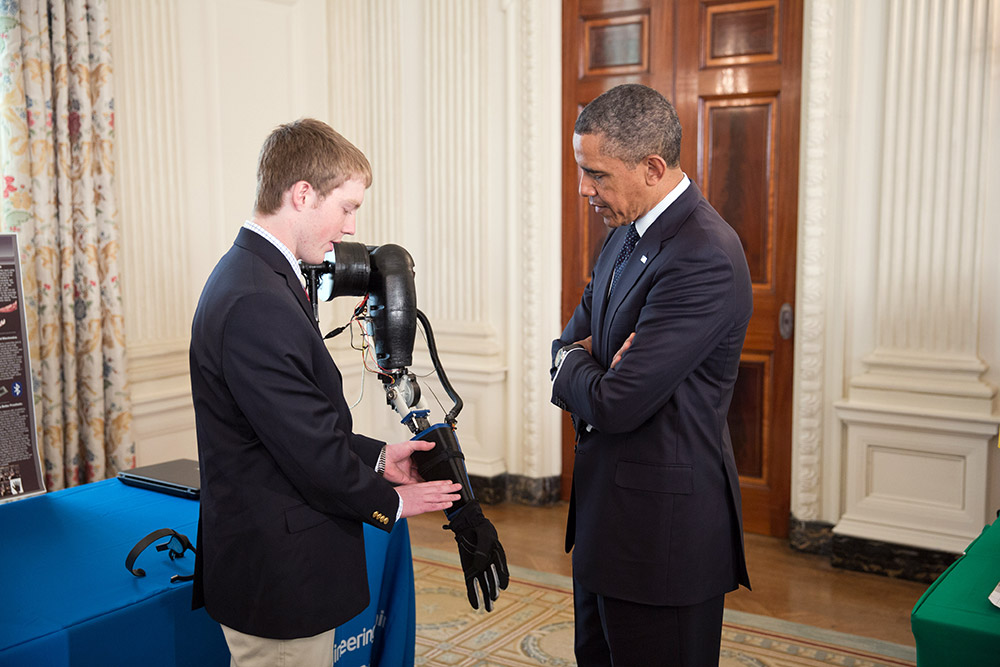
lachapelle-obama
His improved prototype is already online for less than $400. This young genius has even impressed President Obama, who shook hands with one of his robotic arms. A unique success story, that has already landed him a job at NASA.

At only 19, he can already tell us all about founding his own company, Unlimited Tomorrow. Where he develops an exoskeleton to help paraplegics walk again. Easton’s robotic arm and designs are all open source, helping anyone to become their own engineer.

Read more here: http://pioneers.io/blog/people/easton-lachappelle

Iphone Killer: Your phone is ruining your life!

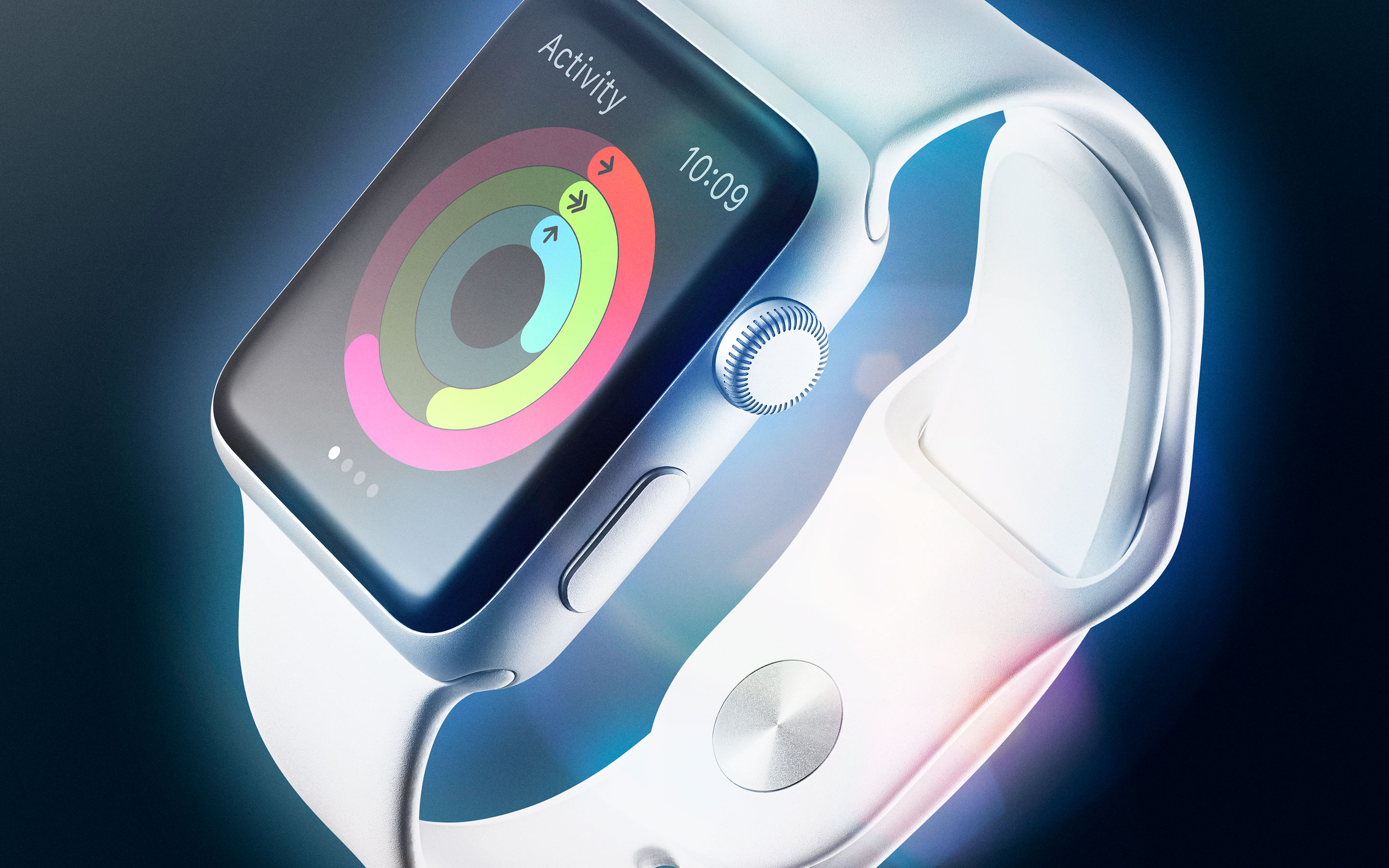
„Along the way, the Apple team landed upon the Watch’s raison d’être.

It came down to this: Your phone is ruining your life.

Like the rest of us, Ive, Lynch, Dye, and everyone at Apple are subject to the tyranny of the buzz—the constant checking, the long list of nagging notifications. “We’re so connected, kind of ever-presently, with technology now,” Lynch says. “People are carrying their phones with them and looking at the screen so much.”

They’ve glared down their noses at those who bury themselves in their phones at the dinner table and then absentmindedly thrust hands into their own pockets at every ding or buzz. “People want that level of engagement,” Lynch says. “But how do we provide it in a way that’s a little more human, a little more in the moment when you’re with somebody?” Our phones have become invasive. But what if you could engineer a reverse state of being?

What if you could make a device that you wouldn’t—couldn’t—use for hours at a time? What if you could create a device that could filter out all the bullshit and instead only serve you truly important information? You could change modern life. And so after three-plus decades of building devices that grab and hold our attention—the longer the better—Apple has decided that the way forward is to fight back.

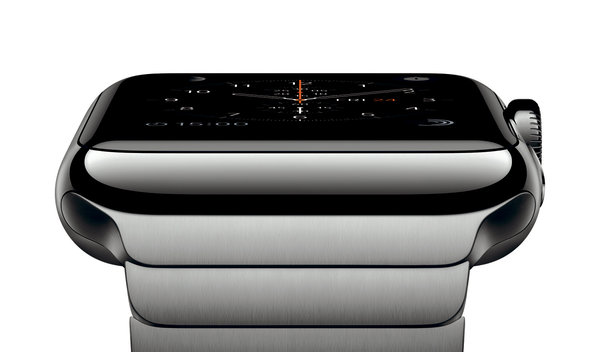
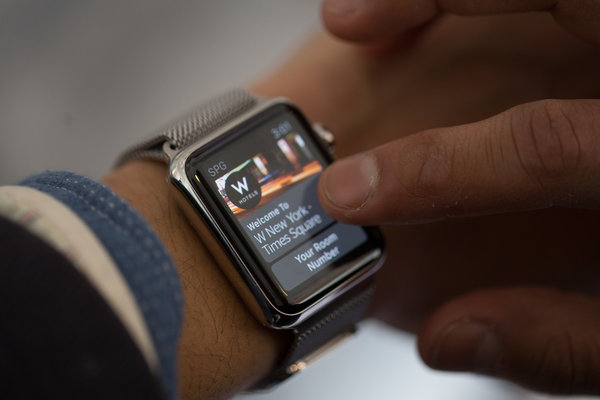
Apple, in large part, created our problem. And it thinks it can fix it with a square slab of metal and a Milanese loop strap.

AppleWatch

“ Read more here: http://www.wired.com/2015/04/the-apple-watch/

Microsoft launches MS-DOS Mobile for Lumia smartphones

http://lumiaconversations.microsoft.com/2015/04/01/microsoft-launches-ms-dos-mobile/

Today Microsoft launches MS-DOS Mobile, a new OS designed especially for Lumia smartphones.

Microsoft is going back to where productivity started for millions of people, launching a beautifully simple OS.

The MS-DOS Mobile preview is an essential download. Whether you’re going back to BASIC, or simply booting into DOS for the first time, MS-DOS Mobile marks the next step in Microsoft’s reinvention of productivity.

The OS allows you to run a number of already installed applications, while the sleuths amongst you will delight in uncovering a few extra special features – all through the medium of the much-loved C:\ prompt.

To find out how, and to learn about the story behind it, watch our exclusive launch video.

Daniel Glass who led design on the project, said:

“Turning our back on graphics was hugely liberating. We’ve dropped the resolution, and in doing so re-discovered our roots.”

“The inspiration for the graphical design is Courier New meets film noir.”

AF2015-Inline

Tom Messett, from the marketing team at Microsoft Lumia, said:

“MS-DOS Mobile allows us to look proudly back, while at the same time moving us defiantly forwards.”

“It’s simple, effective productivity re-imagined through the medium of DOS. “

AF2015-Inline1

Designed to complement the heritage feel with a new-age operation, MS-DOS Mobile has been re-built from the ground up.

Do you remember MS-DOS? Or is it the stuff of computing legend that you’re getting your hands on for the first time? Let us know what you think in the comments below.

#AchieveMore


http://www.windowscentral.com/microsoft-launches-ms-dos-mobile

Today, Microsoft has launched MS-DOS Mobile, a new OS designed especially for Lumia smartphones. In case you didn’t know, MS-DOS was installed on millions of desktops. Well, now you can install it on your phone. „Black and white text has never looked so good,“ says Tom Messett from Microsoft Lumia Marketing in the launch video. Watch the video to see glimpses of the new/old OS before deciding if you should install it on your phone.

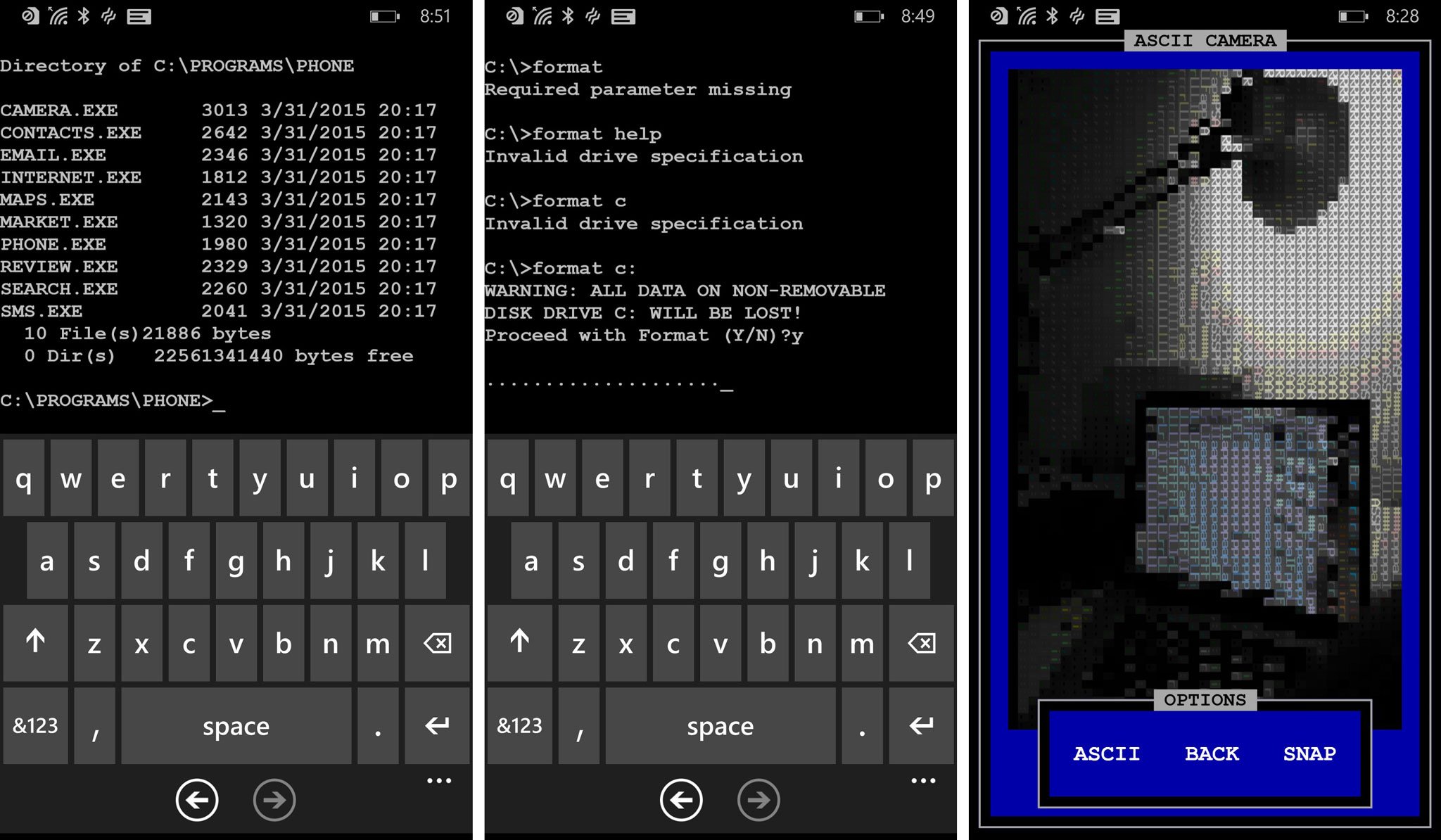
MS-DOS Mobile goes back to the basics. The user type commands to the prompt to access files and folders. The main apps are located in C:\PROGRAMS\PHONE. You can access that by typing these commands:

  • cd programs
  • cd phone
  • dir

This lists all the available apps. For example, typing camera.exe in the next line launches the camera. The camera has three modes: ASCII, B&W, and CGA. You can also switch between the front and rear camera.

MS-DOS Mobile

The ‚internet.exe‘ command in the same folder opens up Internet Explorer. You’ll briefly hear connecting sound before launching the app. There are several other programs that you can check out:

  • Contacts – Opens the contacts list.
  • Email [address] – After user types a message and presses the done button in the application bar, the platform’s email composer is launched
  • Maps [search terms] – Launches the map app with search terms
  • Market – Launches Windows Phone Store
  • Phone [number] – Launches phone app with given number
  • Review – Launches review page for this app
  • Cortana [search terms] – Launches Cortana with the search terms
  • SMS [number] – Launches SMS composer with the number

Before you start complaining how ridiculous this sounds, go check today’s date. It’s April Fools Day! Isn’t this kind of funny? We don’t want to ruin all the fun, so we suggest installing the app and navigating through the command prompts. Watch and re-watch the video for some Easter eggs as well. Hint: there’s an interesting game you can play.

Download MS-DOS Mobile for Windows Phone (Free)

QR: MS-DOS Mobile

WhatsApp Call: Details zum kostenlosen VoIP-Telefonie-Dienst

WhatsApp Call ist offiziell gestartet.

Teltarif.de zeigt Ihnen den kostenlosen VoIP-Dienst des Smartphone-Messengers in Bildern:
welche neuen Funktionen und Menüs die Android-Anwendung von WhatsApp ab sofort mit sich bringt

WhatsApp Call: So sieht die Nutzung in der Praxis aus

Nachdem ein WhatsApp Call angenommen wurde, lässt sich das Gespräch wie bei einem herkömmlichen Telefonat über das Mobilfunknetz führen. Die Übertragungsqualität ist abhängig vom verwendeten Smartphone und natürlich auch vom Internet-Zugang, der während der Verbindung am Smartphone zur Verfügung steht.

Während des Anrufs werden Name und Profilbild des Gesprächspartners angezeigt. Mit der virtuellen roten Taste lässt sich das Telefonat beenden. Dazu können die Freisprech-Funktion ein- und ausgeschaltet werden, das eigene Mikrofon lässt sich deaktivieren und wieder abschalten und es besteht auch die Möglichkeit, vorübergehend ins Chat-Fenster zu wechseln, um eine Textnachricht zu übermitteln. Diese bekommt der Gesprächspartner aber nicht sofort angezeigt, sondern erst dann, wenn er ebenfalls den Chat aufruft.

Auf der fünften Seite sehen Sie, was passiert, wenn Sie einen WhatsApp-Kunden anrufen möchten, der bereits einen WhatsApp Call führt.

WhatsApp Call während einer Sprachverbindung

Doing Business the Steve Jobs Way

Source: http://mashable.com/2015/03/24/steve-jobs-leadership-biography/

Steve Jobs started out as an asshole — but, a new book says, he got better.

That, in a nutshell, is the takeaway from Becoming Steve Jobs, a new biography of the late Apple CEO, which tries to provide nuance to the oft-told story of Jobs‘ professional rise at Apple, including the wilderness years that followed after being pushed out and his triumphant return.

The book’s authors, Brent Schlender and Rick Tetzli, suggest that much of Jobs’s professional image as a mercurial manager was shaped by „stereotypes that had been created way back in the 1980s,“ before he and Apple retreated from the press. „Perhaps that’s why the posthumous coverage reflected those stereotypes,“ the authors speculate.

Between that initial wave of press coverage and his return to Apple, Jobs‘ personality and management style shifted in subtle and not so subtle ways as a result of the struggles of NeXT, his follow-up effort, as well as inspiration from the creatives at Pixar, which he acquired and later sold to Disney. Just as importantly, the book claims Jobs was changed by falling in love with his wife, Laurene Powell Jobs, and starting a family.

Some elements of Jobs‘ management style stayed consistent, however.

He continued to push for „outrageous goals,“ as the authors put it, and he could still be severe and argumentative with colleagues. Yet the book suggests that his level of discipline, empathy and flexibility increased over the years to help compensate for his negative traits.

The book provides good lessons for all leaders, insofar as Jobs has become a widely observed case study for the archetype of the genius founder. The book highlights the sometimes contradictory leadership traits of a man who is quoted in the book as saying, „I didn’t want to be a businessman,“ and then went on to become arguably the most influential businessman of his generation. Here are the most revealing anecdotes.

Even visionaries need to hear realtalk

While Jobs often acted like someone who thought he knew best, the CEO nonetheless sought out mentors in the tech industry, including the founders of Intel, Hewlett Packard, Polaroid, National Semiconductor and others. Some, like Andy Grove, the former CEO of Intel, would remain lifelong advisors, sometimes to the exhaustion of the mentors:

Unable to sleep that night, Steve called his friend and confidant Andy Grove at 2 a.m. Steve told Grove that he was torn about whether or not to return as Apple’s CEO, and wound his way through his tortured deliberations. As the conversation dragged on, Grove, who wanted to get back to sleep, broke in and growled: „Steve, look. I don’t give a shit about Apple. Just make up your mind.“

Steve Jobs, the father figure

At NeXT, the computer company he launched after leaving Apple, Jobs was guilty of micromanaging, making impulsive bad hires and is described as an „equal-opportunity abuser“ who yelled at engineers as well as executives. But he also tried to be more of a „father figure,“ according to one former employee quoted in the book. His paternal instincts coincided with his own first attempt at being a father to the daughter he’d had out of wedlock and publicly rejected.

„Steve hosted annual ‚family picnics‘ for his employees in Menlo Park. They were kid-oriented Saturday affairs, featuring clowns, volleyball, burgers and hot dogs, and even hokey events like sack races,“ according to the book.

Later, at Pixar, Jobs gave a top filmmaker a small bonus and demanded he use it to buy a better car. „It has to be safe, and I have to approve it,“ Jobs is quoted as saying.

When he returned to Apple, Job is compelled to cut much of the staff and reorganize, but he expresses grief in a way that the brash young Jobs may not have.

„I still do it because that’s my job,“ Jobs is quoted as telling the authors. „But when I look at people when this happens, I also think of them as being five years old, kind of like I look at my kids. And I think that that could be me coming home to tell my wife and kids that I just got laid off. Or that it could be one of my kids in twenty years. I never took it so personally before.“

No reviews, little praise for direct reports

Those who worked for Jobs could expect an earful from the executive when dealing with him on any given day, but they rarely received formal reviews and feedback. „Steve didn’t believe in reviews,“ one former employee says. „He disliked all the formality. His feeling was, ‚I give you feedback all the time, so what do you need a review for?“

Likewise, he was less than generous in doling out praise to employees. Instead, he would show it by taking the best employees on walks. „Those walks mattered,“ recalled another employee. „You’d think to yourself, ‚Steve is a rock star,‘ so getting quaity time felt like an honor in some ways.“

Jobs‘ work/life balance

Early in his career, Jobs burned the midnight oil in the office along with much of his team, but by the time he returned to Apple, he was more focused on trying to balance his work with his new family.

Rather than hover over the shoulders of star engineers and programmers, he could do much of his work via email. So he would make it home for dinner almost every night, spend time with Laurene and the kids, and then work at his computer late into the night…

On many nights, Jobs would work alongside his wife, Laurene, at home. As his wife tells the authors, „Neither of us had much of a social life. It was never that important to us.“

Make time for spirituality and meditation

Some have wondered over the years how a man who famously went off to India and embraced Buddhism could reconcile that with running the largest corporation in the world. As it turns out, he continued to meditate until he and his wife had kids, which cut down what little free time he had left. In fact, according to the book, Jobs „arranged for a Buddhist monk by the name of Kobun Chino Otogawa to meet with him once a week at his office to counsel him on how to balance his spiritual sense with his business goals.“

Embrace life

After his first cancer surgery in 2004, Jobs‘ leadership style changed again. He had more sense of „urgency“ to pursue innovative products, and less time and energy to handle other business issues, ranging from human resources to manufacturing.

„When he came back from that surgery he was on a faster clock,“ Tim Cook, Apple’s current CEO, tells the authors. „The company is always running on a fast-moving treadmill that doesn’t stop. But when he came back there was an urgency about him. I recognized it immediately.“

Perhaps that’s why he and his team at Apple went on to accomplish so much in the seven years he had left.

Facebook Is Testing A New App Called ‚Phone‘

Source: http://www.forbes.com/sites/parmyolson/2015/03/23/carriers-facebook-phone-app/
Further Reading: http://www.forbes.com


Facebook has accidentally leaked information about a new app that it’s testing, called ‘Phone,’ and this news should come as no surprise to anyone who believes Facebook wants to be at the center of how we communicate with the world around us. That includes with all elements of texting (through Messenger and WhatsApp) and increasingly, voice.

The app appears to be some sort of native dialler for Android that shows information about who is calling, and which automatically blocks calls from commonly blocked numbers. A spokesman confirmed to Venture Beat that Facebook was testing the service, after Android Police first posted a screenshots of an install update that should have only been seen by Facebook’s internal network. Thanks to Apple’s closed system it’s unlikely Facebook is even exploring making such an app for iOS.

Why does Facebook want to give its users a native dialler? Facebook has allowed users to make video calls through its desktop client since 2011, and voice calls through Facebook Messenger since early 2013. But both these services require that people on either end of the line are using the same Facebook feature, and the calls can only take place over a mobile carrier data network or WiFi.

A native dialler application would appear to be Facebook’s first service that coordinates with a carrier’s all-important voice network.

(It has yet to be confirmed that ‘Phone’ will filter calls being made to your phone number and not just between Facebook users, but the former seems likely. The video and audio calling features that Facebook already has don’t seem popular enough that users would want a separate app just to block VoIP calls – and most of the calls you want to block are spammers and marketers who managed to get hold of your mobile phone number anyway.)

In essence, Facebook appears to be trying to wedge itself a little further into the relationship between its users and carriers, when users are carrying out one of the most fundamental acts that telcos rely on to make money – making voice calls. That’s a crucial step both symbolically and practically, and the fact that the service is called ‘Phone’ suggests Facebook eventually wants to be part of the phone-calling experience that carriers still dominate.

International carriers like Vodafone and BT Group are still stinging from the huge bite of SMS revenues that WhatsApp, the globally popular messaging service with 700 million active users, took out over the last five years with its free texting service.

The messaging service, which Facebook bought last year, is now rolling out a free voice-calling service. While that won’t involve a native dialler, it looks set to take yet another chunk out of carrier revenues, this time in voice.

Should carriers be worried about Phone? It’s easy to dismiss a new, forthcoming app from Facebook as yet another failed experiment that will get tossed on the same heap where Slingshot, Poke and the Android launcher Facebook Home reside.

Yet even if Facebook’s users don’t fall in love with Phone, and the service doesn’t go much further beyond the testing phase, there’s no question the social network wants to become a more integral hub for our everyday communications. That could eventually mean weaning consumers off their reliance on carriers’ voice and texting services, and driving the role of carriers further down into the ground as “dumb pipes” that transport our data and not too much more.

Wie sicher ist die eSIM (Universal SIM)?

Der Vertrags- und Netzwechsel soll mit der eSIM einfacher werden. Wird es damit auch einfacher, eine Telefonnummer gegen den Willen des Nutzers zu entführen?
Von , Teltarif.de

Ende letzten Jahres führte Apple mit dem iPad Air 2 in den USA und Großbritannien die „Universal SIM“ ein. Mit dieser kann man den Datenvertrag wechseln, ohne die SIM-Karte tauschen zu müssen. Vielmehr werden bei einem Vertragswechsel einfach die neuen Zugangsdaten auf die SIM-Karte programmiert.

Wenn man sie richtig macht, hat eine eSIM für den Kunden einige Vorteile: Der Vertragswechsel geht schneller. So ist denkbar, mal eben online einen Prepaid-Vertrag für ein lokales Netz abzuschließen, wenn man sich im Ausland aufhält, um den teuren Roaming-Entgelten zu entgehen. Für Mobilfunkhändler, insbesondere solche, die Verträge von mehreren Netzbetreibern und/oder Resellern im Angebot haben, vereinfacht sich mit der eSIM auch die Logistik.

Entsprechend verwundert es nicht, dass sich auch die Netzbetreiber hierzulande mit der programmierbaren SIM-Karte, der eSIM, beschäftigen. Während Vodafone dieser derzeit ablehnend gegenübersteht, plant die Deutsche Telekom bereits die Einführung. Der dritte Netzbetreiber, Telefònica, will hingegen erstmal den finalen Standard abwarten, bevor eine Entscheidung getroffen wird.

Wie sicher?

Wie jüngst geschrieben, ist das Prinzip, geheime Schlüssel auf SIM-Karten zu verteilen, so etwas wie das Herz der Kommunikation in den Mobilfunknetzen. Wird die Sicherheit dieser geheimen Schlüssel kompromittiert, ist die Sicherheit der mobilen Kommunikation insgesamt verloren. Dann hört künftig möglicherweise nicht nur die NSA massenhaft Handy-Telefonate mit, sondern auch der neugierige Nachbar oder bei Firmen die Konkurrenz. Ebenso ist zu fürchten, dass es dann vermehrt zu Identitätsdiebstahl kommt, dass beispielsweise Handy-Nummern vorübergehend oder dauerhaft entführt werden, um sich als jemand anderes auszugeben.

Die Erfahrung mit den zahlreichen Sicherheitslücken in Computer-Betriebssystemen lehrt: Wenn die „Guten“, also die tatsächlich mit dem Vertragswechsel beauftragen neuen Netzbetreiber, ein Update der eSIM auf einen neuen Vertrag anstoßen können, dann brauchen die „Bösen“ nur einen Fehler im Protokoll zu finden, um ebenfalls Vollzugriff auf die eSIM zu erlangen. Und solche Lücken im Protokoll kommen durchaus häufiger vor. Aktuell diskutiert wird beispielsweise die Möglichkeit, über eine Lücke in SS7 fremde Handys zu orten.

Auch ohne dass sie über das Netz programmierbar sind, gehören die geheimen Codes der SIM-Karten bereits zu den bevorzugten Angriffszielen der NSA. Zwar könnte die Möglichkeit zum Fernupdate die Sicherheit der SIM-Karten sogar erhöhen, insbesondere, wenn für dieses Update zusätzliche, nicht von der NSA überwachte Kommunikationskanäle genutzt werden. Zu fürchten ist aber, dass sich die Situation verschlechtert. In vielen Fällen sind die Ziele „mehr Sicherheit“ und „mehr Komfort“ nicht gleichzeitig zu haben. Beim Thema „SIM-Karte“ ist mein persönlicher Favorit „mehr Sicherheit“. Von daher bevorzuge ich es, auch künftig mit dem Vertrag die SIM-Karte zu wechseln.

Artikel unter: http://www.teltarif.de/esim-universal-sim-sicherheit/news/59102.html

Weitere interessante Artikel finden Sie unter: www.teltarif.de