Archiv der Kategorie: Privacy

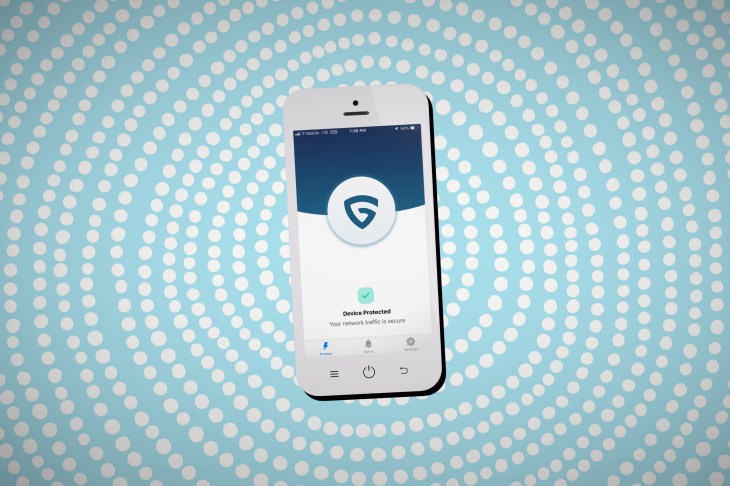
Smart firewall iPhone app promises to put your privacy before profits

you-asked-am-i-addicted-to-my-phone

For weeks, a small team of security researchers and developers have been putting the finishing touches on a new privacy app, which its founder says can nix some of the hidden threats that mobile users face — often without realizing.

Phones track your location, apps siphon off our data, and aggressive ads try to grab your attention. Your phone has long been a beacon of data, broadcasting to ad networks and data trackers, trying to build up profiles on you wherever you go to sell you things you’ll never want.

Will Strafach  knows that all too well. A security researcher and former iPhone jailbreaker, Strafach has shifted his time digging into apps for insecure, suspicious and unethical behavior. Last year, he found AccuWeather was secretly sending precise location data without a user’s permission. And just a few months ago, he revealed a list of dozens of apps that were sneakily siphoning off their users’ tracking data to data monetization firms without their users’ explicit consent.

Now his team — including co-founder Joshua Hill and chief operating officer Chirayu Patel — will soon bake those findings into its new “smart firewall” app, which he says will filter and block traffic that invades a user’s privacy.

“We’re in a ‘wild west’ of data collection,” he said, “where data is flying out from your phone under the radar — not because people don’t care but there’s no real visibility and people don’t know it’s happening,” he told me in a call last week.

At its heart, the Guardian Mobile Firewall — currently in a closed beta — funnels all of an iPhone or iPad’s internet traffic through an encrypted virtual private network (VPN) tunnel to Guardian’s servers, outsourcing all of the filtering and enforcement to the cloud to help reduce performance issues on the device’s battery. It means the Guardian app can near-instantly spot if another app is secretly sending a device’s tracking data to a tracking firm, warning the user or giving the option to stop it in its tracks. The aim isn’t to prevent a potentially dodgy app from working properly, but to give users’ awareness and choice over what data leaves their device.

Strafach described the app as “like a junk email filter for your web traffic,” and you can see from of the app’s dedicated tabs what data gets blocked and why. A future version plans to allow users to modify or block their precise geolocation from being sent to certain servers. Strafach said the app will later tell a user how many times an app accesses device data, like their contact lists.

But unlike other ad and tracker blockers, the app doesn’t use overkill third-party lists that prevent apps from working properly. Instead, taking a tried-and-tested approach from the team’s own research. The team periodically scans a range of apps in the App Store to help identify problematic and privacy-invasive issues that are fed to the app to help improve over time. If an app is known to have security issues, the Guardian app can alert a user to the threat. The team plans to continue building machine learning models that help to identify new threats — including so-called “aggressive ads” — that hijack your mobile browser and redirect you to dodgy pages or apps.
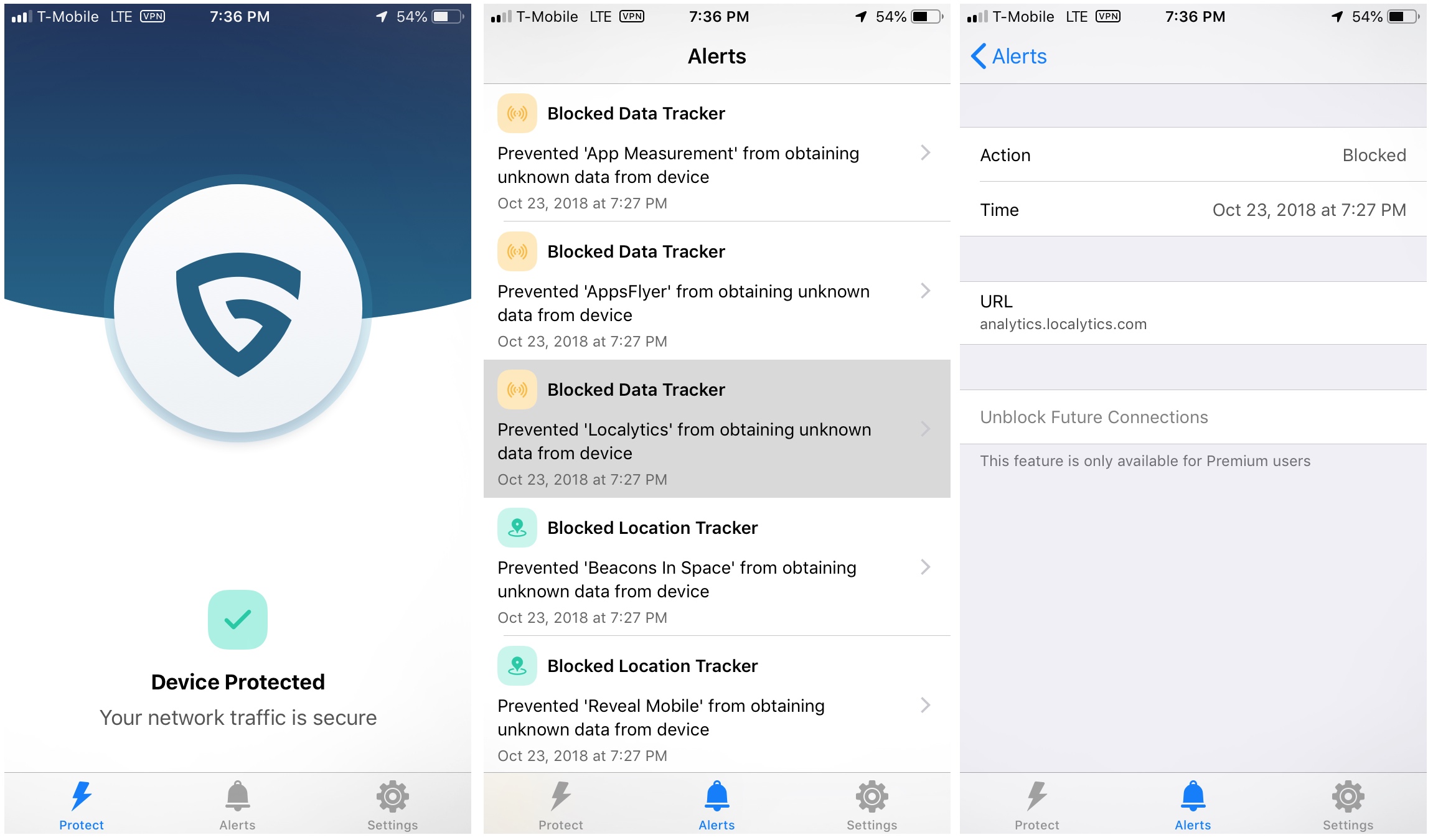
Screenshots of the Guardian app, set to be released in December (Image: supplied)

Strafach said that the app will “err on the side of usability” by warning users first — with the option of blocking it. A planned future option will allow users to go into a higher, more restrictive privacy level — “Lockdown mode” — which will deny bad traffic by default until the user intervenes.

What sets the Guardian app from its distant competitors is its anti-data collection.

Whenever you use a VPN — to evade censorship, site blocks or surveillance — you have to put more trust in the VPN server to keep all of your internet traffic safe than your internet provider or cell carrier. Strafach said that neither he nor the team wants to know who uses the app. The less data they have, the less they know, and the safer and more private its users are.

“We don’t want to collect data that we don’t need,” said Strafach. “We consider data a liability. Our rule is to collect as little as possible. We don’t even use Google Analytics or any kind of tracking in the app — or even on our site, out of principle.”

The app works by generating a random set of VPN credentials to connect to the cloud. The connection uses IPSec (IKEv2) with a strong cipher suite, he said. In other words, the Guardian app isn’t a creepy VPN app like Facebook’s Onavo, which Apple pulled from the App Store for collecting data it shouldn’t have been. “On the server side, we’ll only see a random device identifier, because we don’t have accounts so you can’t be attributable to your traffic,” he said.

“We don’t even want to say ‘you can trust us not to do anything,’ because we don’t want to be in a position that we have to be trusted,” he said. “We really just want to run our business the old fashioned way. We want people to pay for our product and we provide them service, and we don’t want their data or send them marketing.”

“It’s a very hard line,” he said. “We would shut down before we even have to face that kind of decision. It would go against our core principles.”

I’ve been using the app for the past week. It’s surprisingly easy to use. For a semi-advanced user, it can feel unnatural to flip a virtual switch on the app’s main screen and allow it to run its course. Anyone who cares about their security and privacy are often always aware of their “opsec” — one wrong move and it can blow your anonymity shield wide open. Overall, the app works well. It’s non-intrusive, it doesn’t interfere, but with the “VPN” icon lit up at the top of the screen, there’s a constant reminder that the app is working in the background.

It’s impressive how much the team has kept privacy and anonymity so front of mind throughout the app’s design process — even down to allowing users to pay by Apple Pay and through in-app purchases so that no billing information is ever exchanged.

The app doesn’t appear to slow down the connection when browsing the web or scrolling through Twitter or Facebook, on neither LTE or a Wi-Fi network. Even streaming a medium-quality live video stream didn’t cause any issues. But it’s still early days, and even though the closed beta has a few hundred users — myself included — as with any bandwidth-intensive cloud service, the quality could fluctuate over time. Strafach said that the backend infrastructure is scalable and can plug-and-play with almost any cloud service in the case of outages.

In its pre-launch state, the company is financially healthy, scoring a round of initial seed funding to support getting the team together, the app’s launch, and maintaining its cloud infrastructure. Steve Russell, an experienced investor and board member, said he was “impressed” with the team’s vision and technology.

“Quality solutions for mobile security and privacy are desperately needed, and Guardian distinguishes itself both in its uniqueness and its effectiveness,” said Russell in an email.

He added that the team is “world class,” and has built a product that’s “sorely needed.”

Strafach said the team is running financially conservatively ahead of its public reveal, but that the startup is looking to raise a Series A to support its anticipated growth — but also the team’s research that feeds the app with new data. “There’s a lot we want to look into and we want to put out more reports on quite a few different topics,” he said.

As the team continue to find new threats, the better the app will become.

The app’s early adopter program is open, including its premium options. The app is expected to launch fully in December.

Source: https://techcrunch.com/2018/10/24/smart-firewall-guardian-iphone-app-privacy-before-profits/
30 Privacy & Security Settings in iOS You Should Check Right Now


With all of the personal information it contains, Apple added plenty of security measures to your iPhone protect you and your device from unwanted access. In iOS 12, there are several changes to help keep your device even more secure and private, and the update built on previous improvements to ensure your data stays safe.

Even with these improvements, your iPhone’s overall security still largely depends on you — from the security measures you use to how much data you wish to share with Apple and other parties. Because of this, we’ve rounded up the new privacy settings in iOS 12 that you should check, along with settings that have existed since previous versions of iOS that still remain relevant.

1. Use Automated 2FA

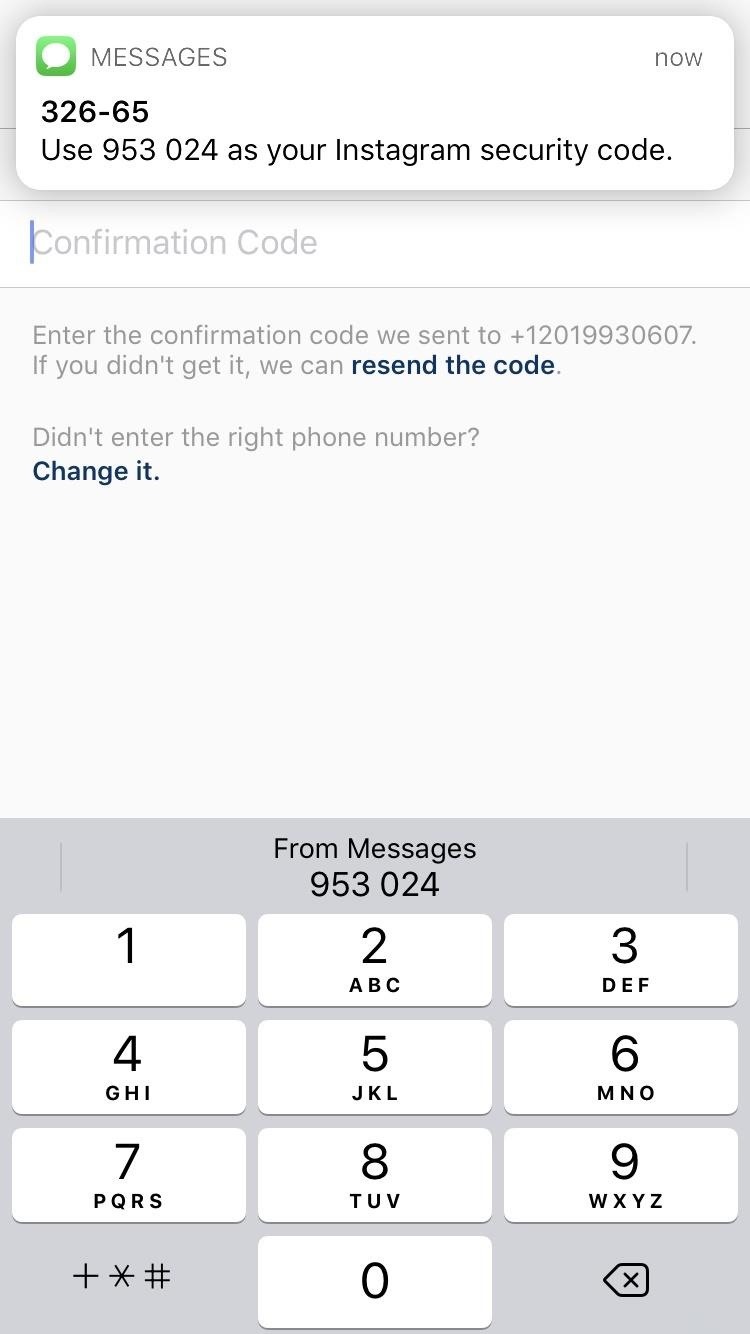
Two-factor authentication, known commonly as 2FA, gives you an added layer of security for apps and other services in the form of a six-digit numeric PIN that’s sent to you via Messages. In the past, you had to retrieve and input a time-sensitive code, which made access cumbersome. To alleviate this, iOS 12 has made 2FA security codes available as AutoFill options.

In other words, you no longer have to jump from a login page over to Messages to retrieve your security code, then back again to type it in. Unfortunately, the auto-fill feature doesn’t extend to external 2FA apps like Google Authenticator, and there’s no concrete information as to whether it’ll be added on with future updates.

This is a security setting you should simply be aware of, considering how easy it makes 2FA. Once your iPhone gets updated to iOS 12, it would be a good idea to go through any online accounts that contain sensitive data and enable 2FA if it’s available.

2. Audit Your Passwords

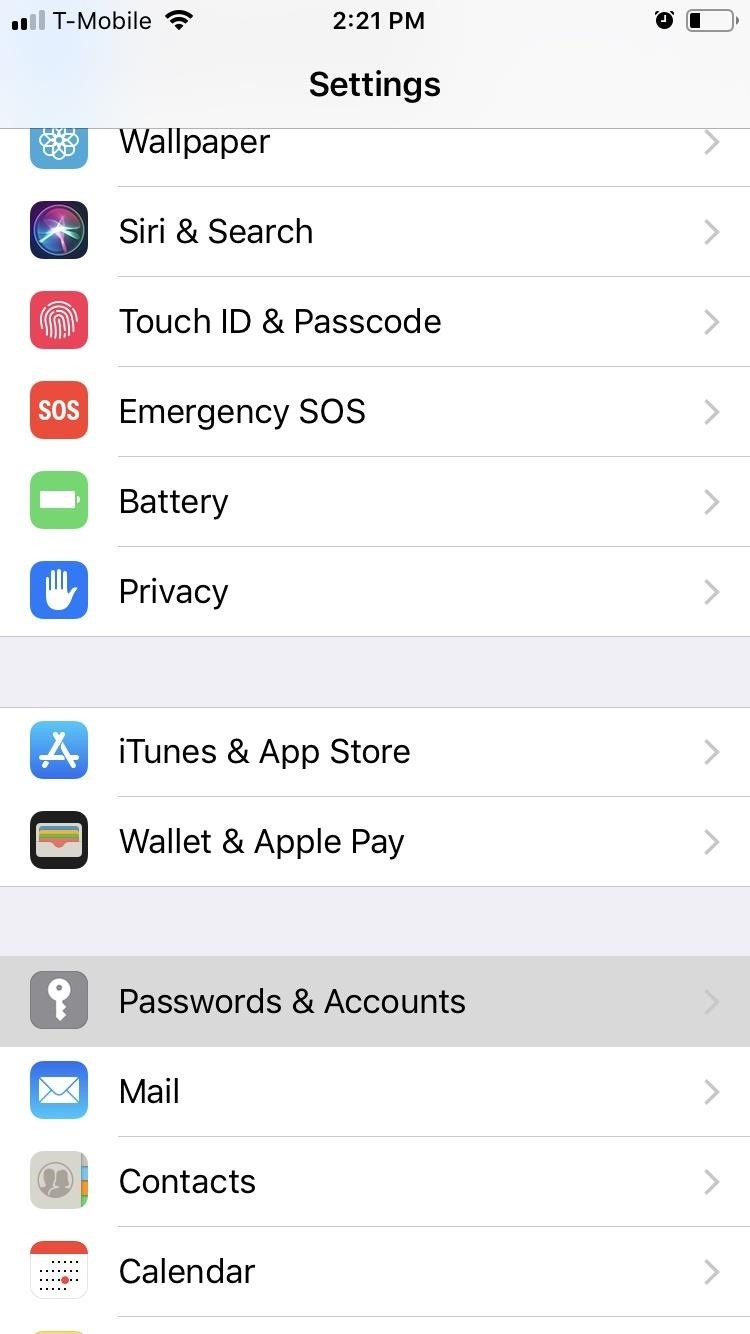
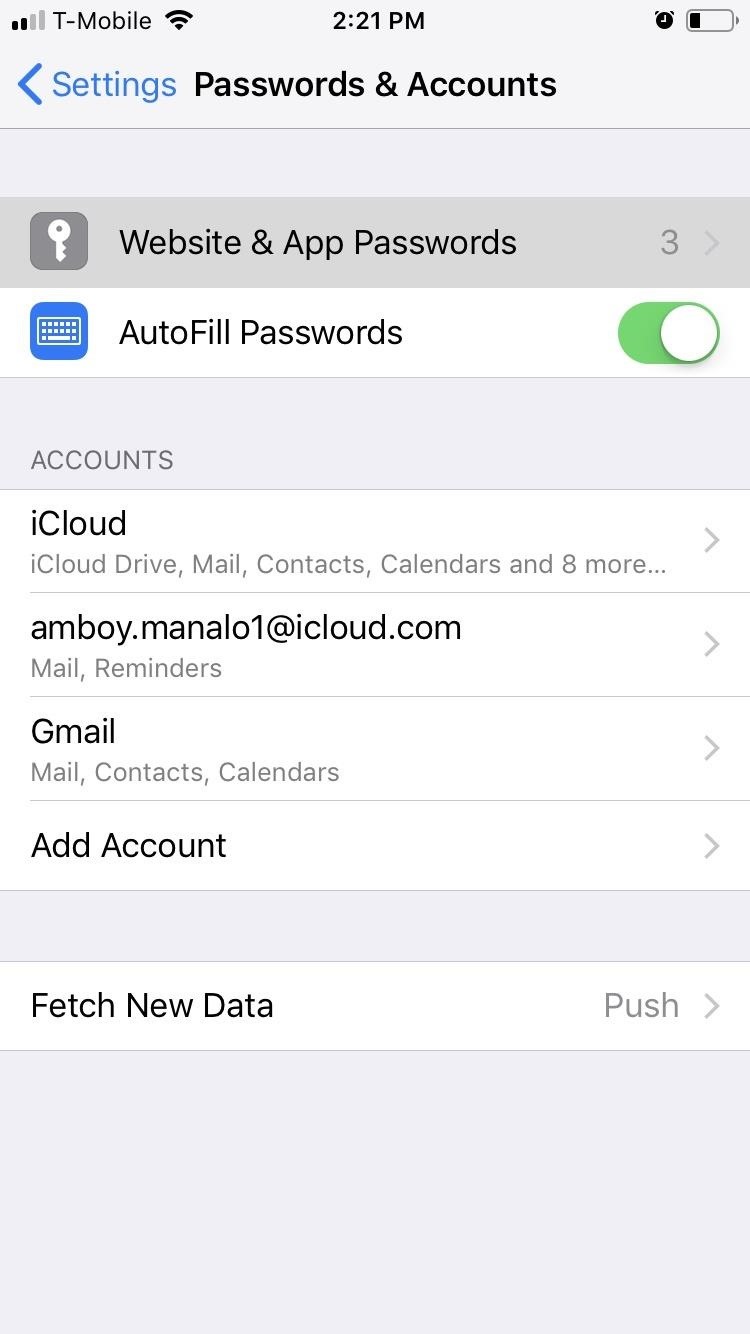
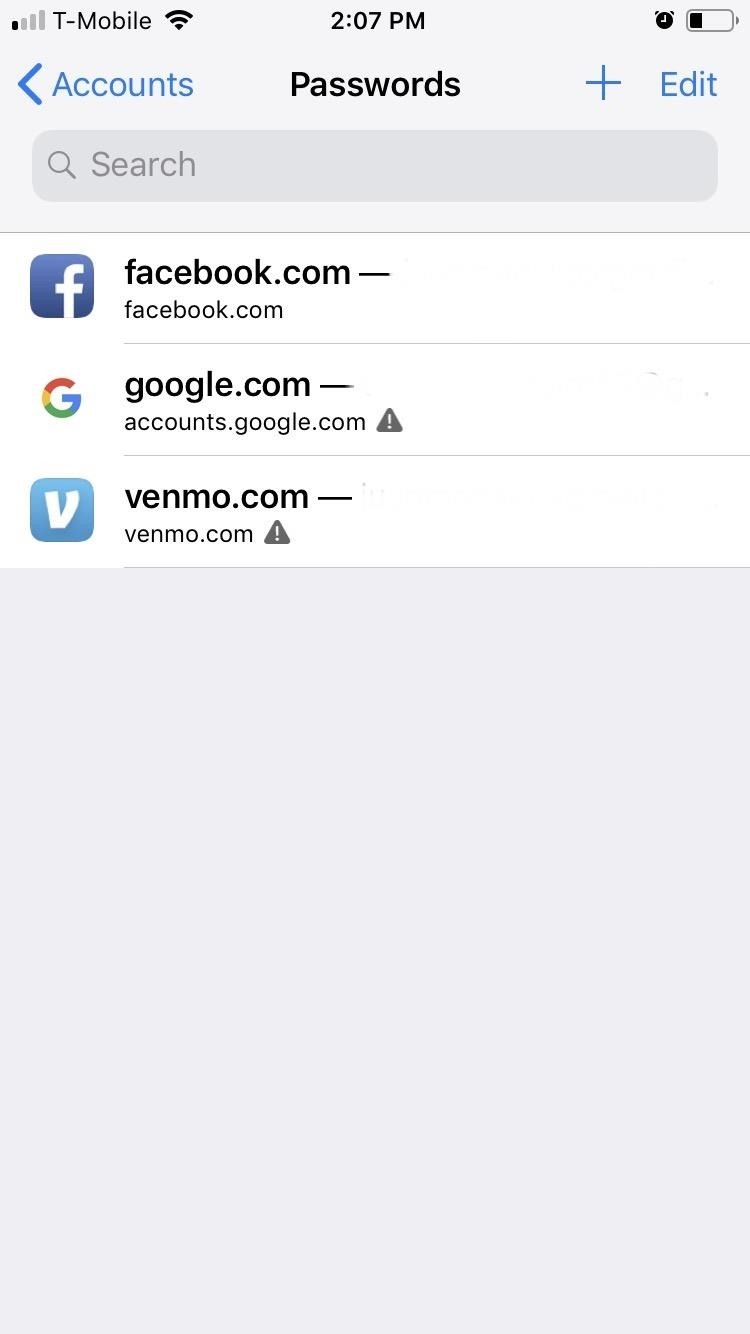
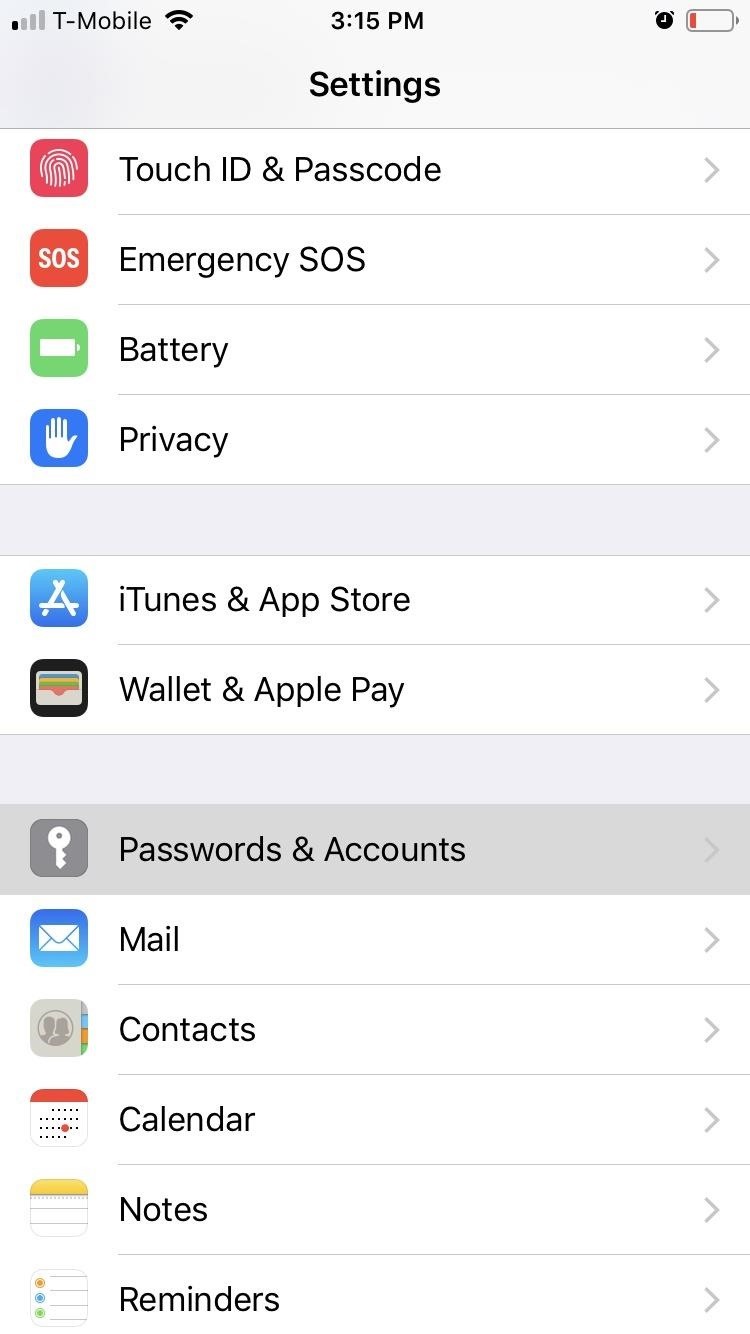
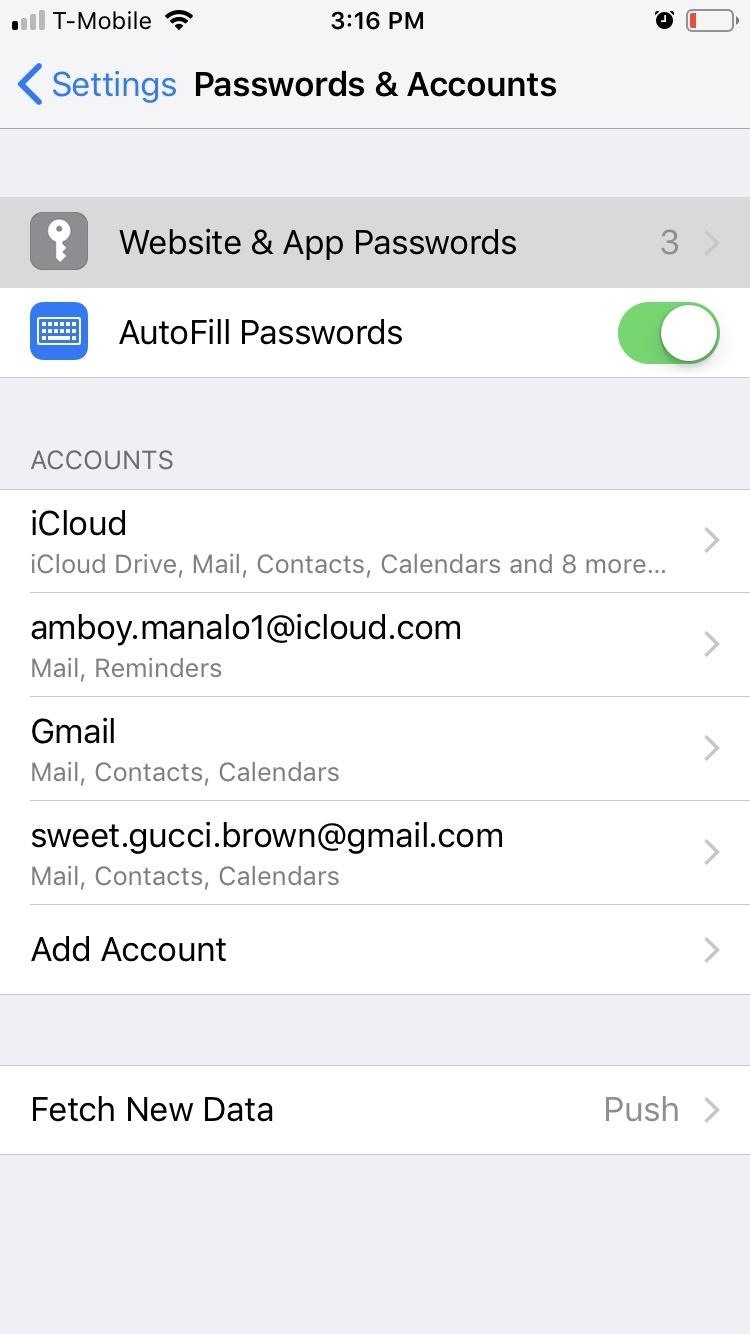
To further beef up your privacy and security, iOS 12 has introduced Password Reuse Auditing, a feature that keeps track of saved passwords and flags identical ones for different accounts; This can be accessed by going to Settings –> Password & Accounts –> Website & App Passwords. From there, any accounts that have identical passwords will be marked with a triangle containing an exclamation point.

Tap on any of the suspect accounts, and select „Change Password on Website“ on the following page to create a new password.

3. Keep USB Restricted Mode On

Brute-force USB unlocking tools like Cellebrite and GrayShift have become popular in law enforcement circles nationwide due to their ability to bypass iOS restrictions on the number of incorrect passcode attempts. This enables officers to unlock confiscated devices by entering an unlimited amount of guesses until they finally get past the lock screen.

In an effort to combat this, iOS 12 has USB Restricted Mode, which requires you to unlock your iPhone with a password when connecting to a USB device. Unlike past iOS betas which only required a password for devices that haven’t been unlocked for seven days, iOS 12 (as well as iOS 11.4.1 before it) has significantly reduced the requirement window to one hour.

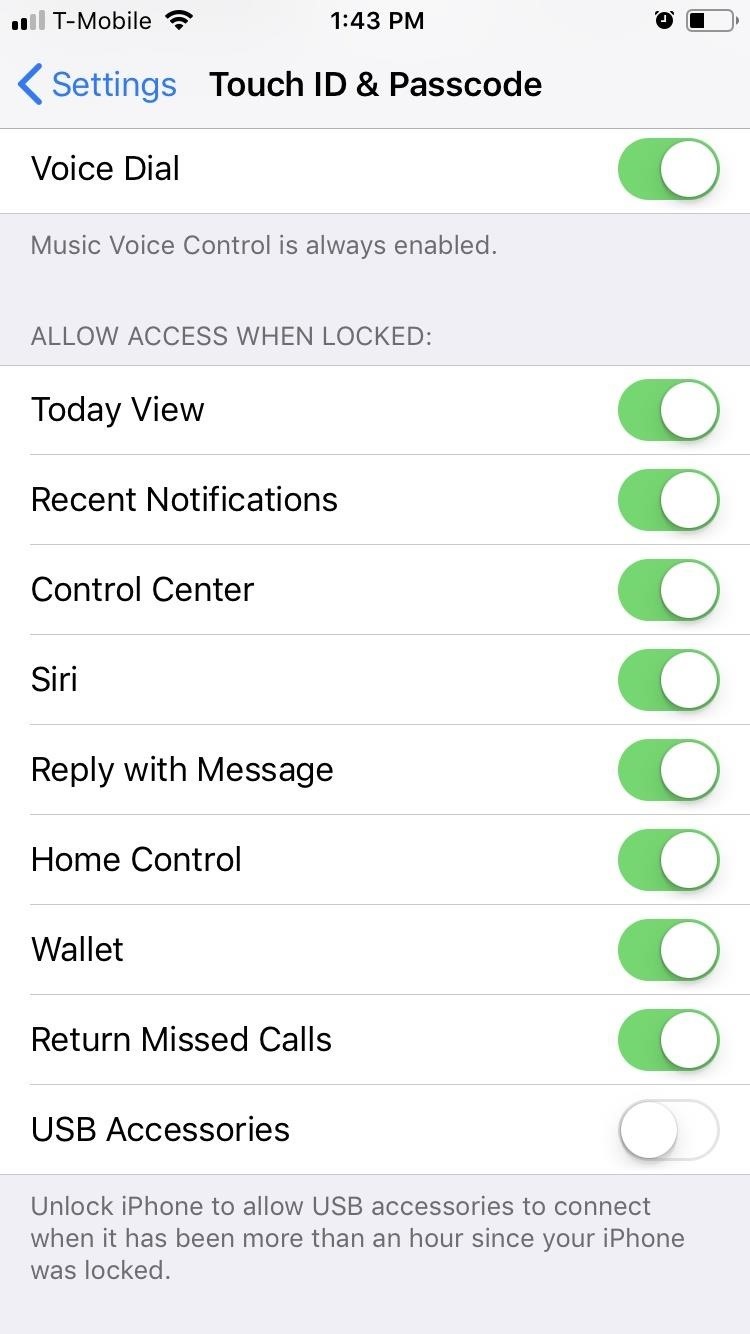
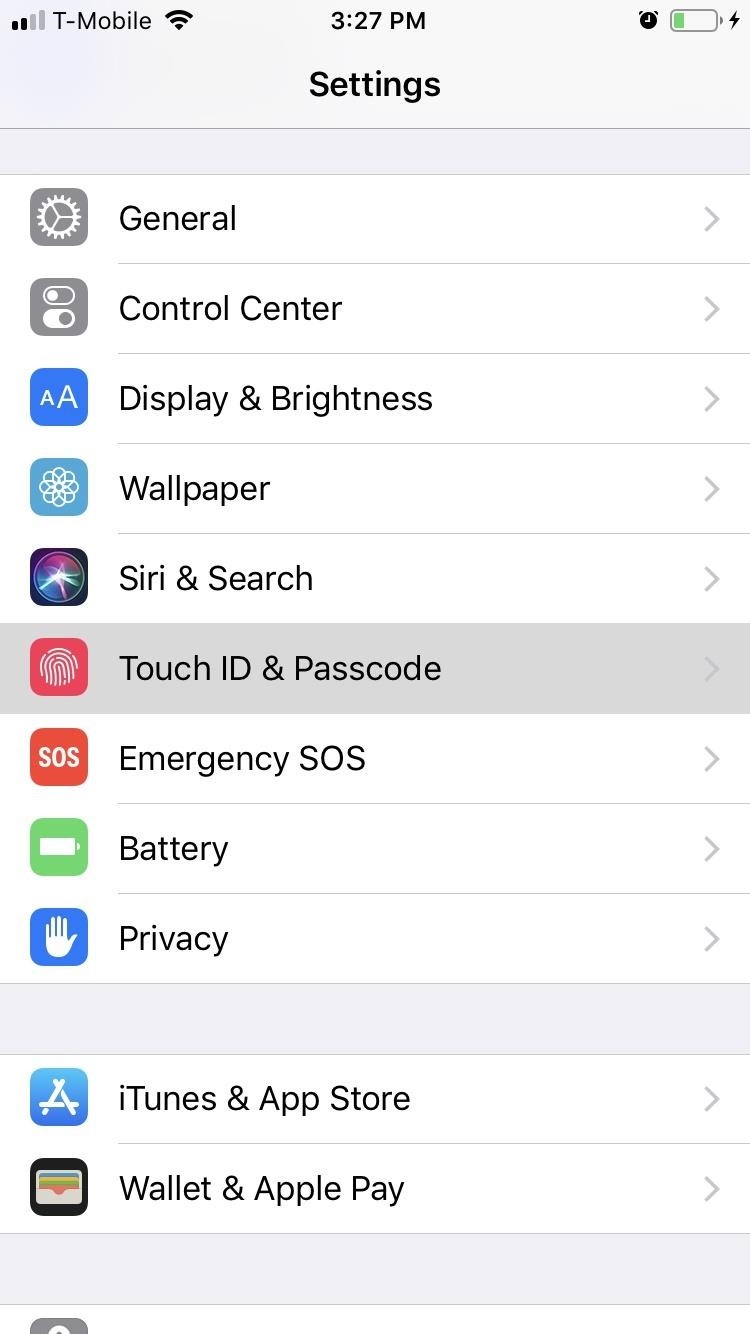
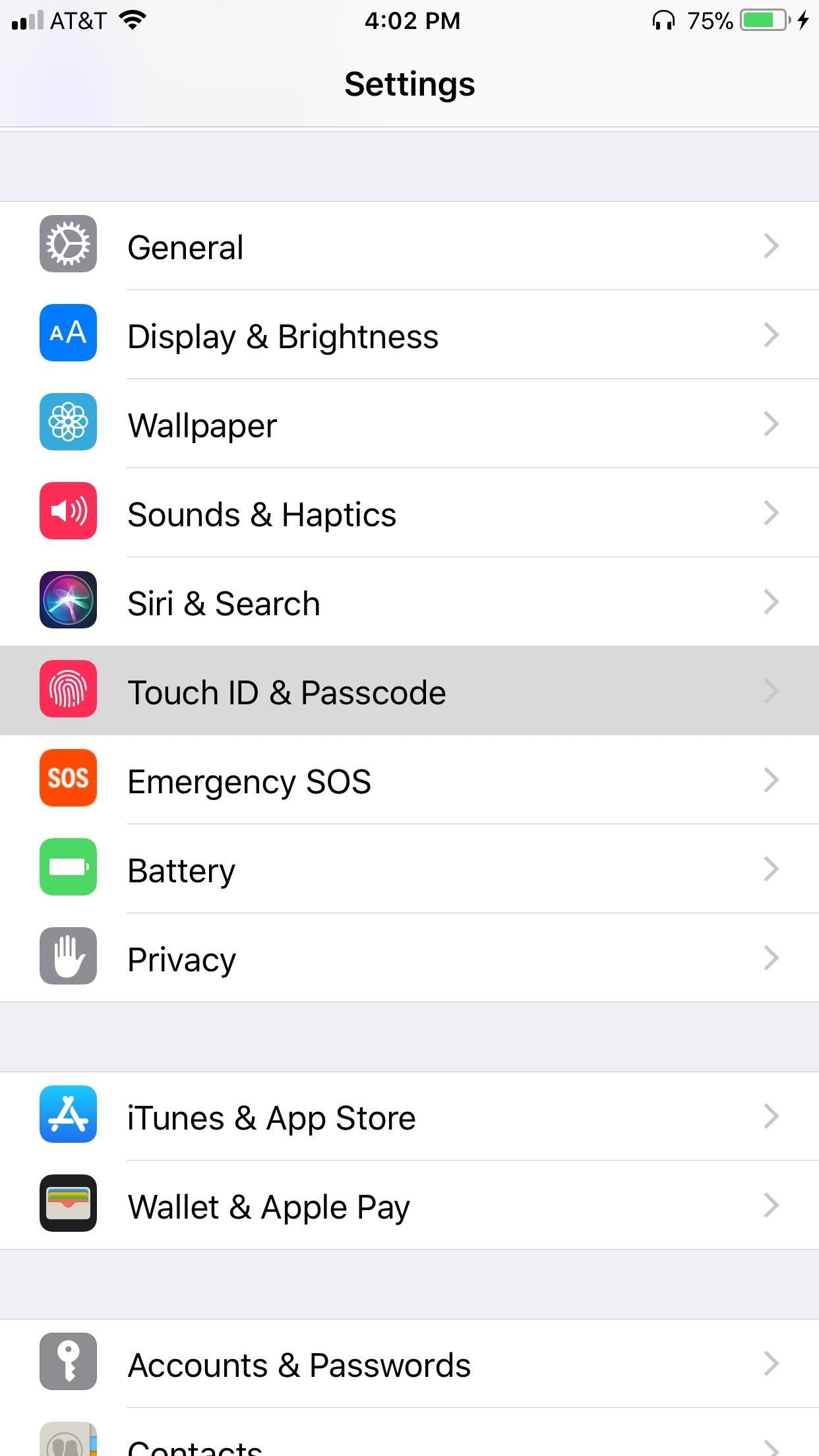
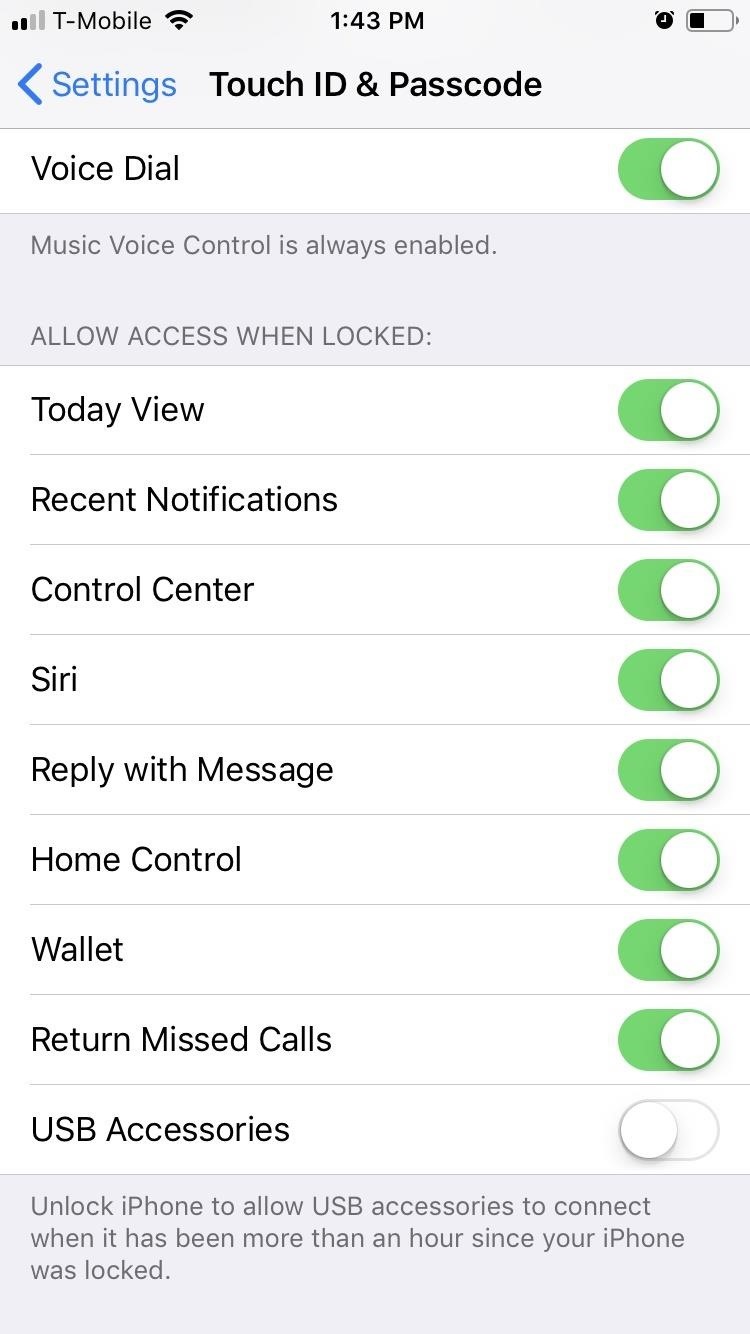
This stringent requirement effectively nullifies law enforcement’s ability to unlock suspect iPhones with USB unlocking tools, as they will have only a 60-minute window to gain access to the device before the password requirement kicks in. If you want to disable this feature, however, head to Settings –> Touch ID & Passcode, and tap on the toggle next to „USB Accessories“ so it’s green.

4. Disable Face ID (iPhone X)

With its first anniversary fast approaching, it’s safe to say that Face ID has proved to be a reliable way of unlocking your iPhone X while keeping it secure from unwanted access. Nothing is bulletproof, however. Apple advertises a false acceptance rate of 1 in a million for Face ID, and considering there are 7.6 billion people on earth, that means roughly 7,600 other people could unlock your iPhone.

If that’s not enough to warrant concern, there’s an even higher chance of someone forcibly using your own face against your will to gain access to your iPhone. So if you want to maximize security, we recommend disabling Face ID altogether by going to Settings –> Face ID & Passcode. Instead, use a strong password, something longer than a six-digit numeric passcode.

5. Disable Face ID Temporarily (iPhone X Only)

If you must keep Face ID on, don’t worry. Apple has included a quick way to disable Face ID temporarily, in case you know your physical security is about to become compromised. Be sure to check out our guide below to find out more about this option, which leaves your phone’s security in the hands of your passcode.

6. Disable Touch ID

Just like the iPhone X with Face ID, Touch ID on other iPhone models can be a problem. For one, you don’t want to store your fingerprint in any database, even if it’s locally on your iPhone, since someone could potentially pull that record with access to your device. It’s much safer in the long run to use a less-convenient passcode. You can disable Touch ID via the Touch ID & Passcode settings.

7. Disable Touch ID Temporarily

Again, just like with Face ID, you can disable Touch ID temporarily instead if you don’t want to lose the convenience of Touch ID permanently. With a certain button combo press, you can disable it before handing it over to law enforcement, thieves, or even nosy friends and family.

8. Set a Stronger Passcode

By default, the iPhone passcode is six numeric digits long, though you can still set it to four numeric digits for added convenience. While there is nothing inherently wrong with using these passcode limits, they aren’t the most secure. A four-digit passcode, for instance, has 10,000 possible combinations, and considering there are 85.8 million iPhone users in the United States alone, there just aren’t enough unique combinations to go around.

Increasing the passcode to six digits increases the number of possible combinations to one million and brings it up to par with Face ID’s odds. If you want to go beyond those odds and maximize your iPhone’s security, change your passcode to a password, as using a true password with a combination of letters, numbers, and special characters will make your lock screen virtually impenetrable.

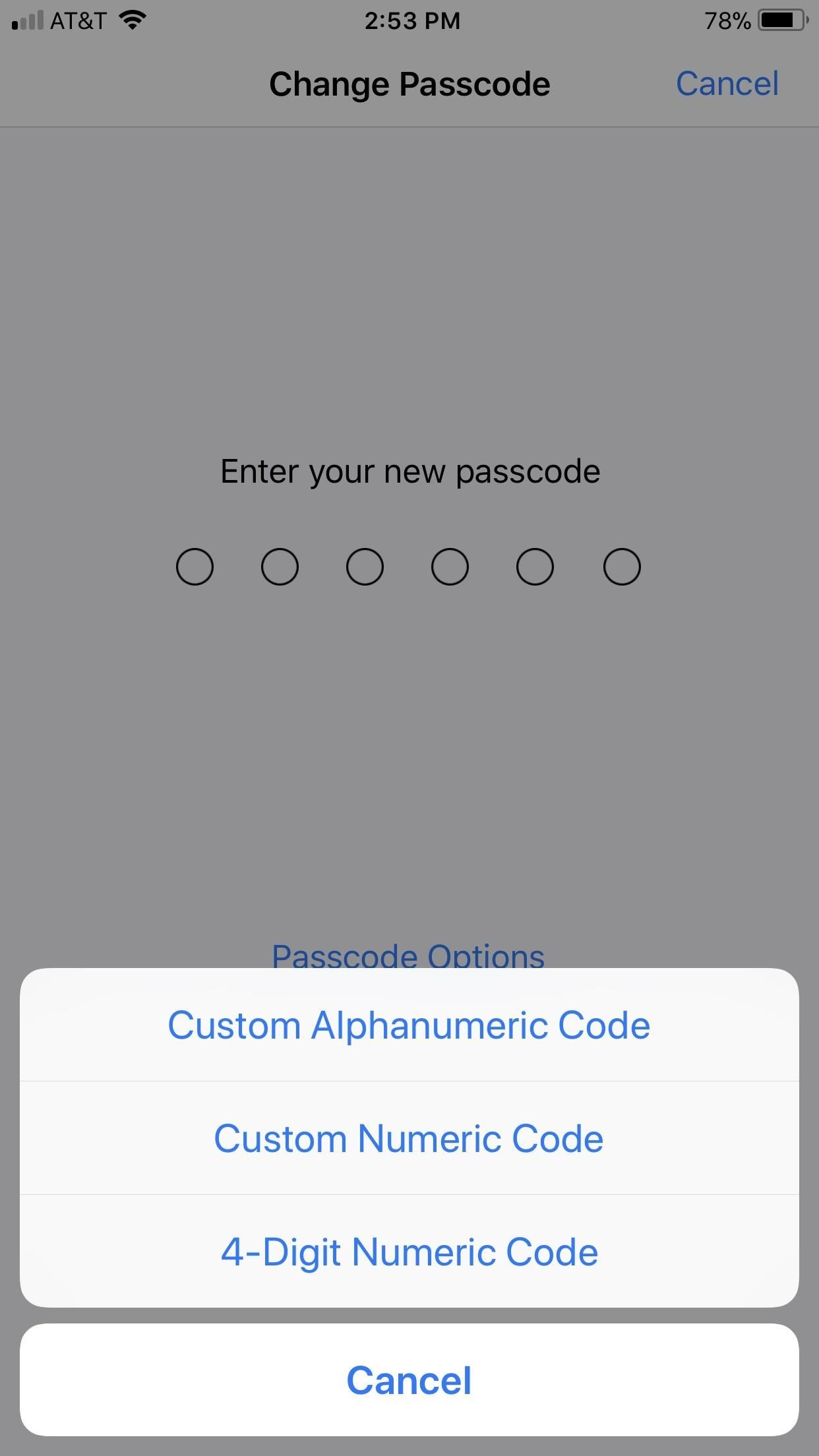
Granted, entering a convoluted password into your phone every time you want to use it is not ideal, but it’s currently the most secure way to lock your iPhone. So if you want to maintain a balance between convenience and security, choose a six-digit passcode over a four-digit one, while making sure to avoid common passcodes like 123456 or six of the same number.

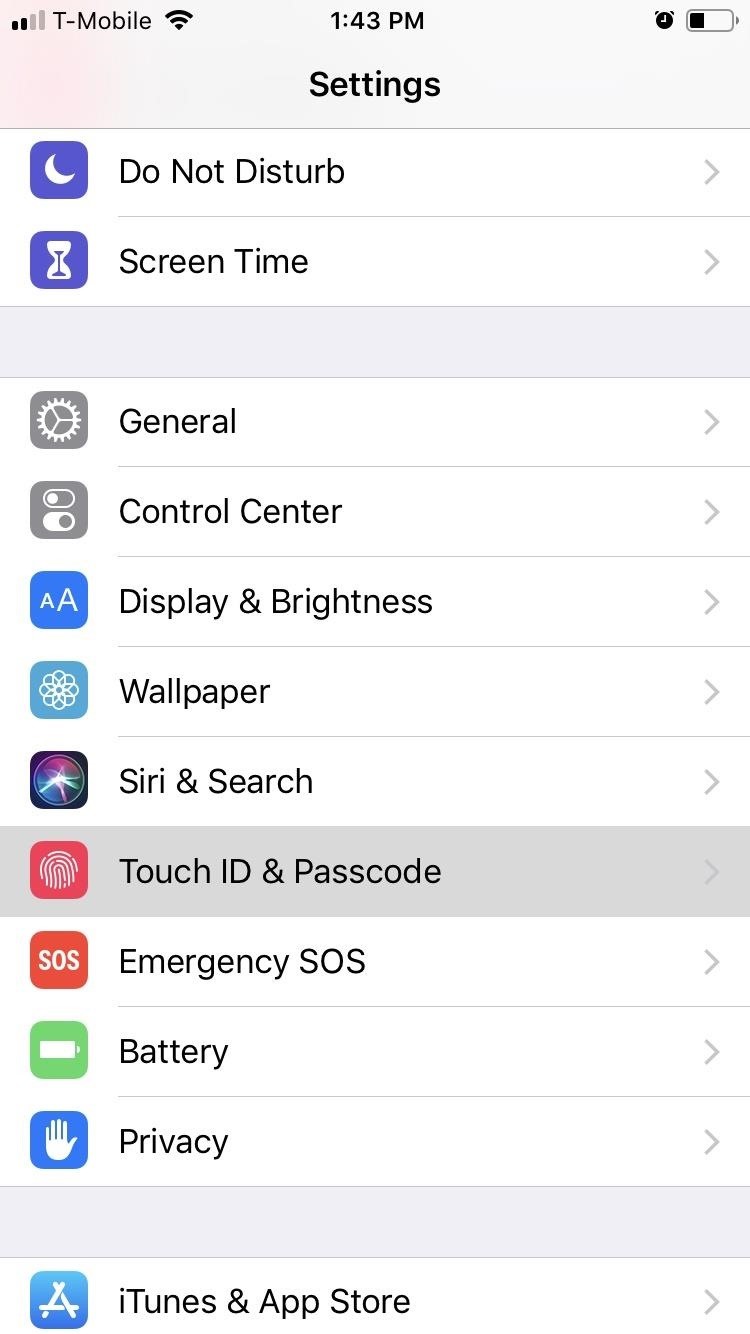
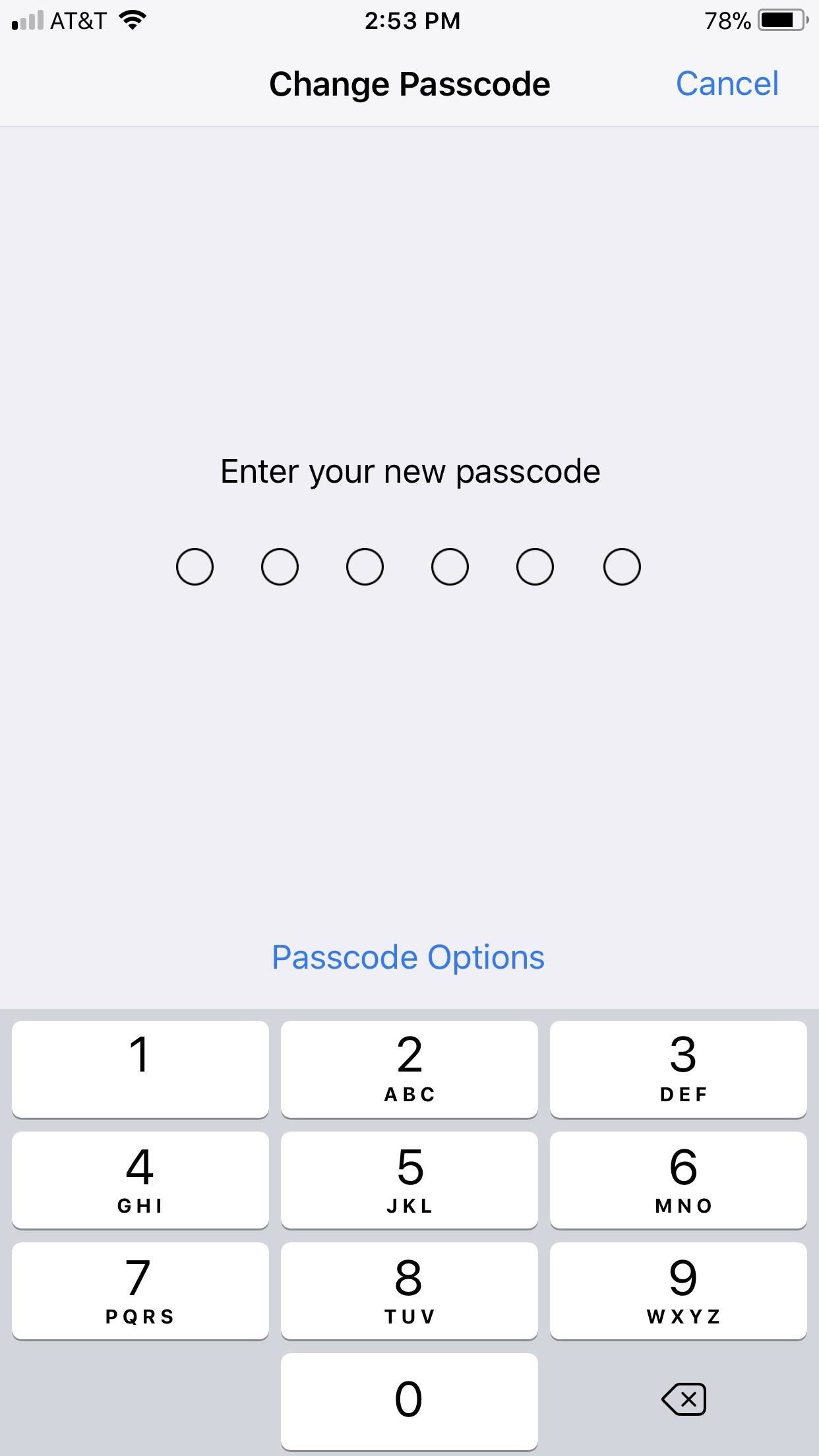
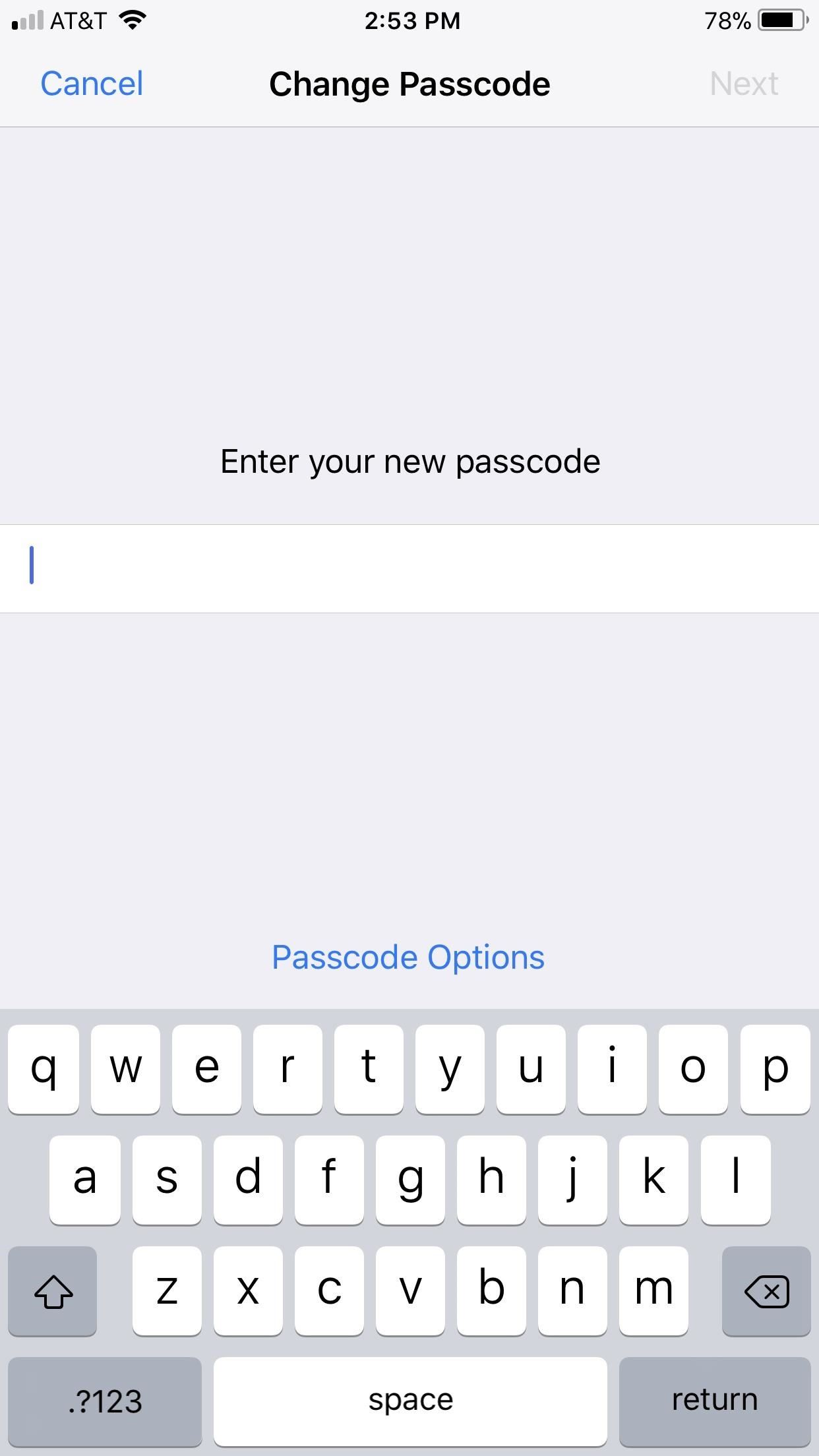
To change your iPhone’s password, go to Settings –> Touch ID & Passcode –> Change Passcode. Enter your old passcode when prompted, then tap „Passcode Options“ to choose which type of passcode you’d like to make.

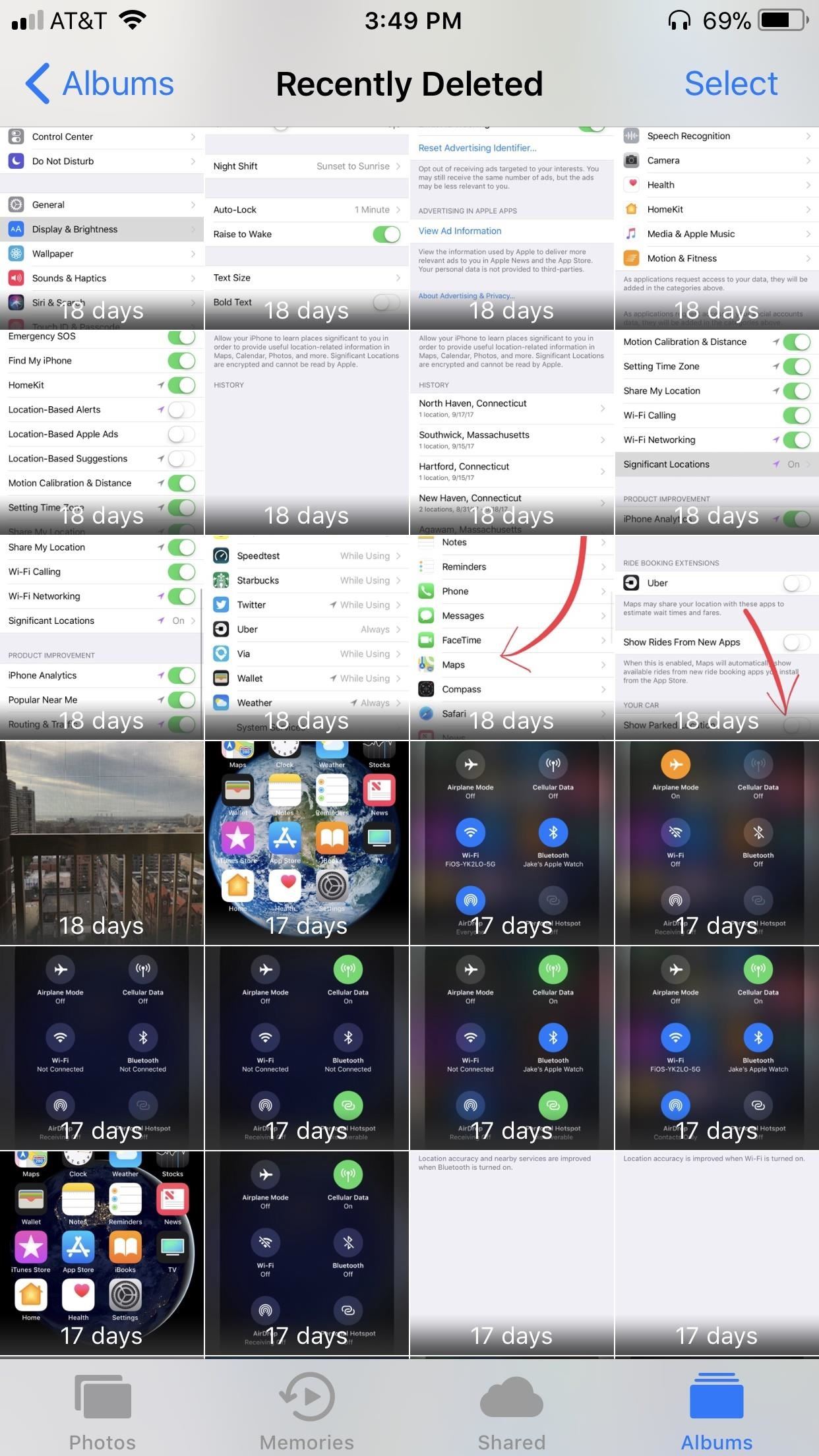
9. Stop Showing Parked Location

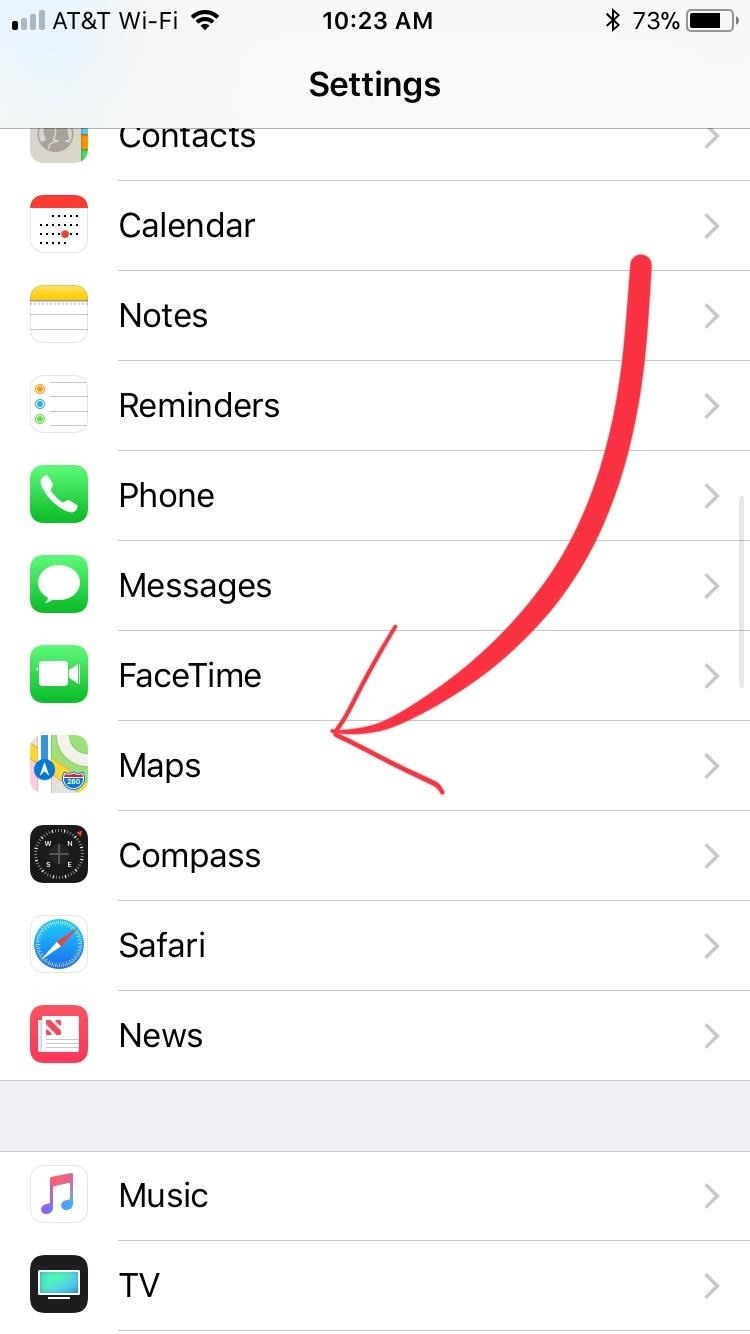
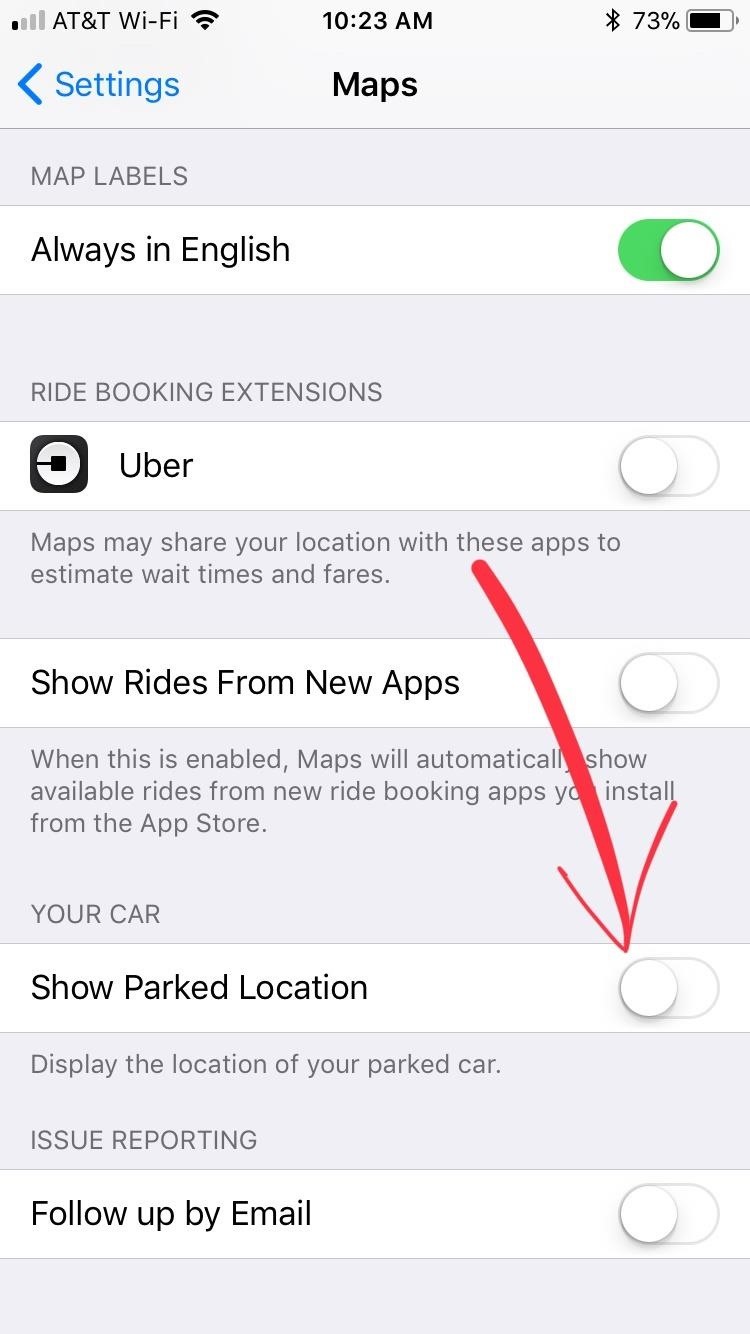
If you connect your iPhone to your car either through Bluetooth or CarPlay, your iPhone may be recording the location of where you park. While this information may be useful to some, to others, it may feel like an outright invasion of privacy. So if you feel like the latter, you’ll naturally want to shut this feature off. To do so, open your Settings app, then tap on „Maps.“ From there, simply tap on the toggle next to „Show Parked Locations“ to turn the feature off.

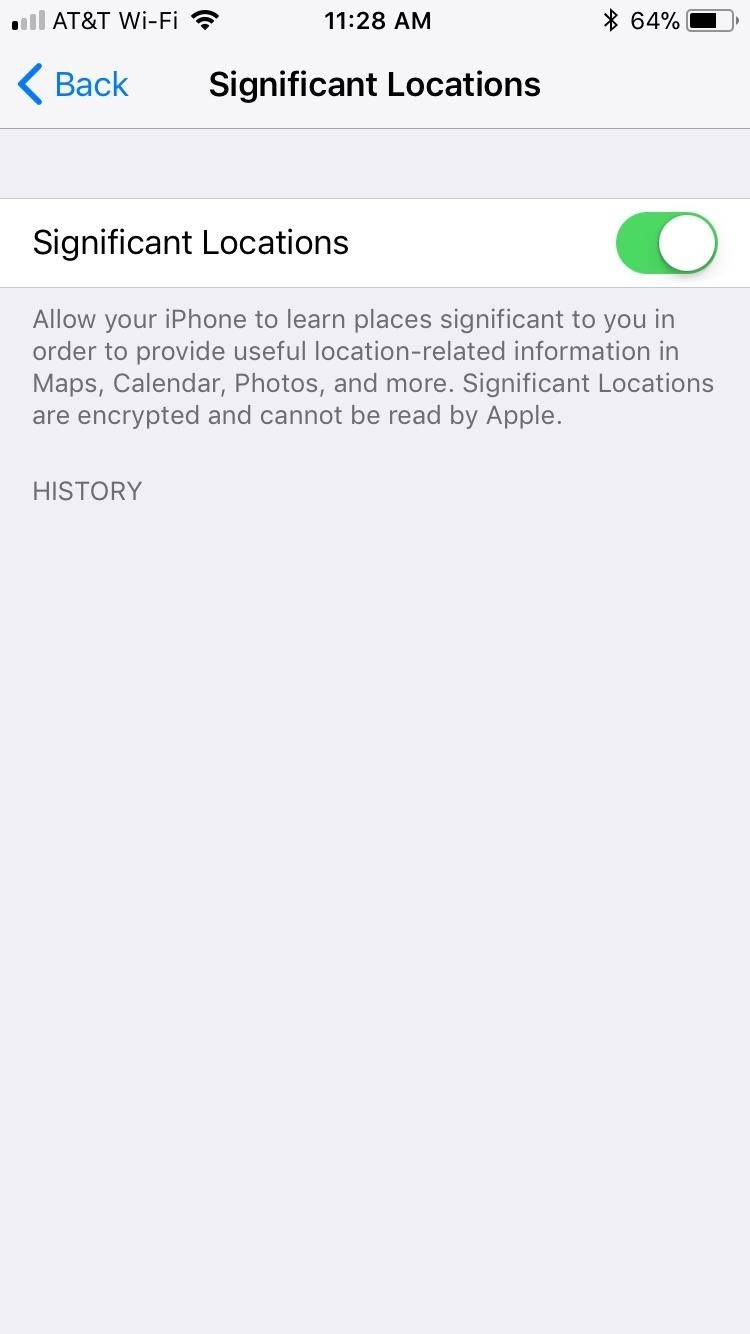
10. Disable & Clear Significant Locations

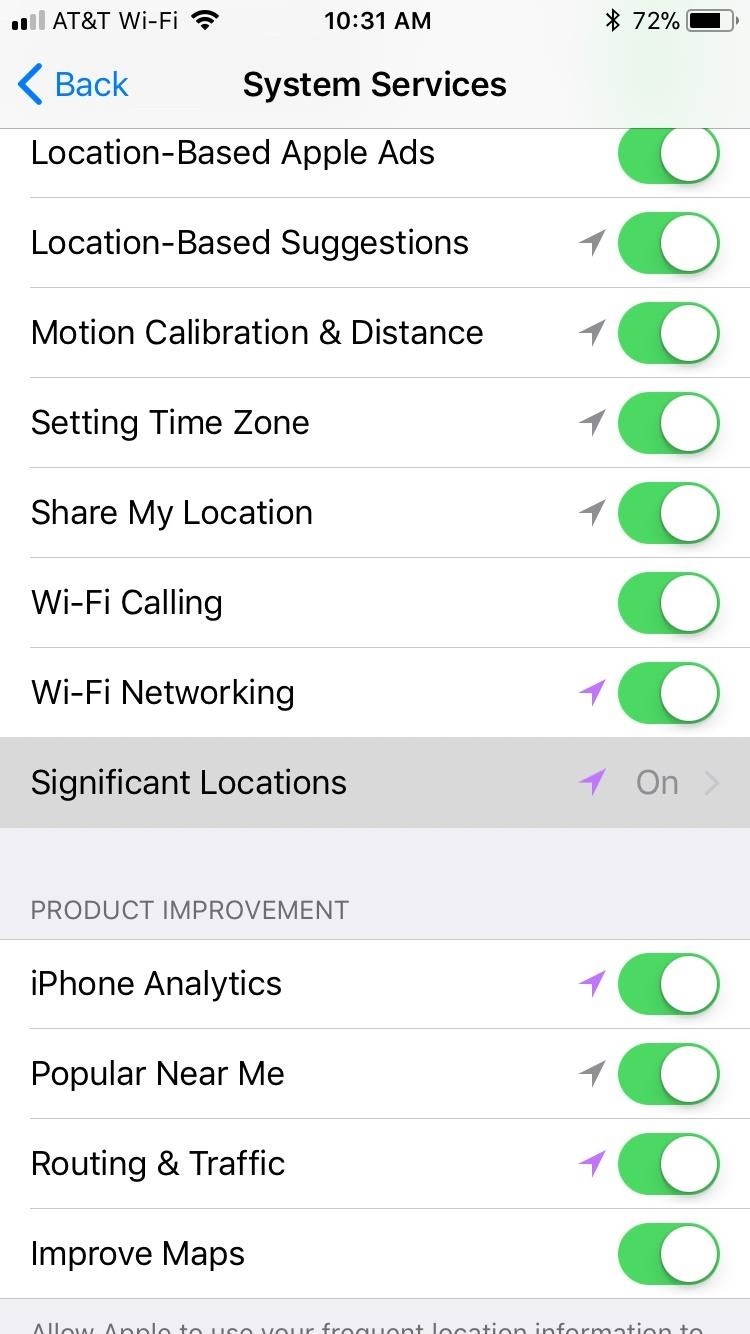
„Significant Locations“ is a setting that lets Apple record a list of your most frequently visited locations. And while this may optimize some apps that rely on location services, the improvements might be outweighed by privacy concerns overall.

So if you’d rather not let Apple know about locations you frequently visit, head over to Settings –> Privacy –> Location Services –> System Services –> Significant Locations, then disable it. From there, you also have the added option of clearing the history that your iPhone may have accumulated over time.

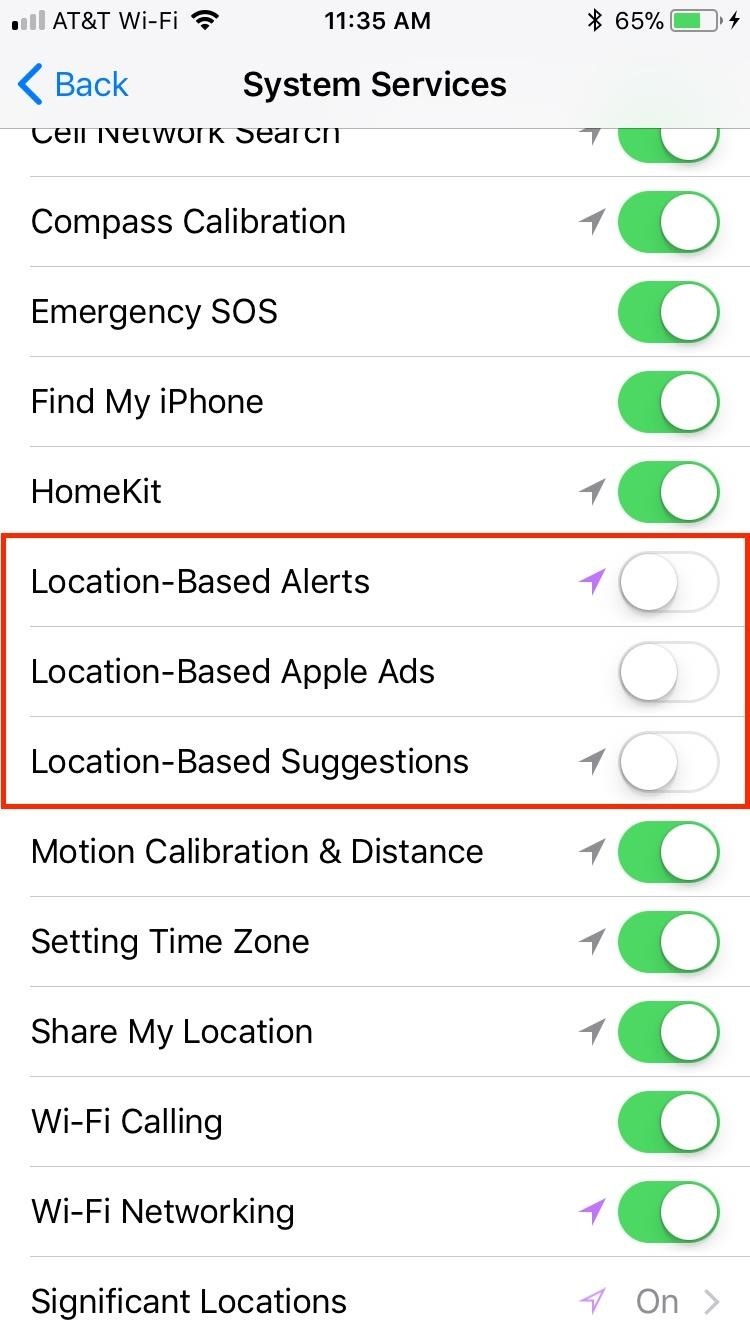
11. Turn Off Location-Based Alerts, Apple Ads & Suggestions

When enabled, location-based alerts, Apple ads, and suggestions all track your location to provide targeted notifications, advertisements, and options. To say that these options are not the most privacy-centric features in iOS 12 would be an understatement. In fact, these settings are actually quite creepy.

So if you don’t want to be specifically targeted by Apple wherever you go, open your Settings app, select „Privacy,“ and tap on „System Services“ on the following page. From there, you can deactivate „Location-Based Alerts,“ „Location-Based Apple Ads,“ and „Location-Based Suggestions“ by turning their corresponding toggles off.

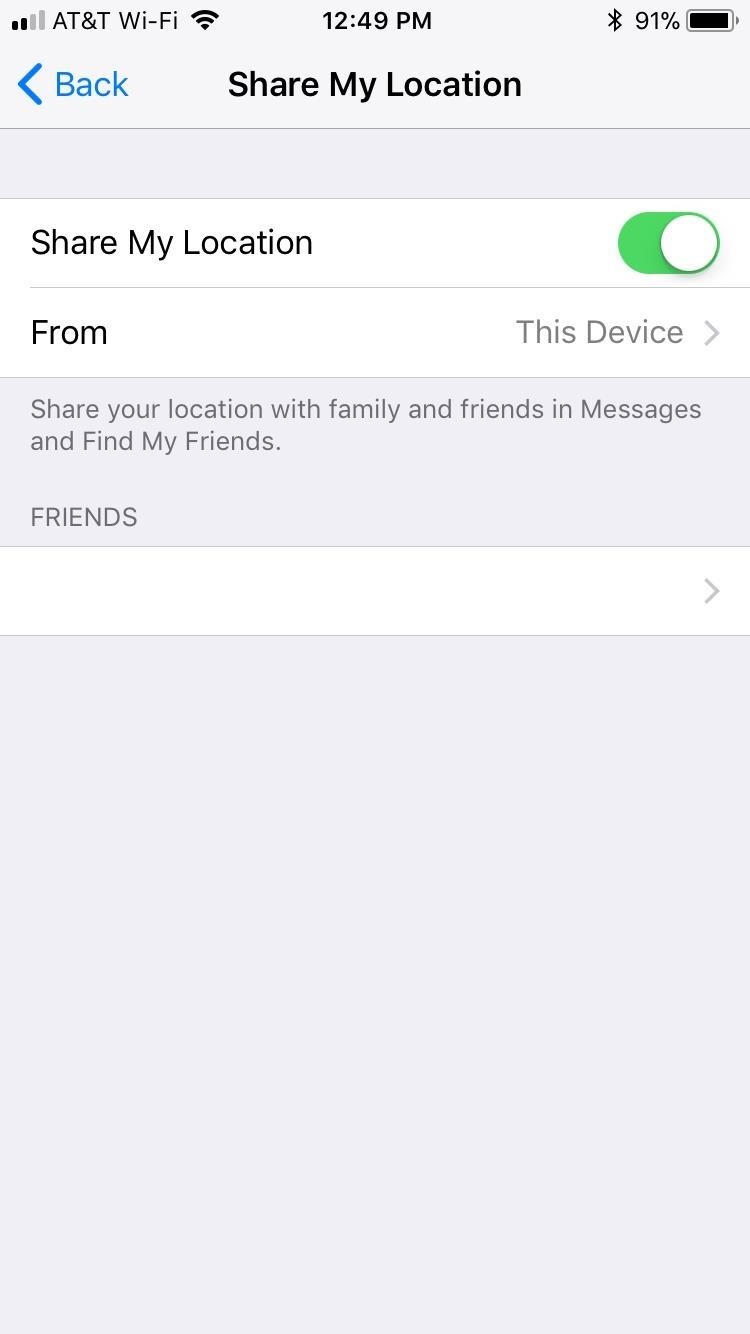
12. Disable Share My Location

Having „Share My Location“ enabled lets you send your current whereabouts to a friend who requests it. While you need to mutually agree to this arrangement with another person using the Find My Friends app, there are ways of tracking your iPhone without your permission. If you’d like to avoid that risk altogether, disable the option by going to Settings –> Privacy –> Location Services –> Share My Location.

Alternatively, you can change the device that shares your location, if you have more than one attached to your Apple ID. You can also check with friends of yours you have approved to view your location.

13. Turn Off Analytics

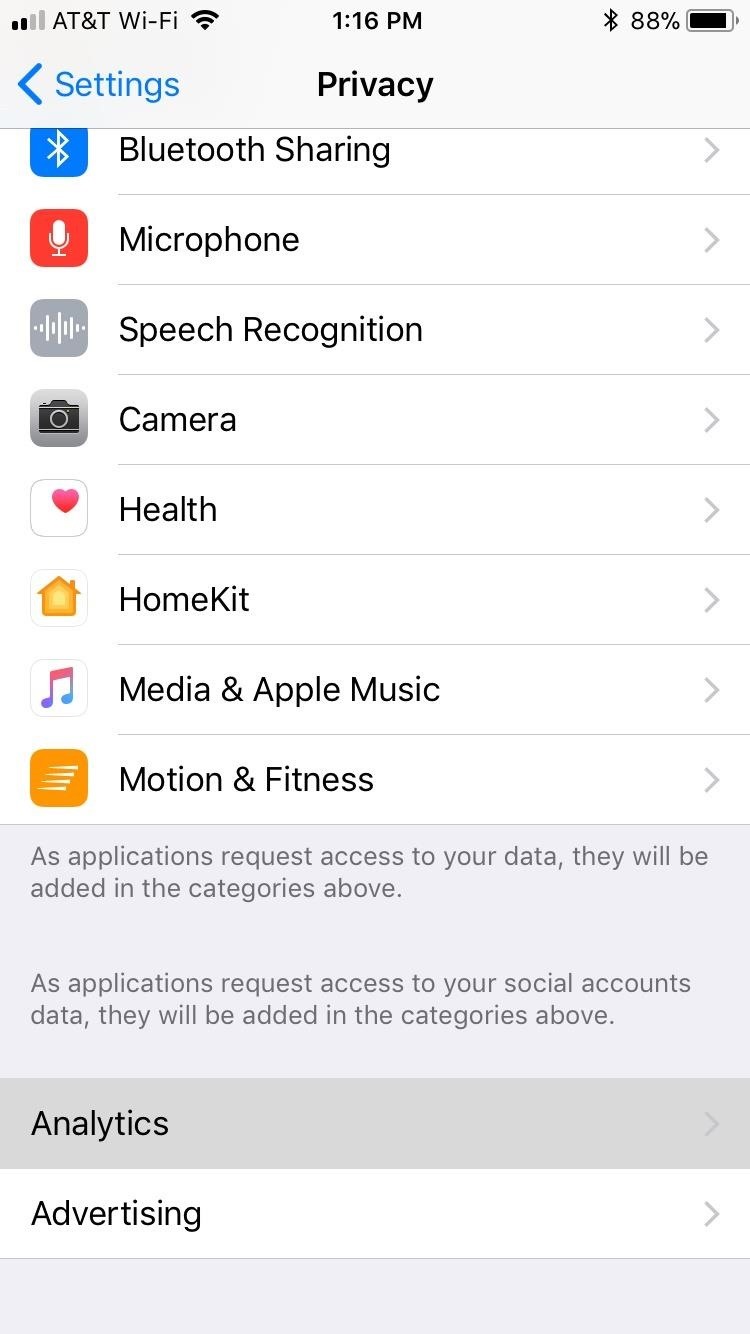
Formerly „Diagnostics & Usage, the „Analytics“ page found within your iPhone’s Settings app contains options that share data from your phone to Apple in an effort to help identify bugs in the system and make iOS better overall. Think of it as a beta test, only for the official iOS 12 release.

While this information gives Apple the ability to detect issues and help keep iOS 12 running smoothly, you wouldn’t be alone in feeling that your iPhone may be sharing too much without your knowledge. If you’d like to end hidden communication between your Device and Apple, go to Settings –> Privacy –> Analytics.

From there, you have many options you can disable:

  • Turn off „Share iPhone & Watch Analytics“ to disable all analytics with Apple.
  • „Share With App Developers“ shares your app data with that app’s developer. Disable this setting to close that line of communication.
  • Disable „Share iCloud Analytics“ to prevent Apple from using your iCloud data to improve on apps and services associated with that information.
  • „Improve Health & Activity“ shares your health and activity data with Apple to improve these services on your iPhone. Disable this feature if you don’t want Apple to know about such private information.
  • „Improve Health Records“ shares pertinent health conditions such as medications, lab results, and other conditions with Apple. Disable this feature as you did with health and activity above.
  • „Improve Wheelchair Mode“ will send Apple your activity data if you use a wheelchair. Again, turn this feature off as you did „Improve Health & Activity,“ regardless of whether you’re in a wheelchair or not.

14. Limit Ad Tracking

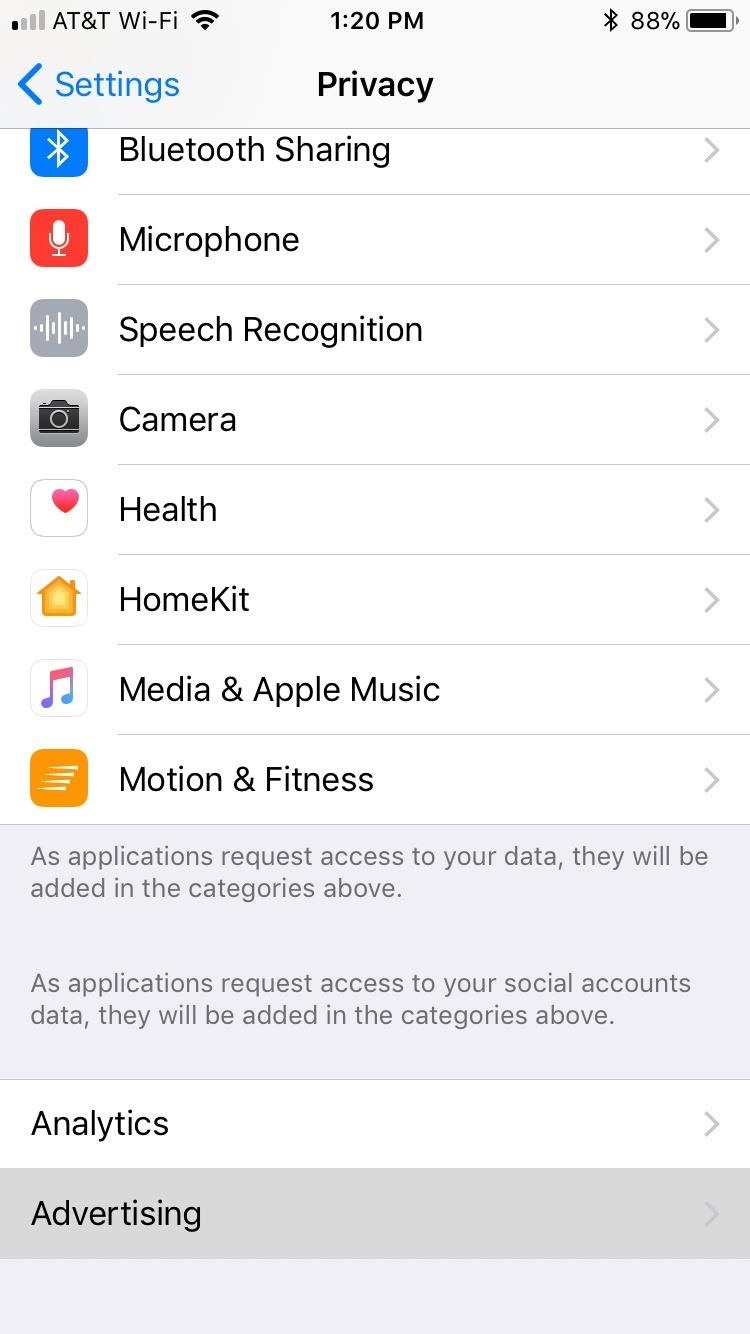
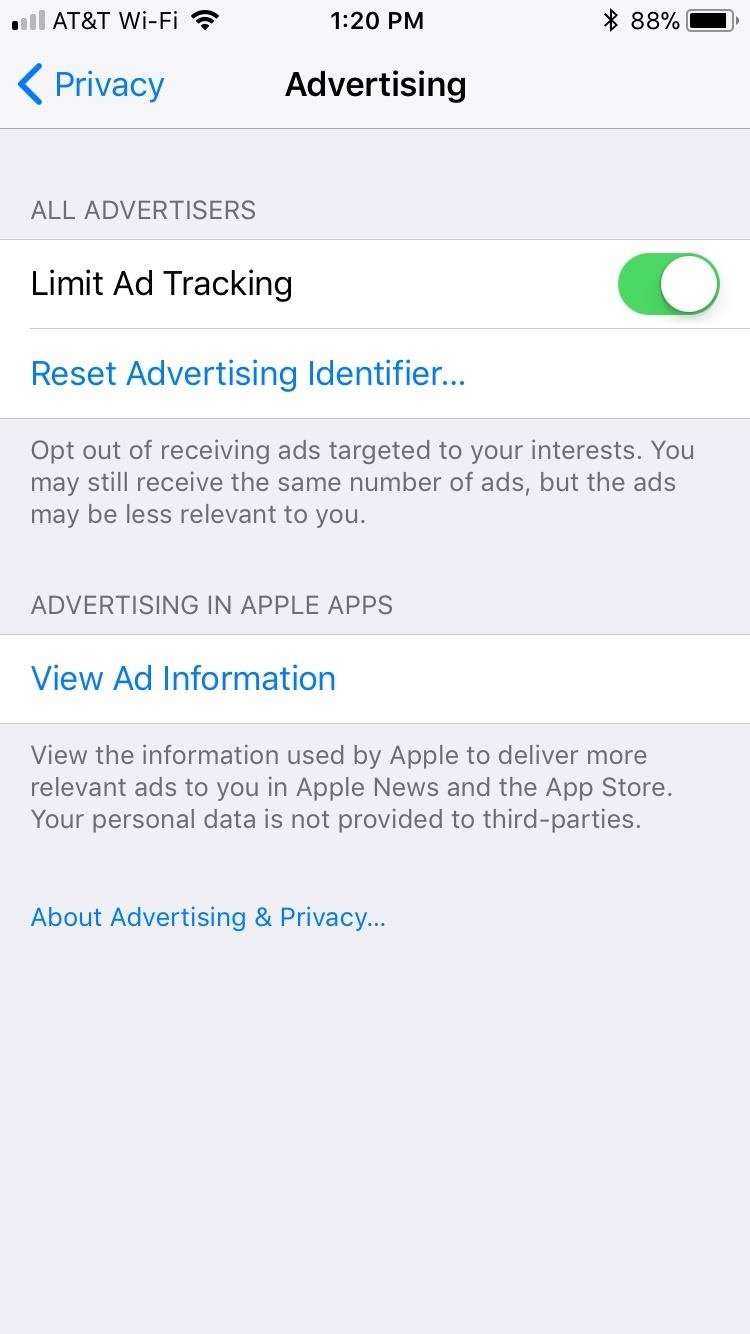
„Limit Ad Tracking“ can be enabled if you prefer your ads to be directly targeted towards you and your interests. If you’re more focused on privacy, however, letting Apple share your data with advertisers may not be to your liking. This setting is one you actually turn on instead of the other way around. So head to Settings –> Privacy –> Advertising, then enable „Limit Ad Tracking.“

Notice how the option is Limit Ad Tracking, not Stop Ad Tracking. Even with this setting enabled, Apple claims that your iPhone connectivity, time setting, type, language, and location can be used to target advertising. If you disabled Location-Based Ads, location targeting will not apply to you, but all others will. Tap „View Ad Information“ to learn more.

15. Prevent Replying in Messages

Introduced in iOS 10, your iPhone gives you the option to 3D Touch messages to reply from your lock screen. While convenient, the feature is also easily accessed by other people. So if you’re worried about those around you replying to incoming messages on your iPhone, you might want to disable this option. Be sure to check out the article below to see how.

16. Disable Raise to Wake

With „Raise to Wake“ enabled, you’ll simply need to raise your phone from a flat position to wake it up. As natural and convenient as this feature is, it does pose a privacy risk. If your iPhone turns face-up accidentally, for instance, anyone within view of your iPhone’s display may see messages and notifications that you want to keep private.

To avoid this scenario, head over to your iPhone’s Settings app and select „Display & Brightness.“ From there, simply tap on the toggle next to „Raise to Wake“ to disable the feature. If you don’t want to disable „Raise to Wake“ but still want your content private on the lock screen, you can disable previews instead.

17. Stop Using Lock Screen Widgets

Lock screen widgets are great for staying on top of your messages, notifications, calendar — basically whatever else you need to know without having to unlock your iPhone. The obvious downside is you don’t need to unlock your iPhone to view important information. Anyone can pick up your iPhone and potentially see who’s texting you what, in addition to finding out your agenda is for the day.

To avoid this potential breach in privacy, you could hit „Edit“ at the bottom of the lock screen, then delete all widgets. However, you will lose those widgets when you’ve unlocked your phone as well, not just on the lock screen. So if you want to deactivate the widgets for only the lock screen, simply head to the article below.

18. Disable Control Center on Lock Screen

The Control Center went through a major revamp on iOS 11 and gave us the ability to customize the toggles with a number of features and options. Unfortunately, these nifty additions can be detrimental to you and your iPhone in terms of privacy and security.

While most content-sensitive apps require a passcode from the lock screen to access, there are apps that, at the very least, give users limited access without having to unlock the iPhone. If you have Notes activated, for instance, anyone can freely access it straight from the Control Center to write notes, though they cannot view written notes without unlocking your iPhone first.

You can disable any apps from the Control Center that you don’t want people having access to, but that means you won’t be able to access them when your iPhone is unlocked, either. An alternative option is to disable Control Center entirely from the lock menu by going to Settings –> Touch ID & Passcode and disabling the switch next to „Control Center.“ We’ll talk more about Passcode Lock later.

One app that should be disabled from Control Center is Wallet. While you do need your Touch ID, Face ID, or passcode to access any credit cards stored in your iPhone, other types of cards, like Starbucks, travel passes, and various other loyalty cards, do not. So if you want to prevent others from gaining access to these forms of currency, you’ll need to disable Wallet from Control Center.

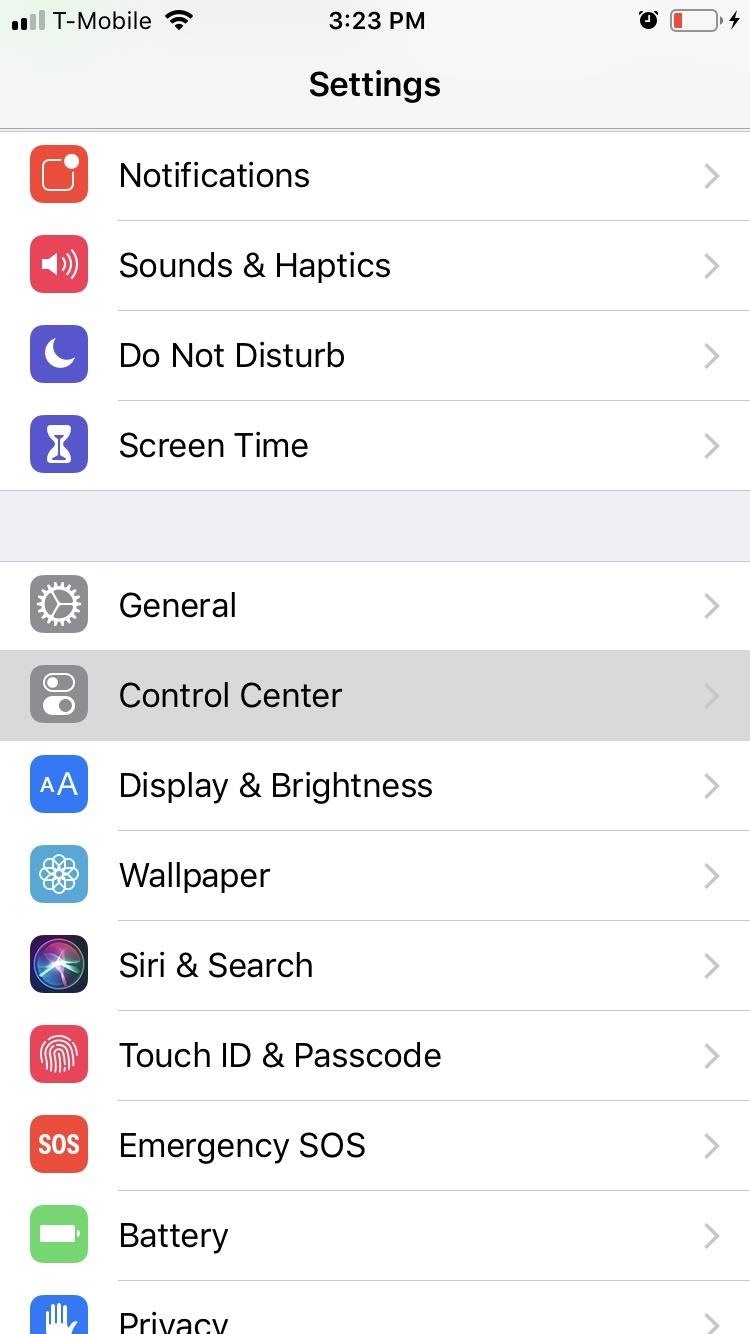
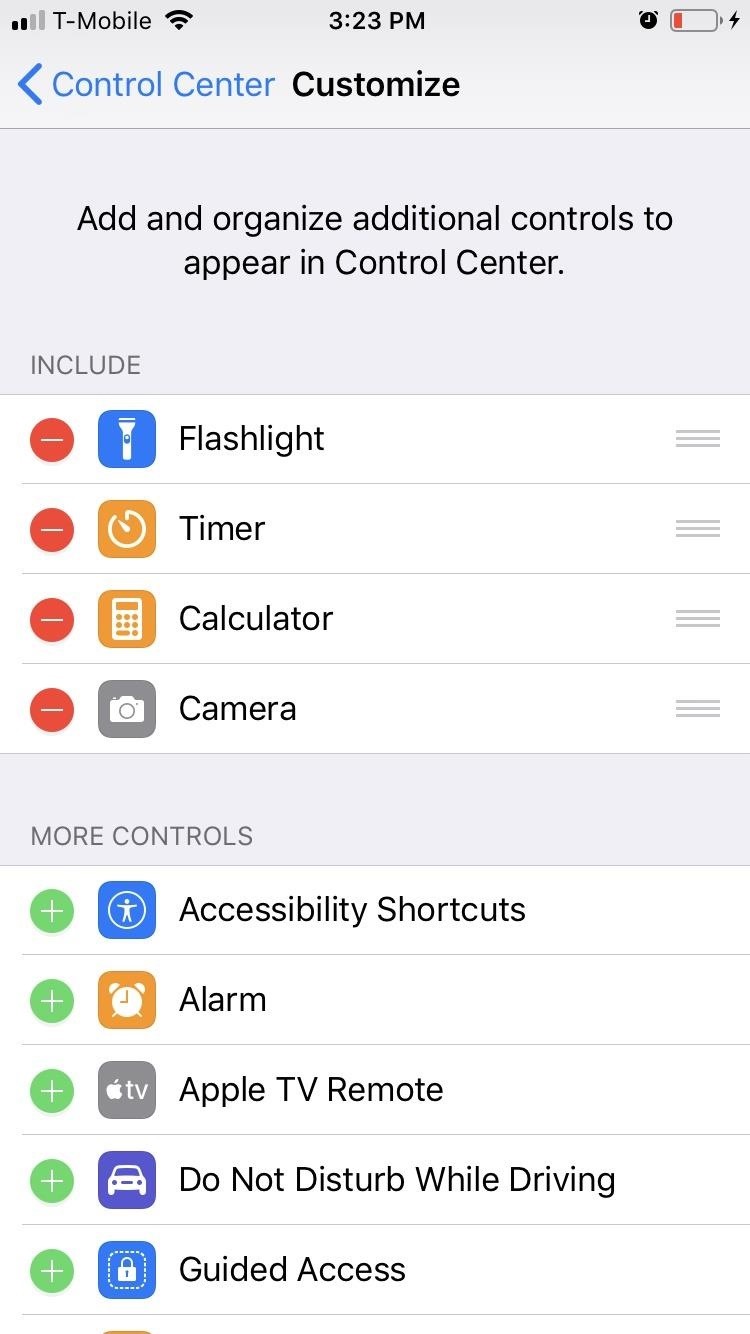
To further customize options in your Control Center, open your Settings app, select „Control Center,“ then tap on „Customize“ on the following page.

19. Ask Websites Not to Track Me on Safari

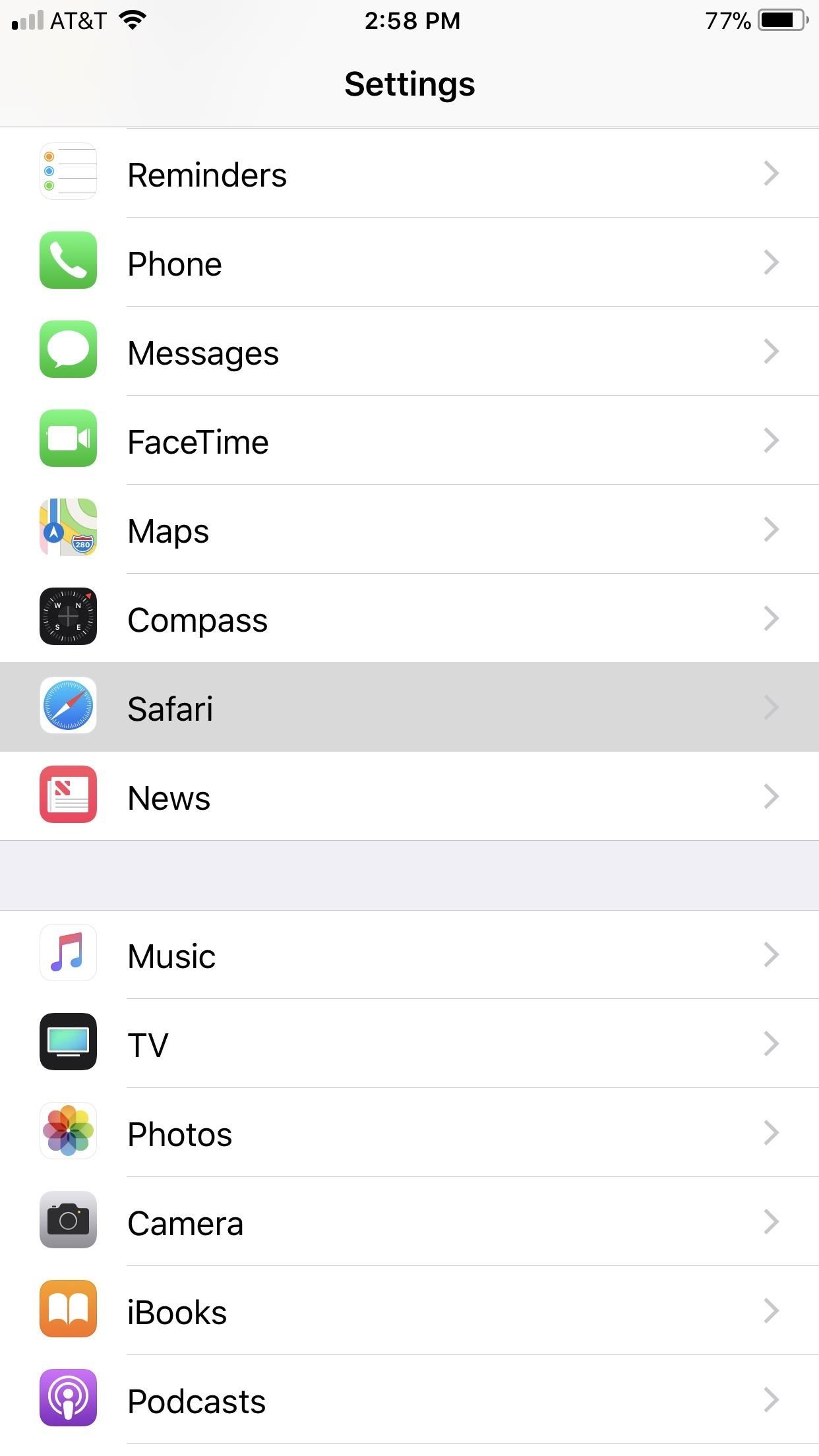
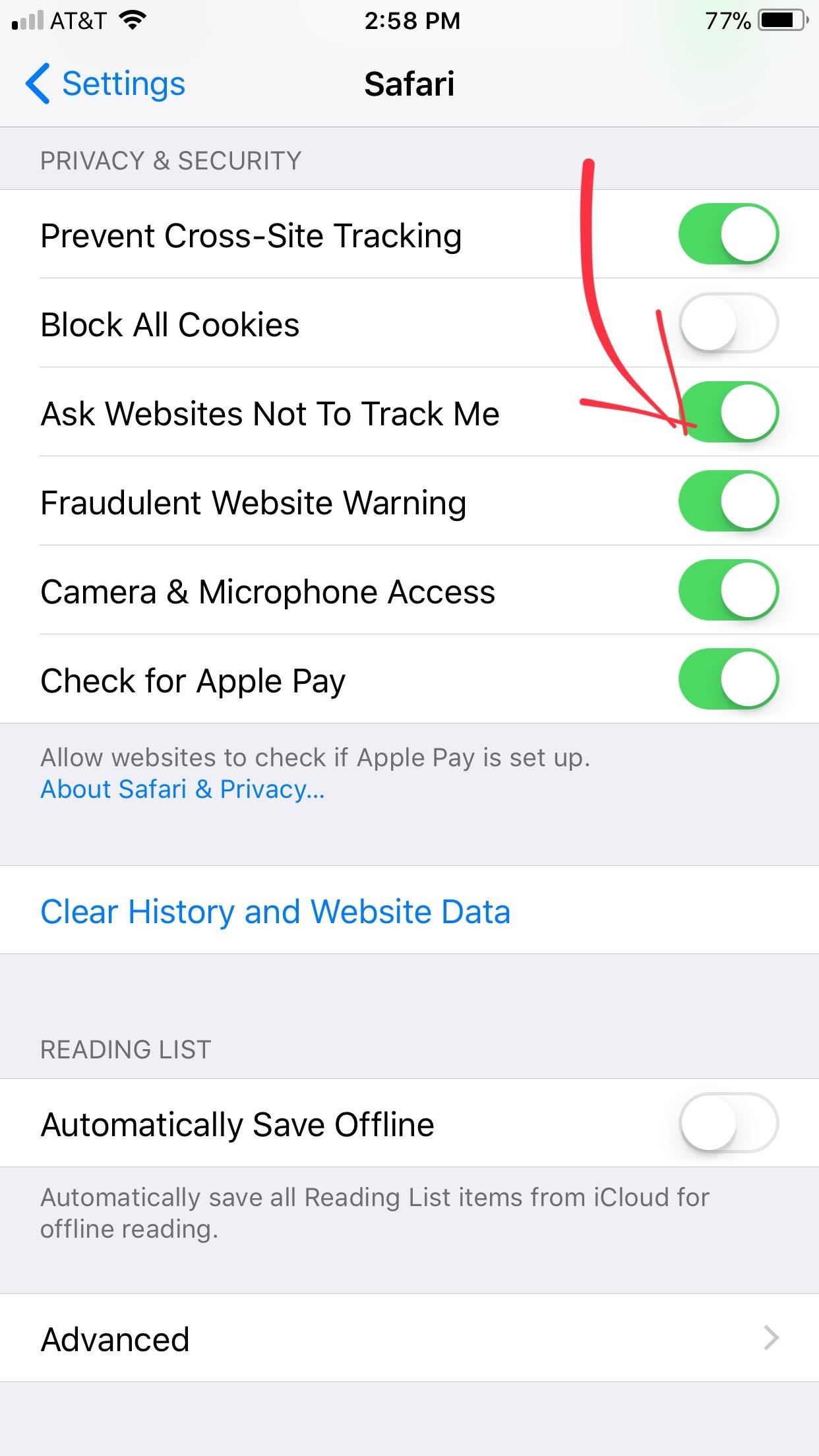
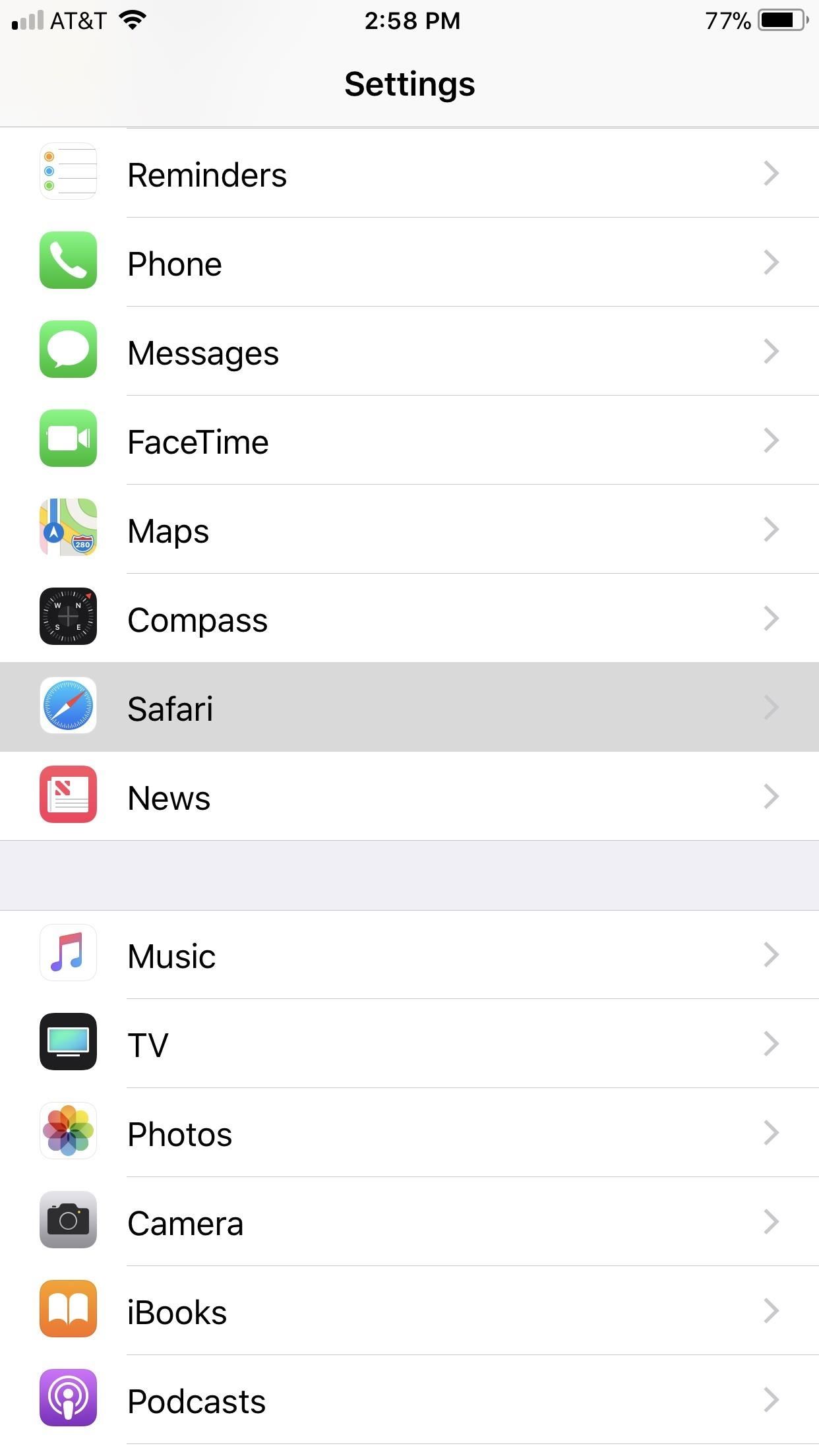
„Ask Websites Not to Track Me“ gives you the option to decide whether or not to allow Safari to share your iPhone’s IP address with the websites you visit. For obvious privacy reasons, you’ll most likely not wish to share this information with sites, so to enable this setting, tap on „Safari“ within the Settings app, then enable the switch next to „Ask Websites Not To Track Me.“

Notice that the setting says Ask. Websites don’t have to comply, so there’s still a chance you’re being tracked. To learn more about this issue, check out the following guide.

20. Block Cross-Site Tracking

Safari has alwasy blocked third-party cookies, but those third parties have always been able to get around the restriction with first-party cookies — cookies the site uses for the site itself. Think of it as nefarious advertisers leeching off a site’s own cookies that are needed to make your visit more convenient. If that’s all sounds confusing, check out our full guide below on what cross-site tracking is, why it matters, and how to stop it.

21. Block All Cookies

As just discussed, cookies allow websites to save bits of your information for faster reloading next time you visit. And while this feature makes web browsing more convenient, cookies aren’t exactly a benefit in terms of overall privacy.

Since iOS 11, Apple has streamlined the blocking of cookies by doing away with various options in favor of a blanket ban on all. To disable cookies, open the Settings app and tap on „Safari.“ From there, simply tap on „Block All Cookies“ to turn the option on. While you may notice a difference in performance on some sites, at least you know you’re securing your privacy.

22. Remove App & Website Passwords

Your iPhone and iCloud account have a built-in password manager to make entering passwords easier and more secure. While these passwords are protected by Face ID, Touch ID, or your iPhone’s passcode, disaster will ensue if your iPhone gets breached, with the thief having unfettered access to all of your passwords.

To protect yourself and manage passwords saved, visit Settings –> Passwords & Accounts –> App & Website Passwords, and input your passcode or Touch ID to view your saved passwords. To delete passwords individually, swipe left on each password and hit „Delete.“ To erase en masse, tap „Edit“ in the top-right corner, then select each password you’d like to remove. Tap „Delete“ in the top-left corner to finish up.

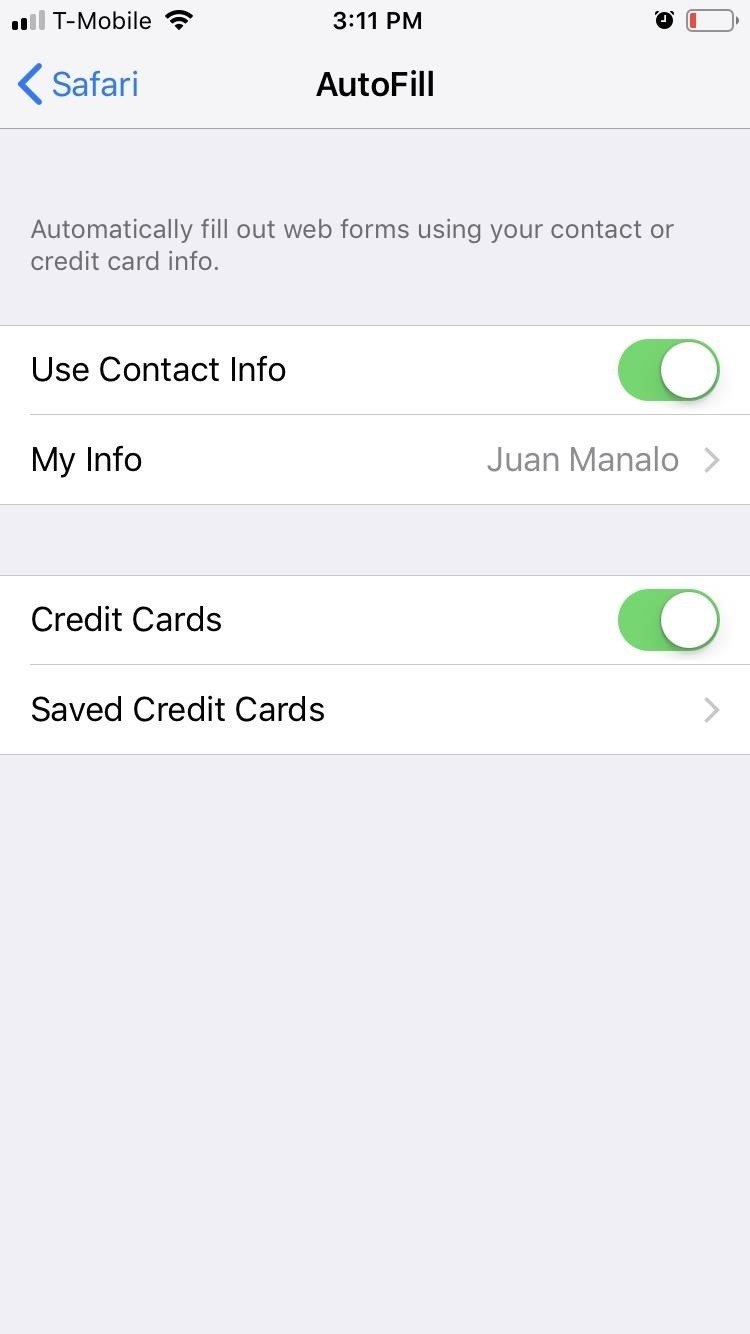
23. Disable Certain AutoFill Data

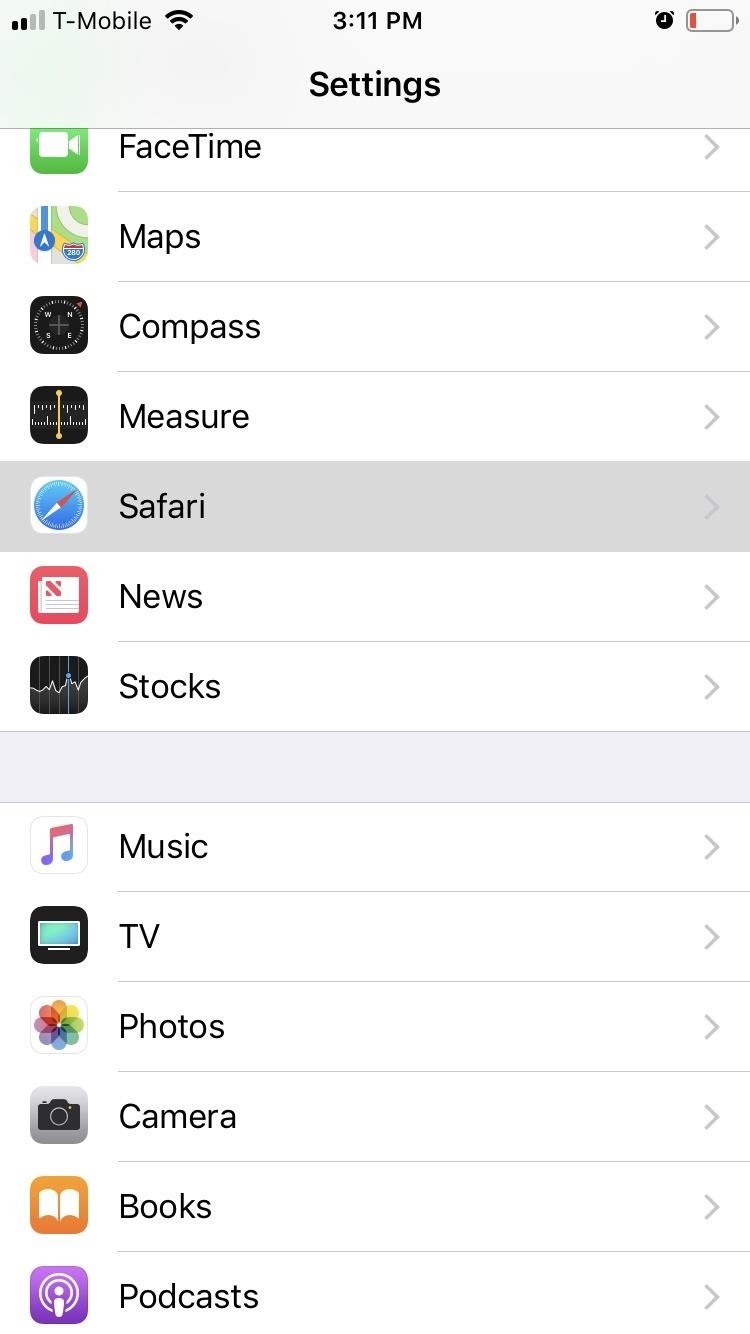
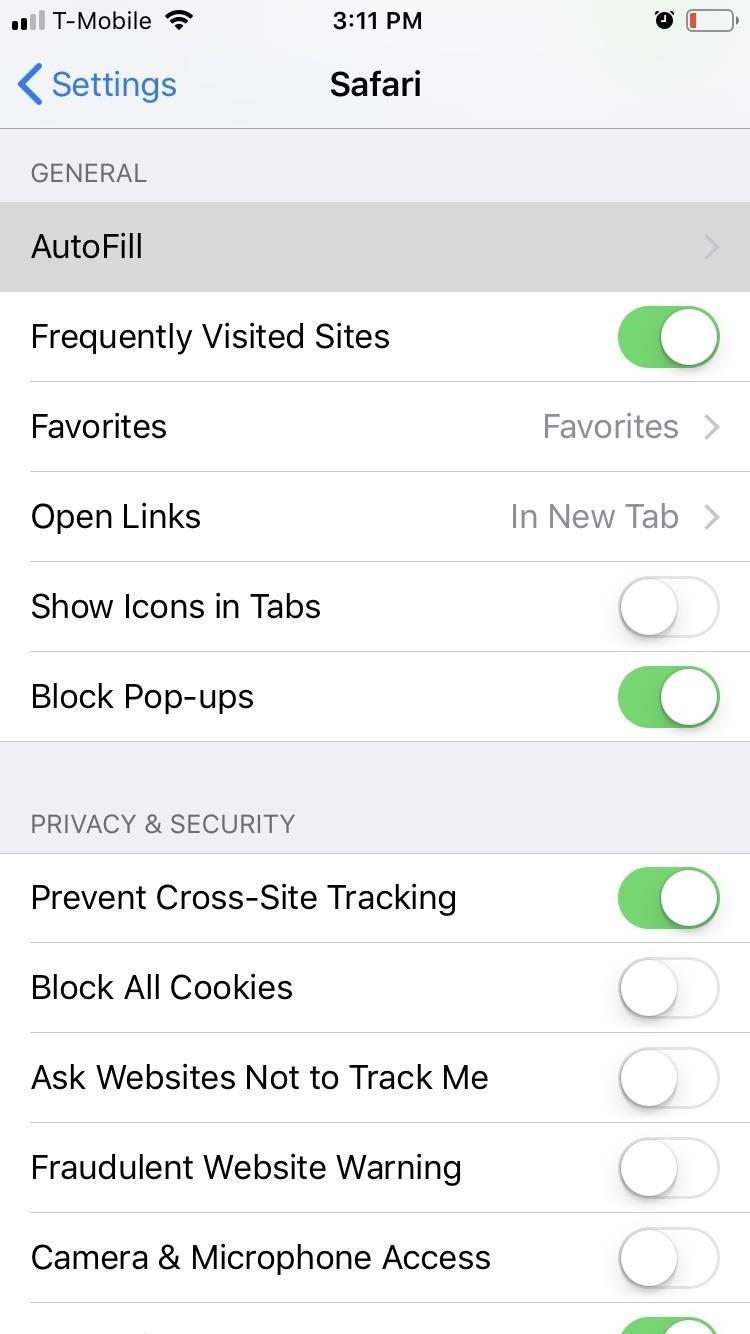
Besides keeping your passwords, your iPhone has the ability to store your personal information for AutoFill. This handy feature makes filling out forms online or in apps a breeze, as your iPhone can now automatically enter pertinent information such as your name, phone number, credit card numbers, and home address, to name a few.

Obviously, the downside is this personal information can be a potential boon for any would-be thief that manages to get into your iPhone. To protect yourself, open Settings, tap on „Safari,“ and hit „AutoFill“ on the following page. From there, you can investigate what information is already saved, such as Contact Info and Credit Cards, or disable all by toggling each slider off.

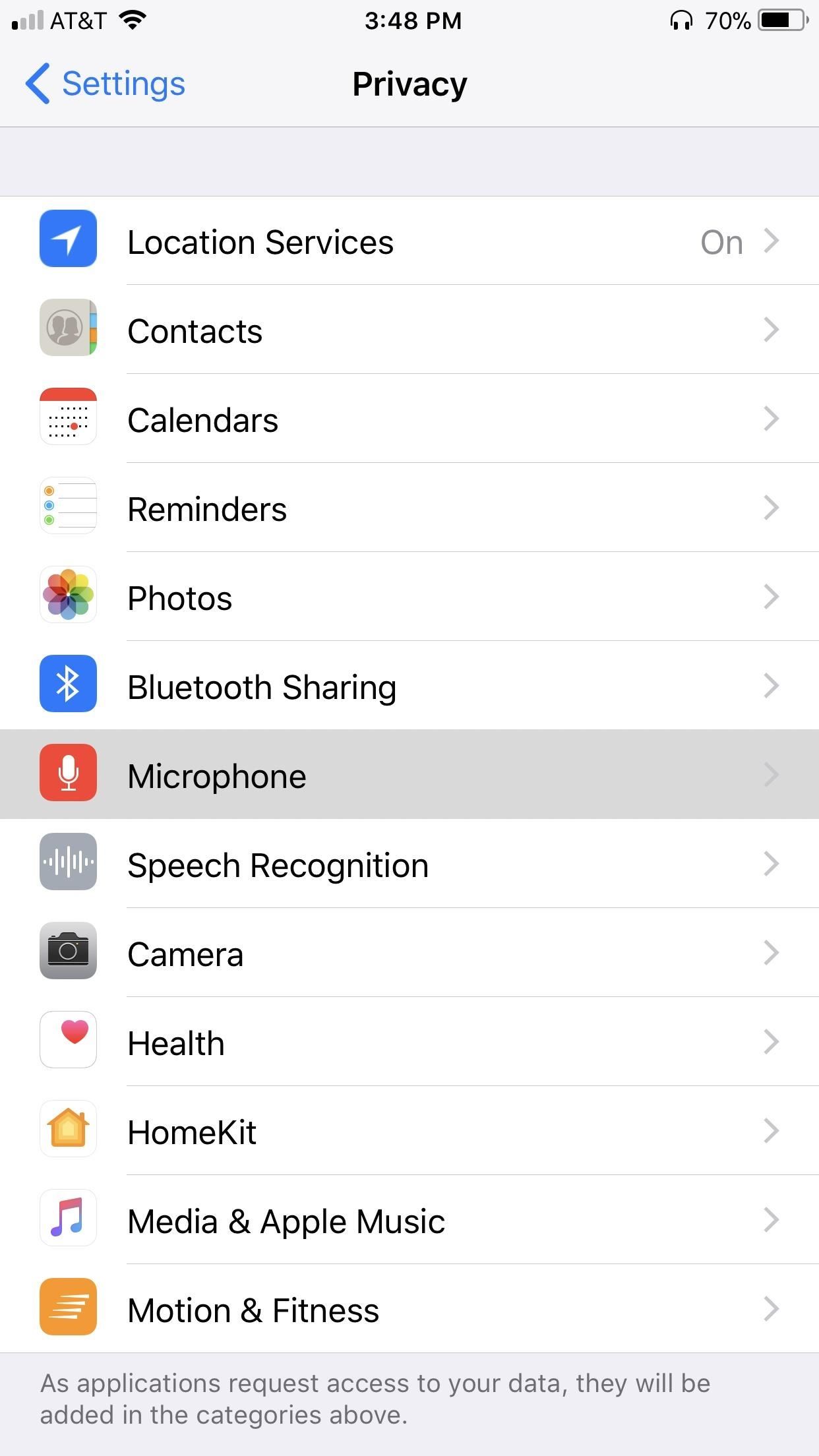
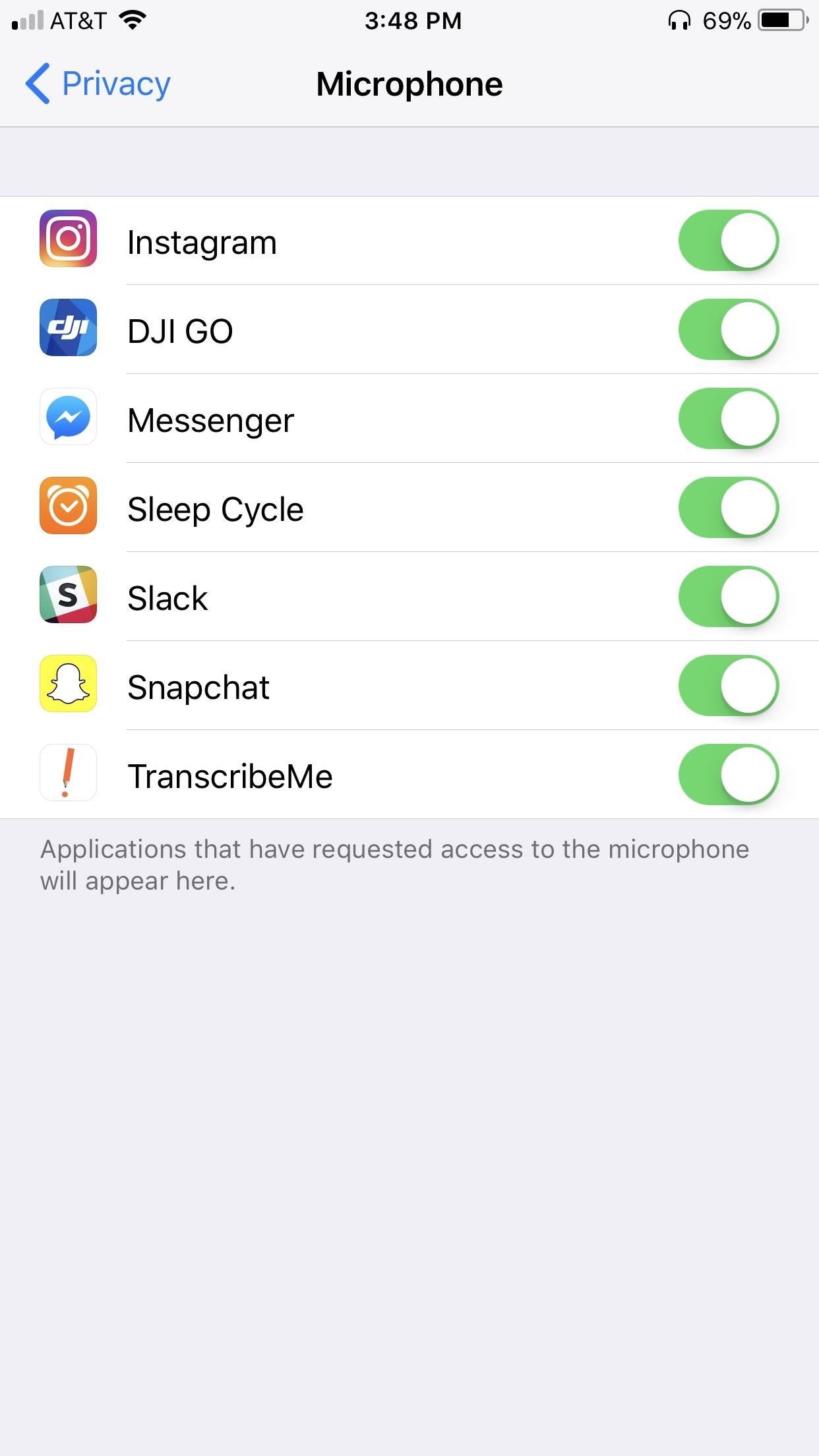
24. Turn Off Microphone Access for Apps

Many apps request microphone access for legitimate purposes. Waze, for instance, uses this access to let you speak to the app to aid in handsfree navigation. That said, there are sketchy apps out there that may not be as forthcoming with what they do when granted access to your iPhone’s microphone.

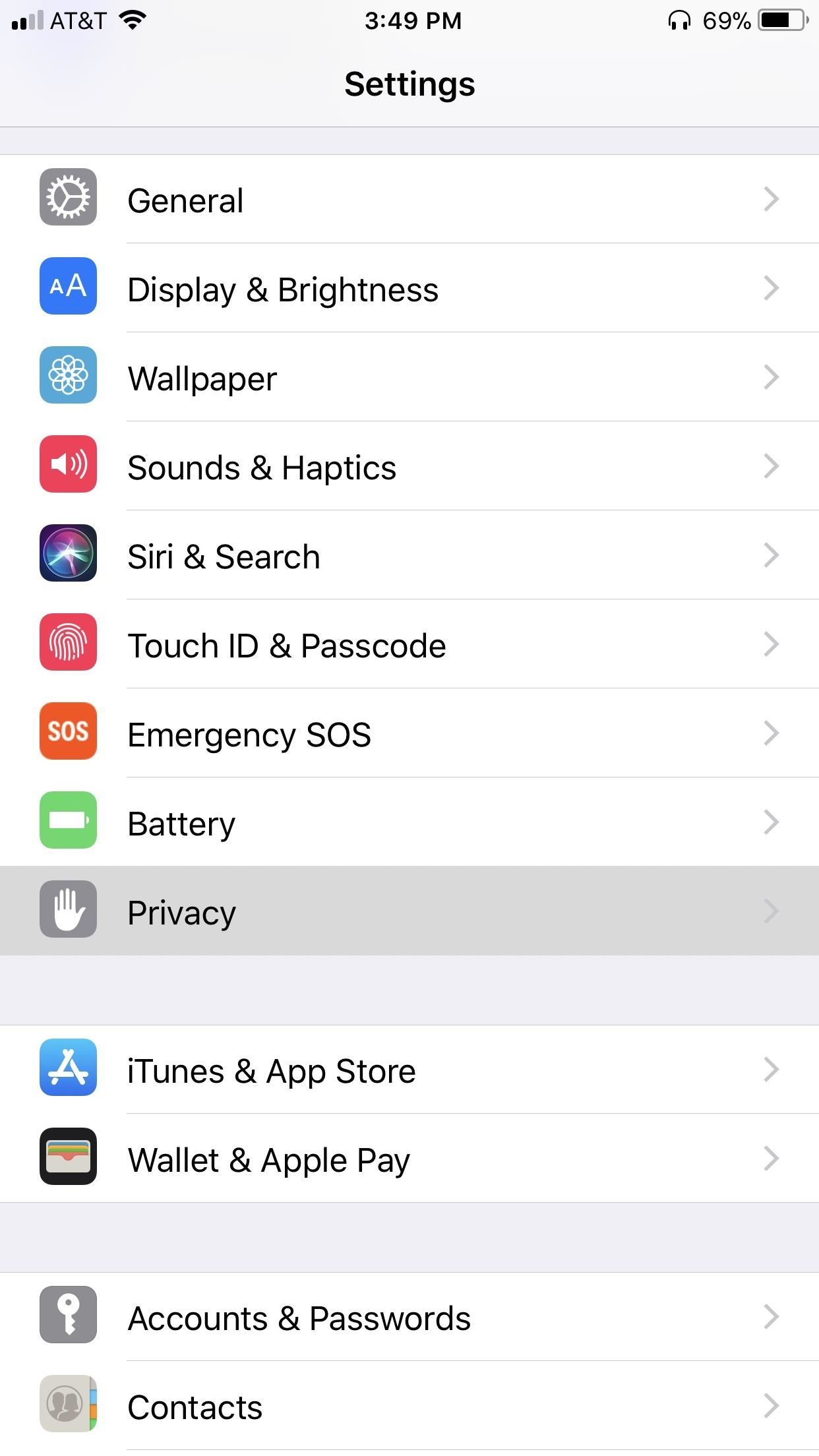
Naturally, you’ll want to manage which apps have access to your iPhone’s microphone, so open your Settings app and go to „Privacy“ and tap on „Microphone“ on the following page. Here, you will find a list of all apps that are approved to use your microphone. Disable any or all by tapping the toggle next to each app.

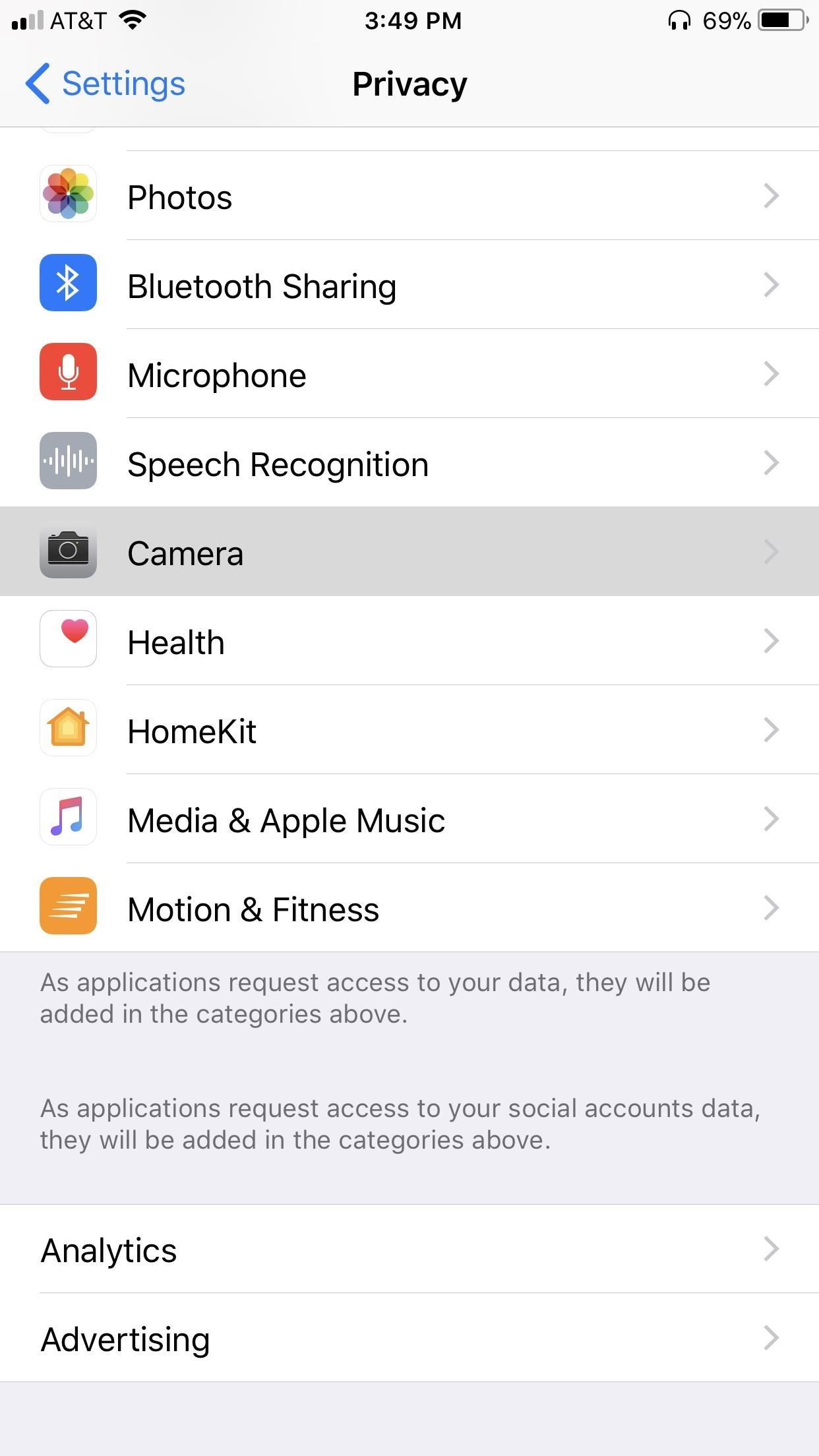
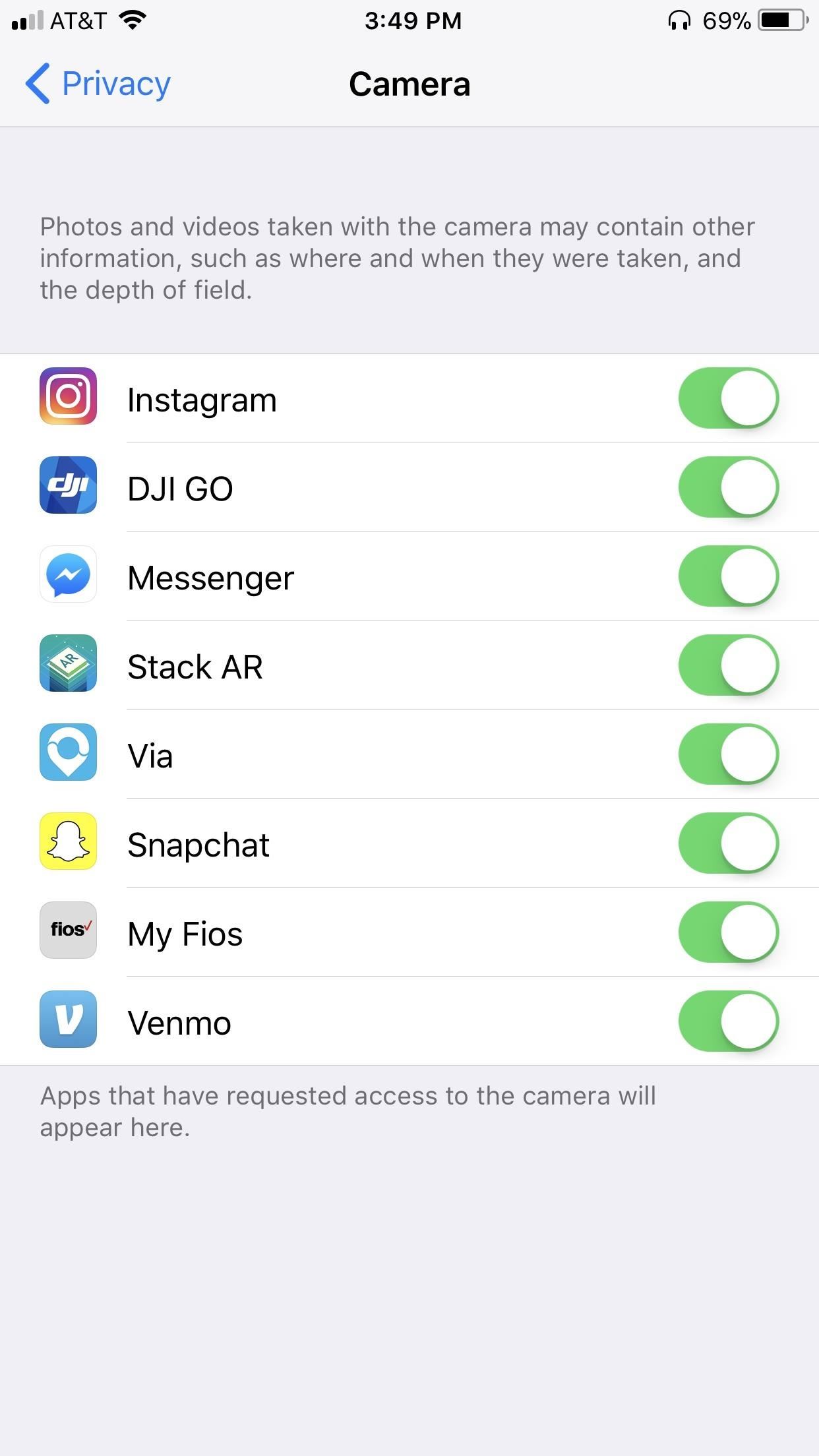
25. Disable Camera Access for Apps

Apps like Snapchat depend on camera access to function. The same can’t be said for many apps, however, and some may have gained unjustified access to your iPhone’s camera without you realizing. Because of this, we recommend making a habit out of periodically checking for any wayward apps that have been granted camera access and disabling them accordingly.

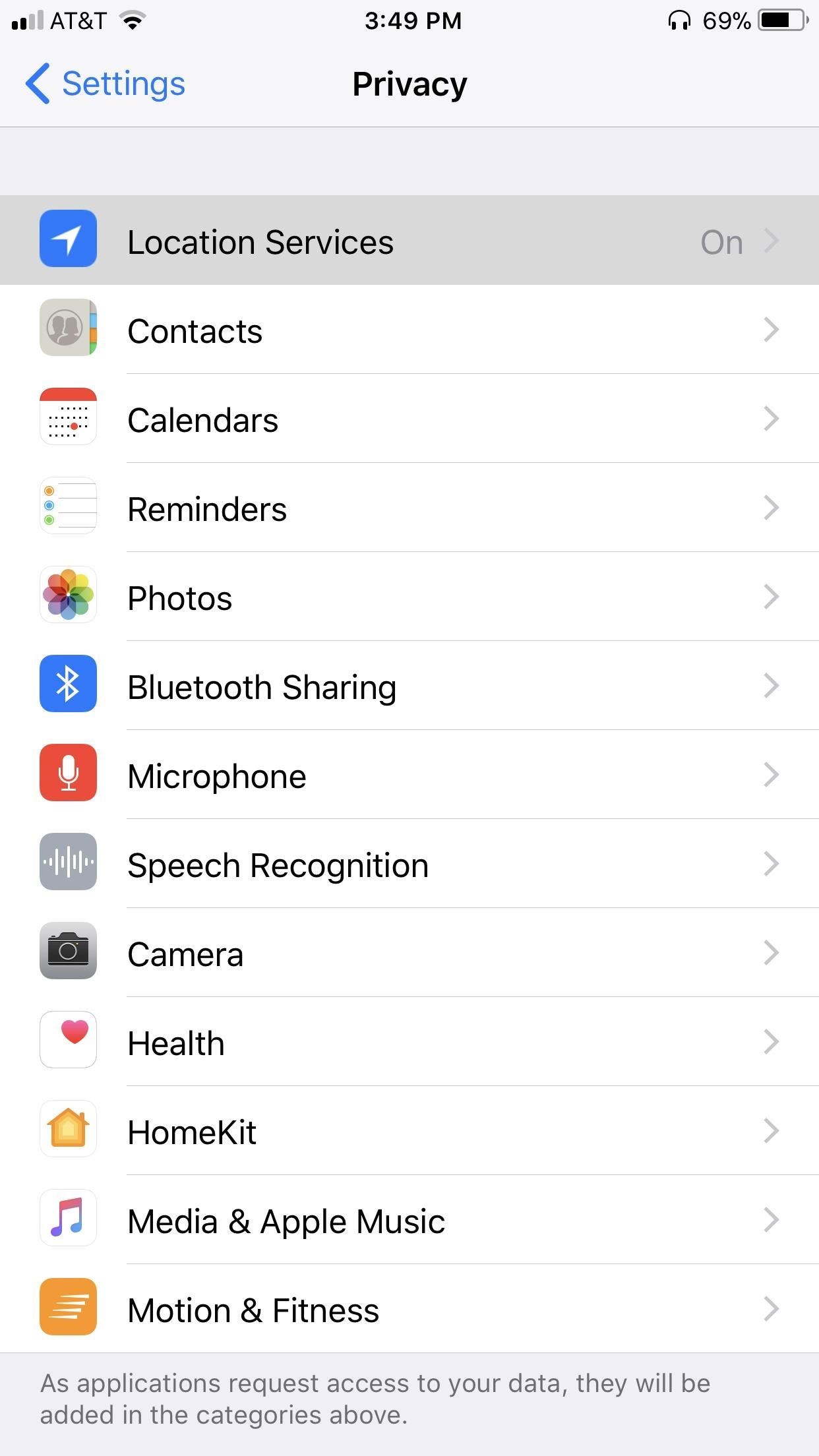
To do so, open your Settings app and select „Privacy,“ then tap on „Camera“ on the following page. From there, tap on the toggle next to any suspect apps to disable camera access on your iPhone.

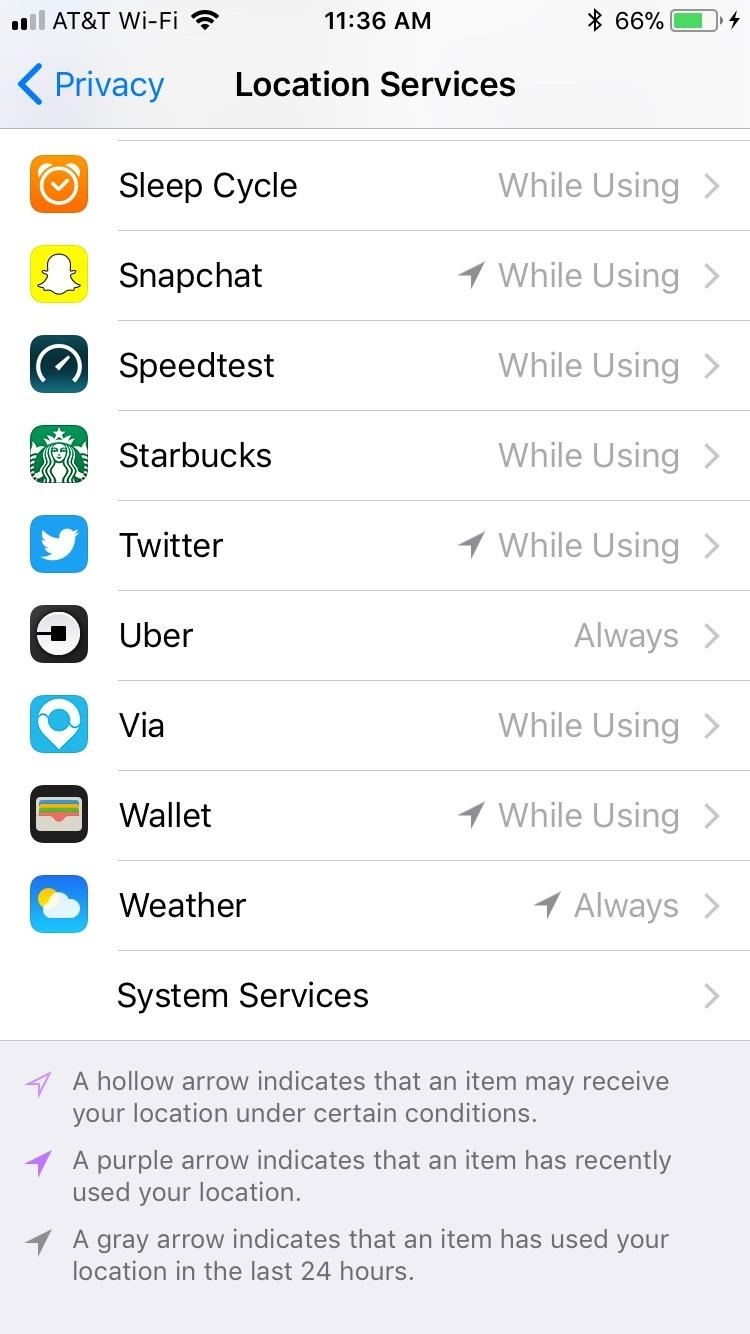
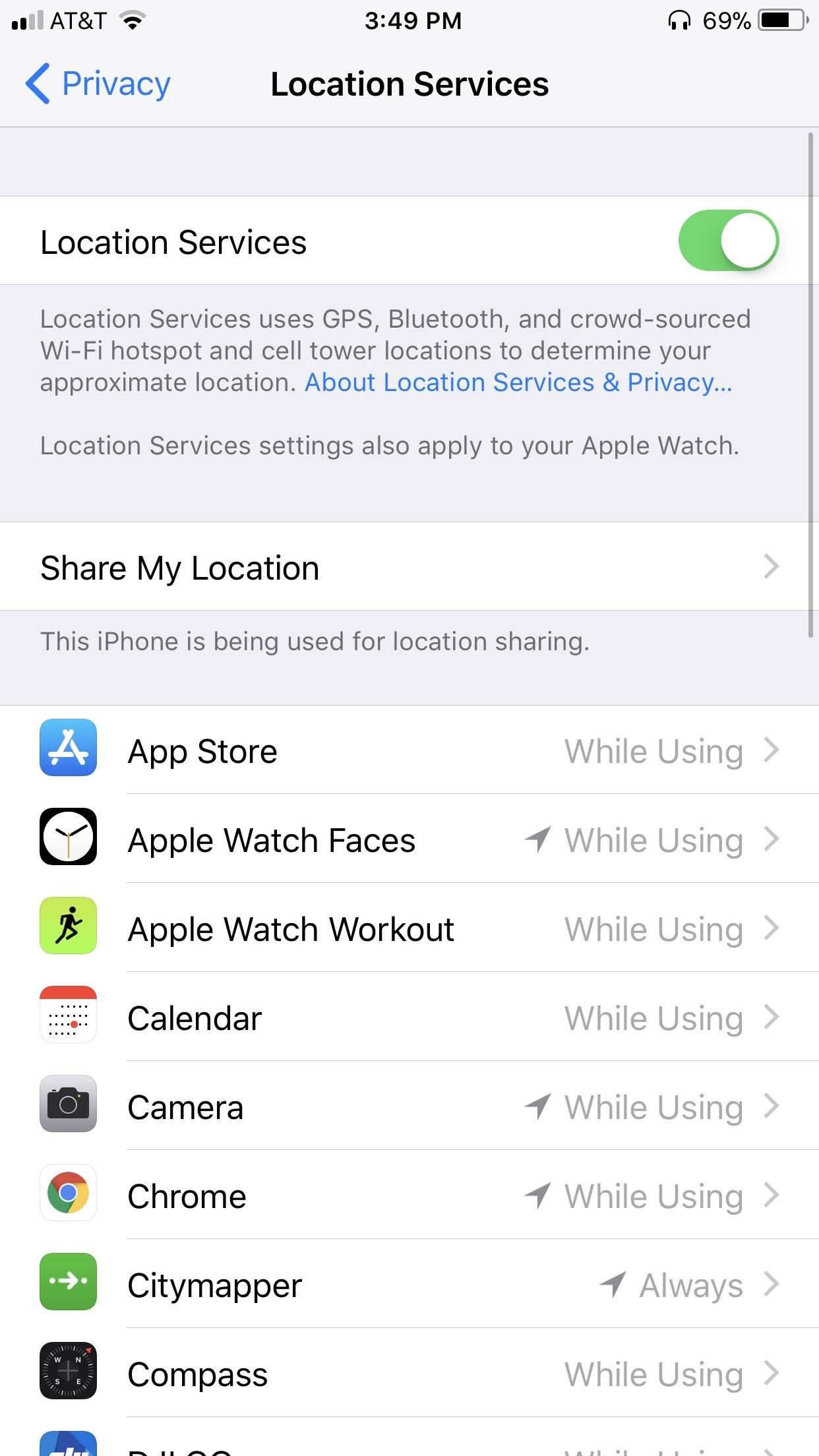
26. Turn Off Location Services for Apps

Location services are essential for navigation apps like Waze to work, as it enables GPS tracking to tag your location and give you directions accurately. In addition to that, apps like Snapchat can use your position when taking photos to apply exciting and unique filters that are only available where you currently are. Some apps, however, may not be as forthcoming about how they use your location data.

Needless to say, we recommend going to Settings –> Privacy –> Locations Services to disable the service for certain apps. And while you have the option to kill „Location Services“ entirely, this will cause you to lose access to all location functions. It’s a much better option to go through each app, and make sure to set the apps you don’t want to have access to your location to „Never.“

27. Empty Out Recently Deleted Photos

Apple saves your deleted photos in a „Recently Deleted“ folder for 30 days before permanently erasing them to make retrieval of accidentally deleted photos easier. If someone were to gain access to your phone, however, they’d have access to any photos deleted within 30 days from that time.

So, in order to avert potential disaster, always be sure to head to the Recently Deleted folder within the Photos app and empty it out of unwanted photos whenever you delete photos from your other galleries.

28. Use Biometrics for App Store Purchases

Let’s say you decide to buy an app. You leave your iPhone for a moment to attend to something important, but as you do, someone manages to break in and gain access to the App Store. Because you just purchased an app, the App Store may not require your password to buy another app, so this person can go crazy buying expensive apps at your expense.

As a preventative measure, it’s always a good idea to require your authorization before purchasing any apps. So if you use Touch ID or Face ID, head over to Settings –> Touch ID & Passcode (or Face ID & Passcode on iPhone X). From there, tap on the toggle next to „Touch ID for iTunes & App Store“ to enable the feature. Enter your iTunes password to confirm and you’ll be all set.

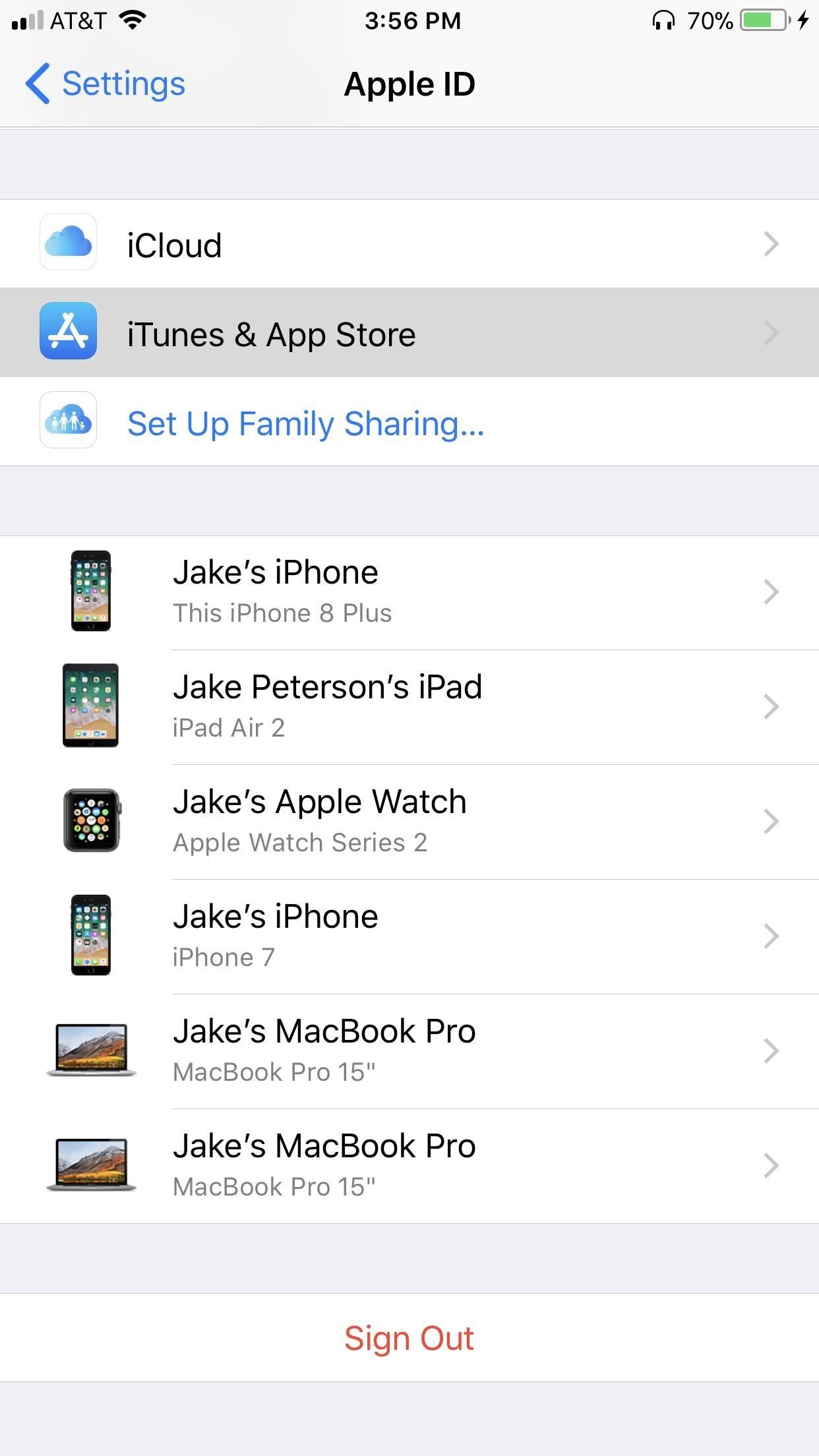
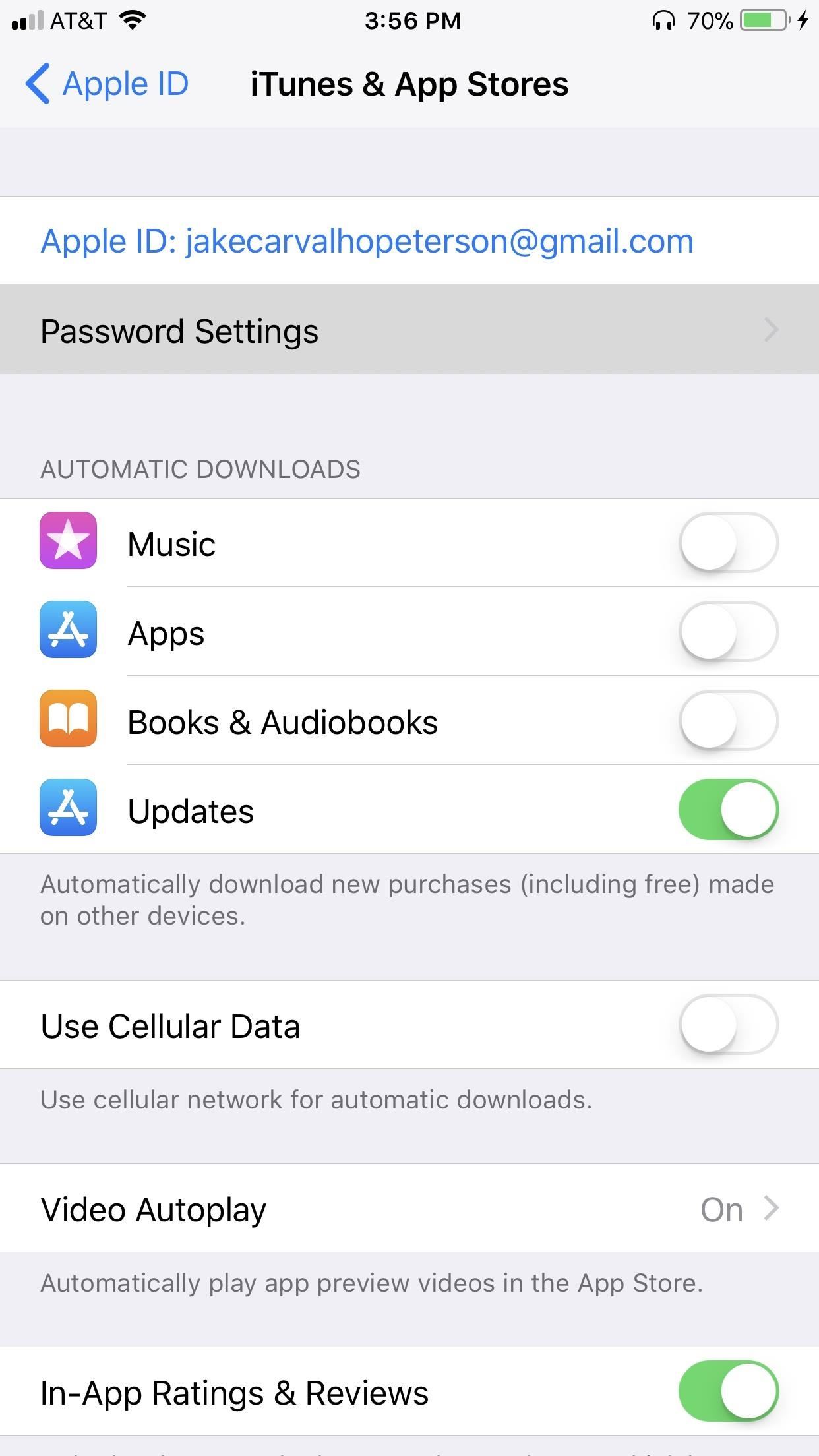
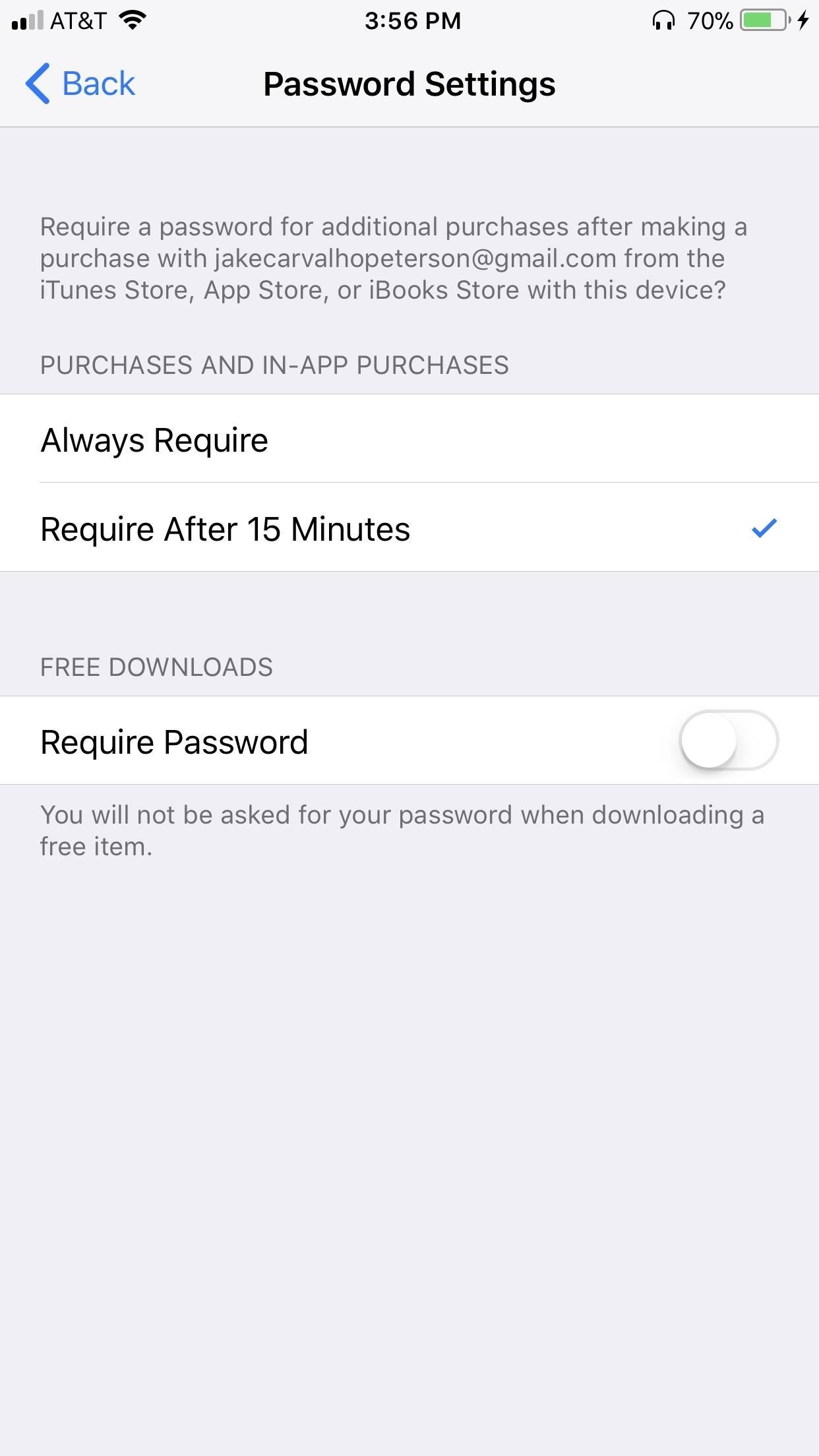
If you don’t use Touch ID, tap on your name at the top of the Settings page. Then, go to iTunes & App Stores –> Password Settings. Set the preference to „Always Require“ for maximum security. As an added option, you also have the ability to always require a password for free downloads by toggling the security measure on.

29. Frequently Auto-Delete Messages

As far as deleting older conversations within the Messages app, Apple permanently stores all your messages on your iPhone by default and largely leaves it up to you to delete them manually. Even if you have Messages in iCloud enabled, messages will still be stored locally. As such, erasing conversations can be a tedious process, especially if you’re concerned about your privacy and have made manually cleaning out your older texts a part of your monthly routine.

Thankfully, your iPhone has a feature that lets you automate the process of deleting old messages and set your device to remove older conversations after a certain period of time. To do so, just jump over to Settings –> Messages –> Keep Messages. Choose either „30 Days“ or „1 Year,“ and your iPhone will make sure your messages never see a day beyond that time.

For more information on permanently deleting texts from your iPhone, check out the guide below.

30. Disable Access to Apps When Locked

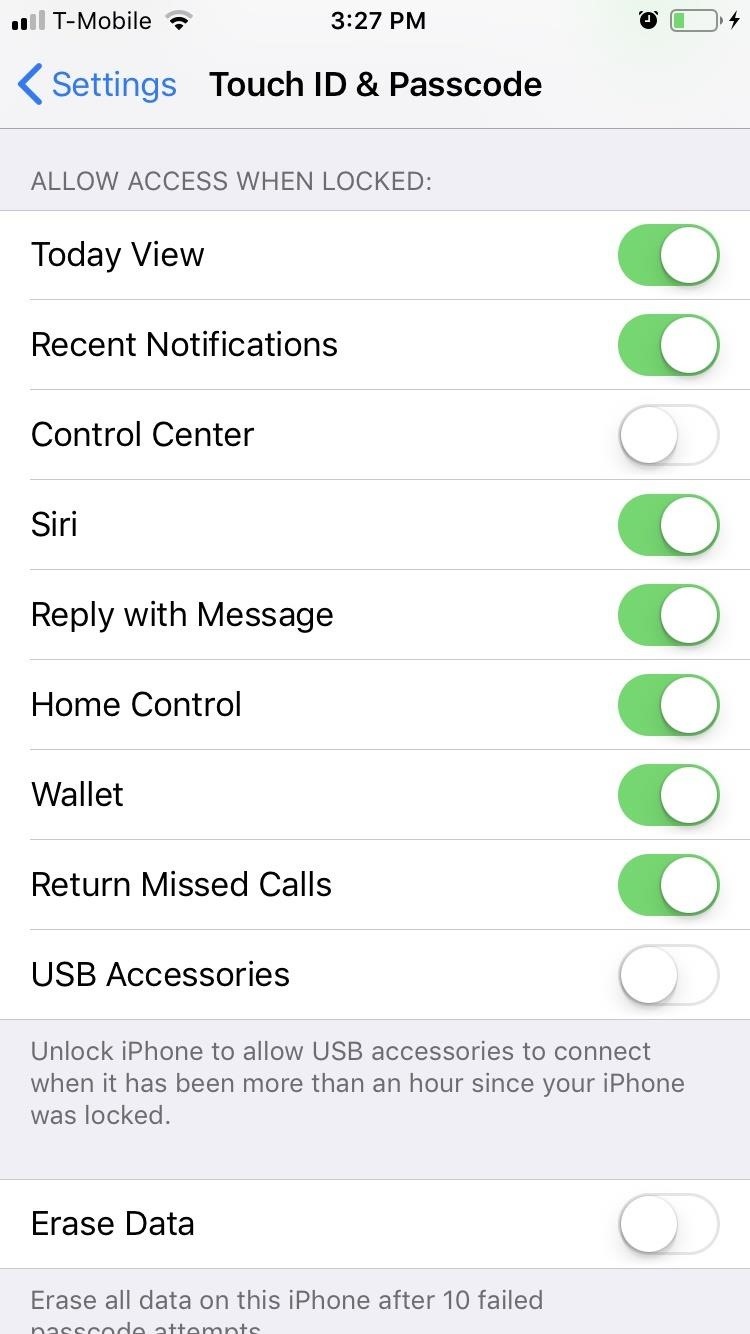
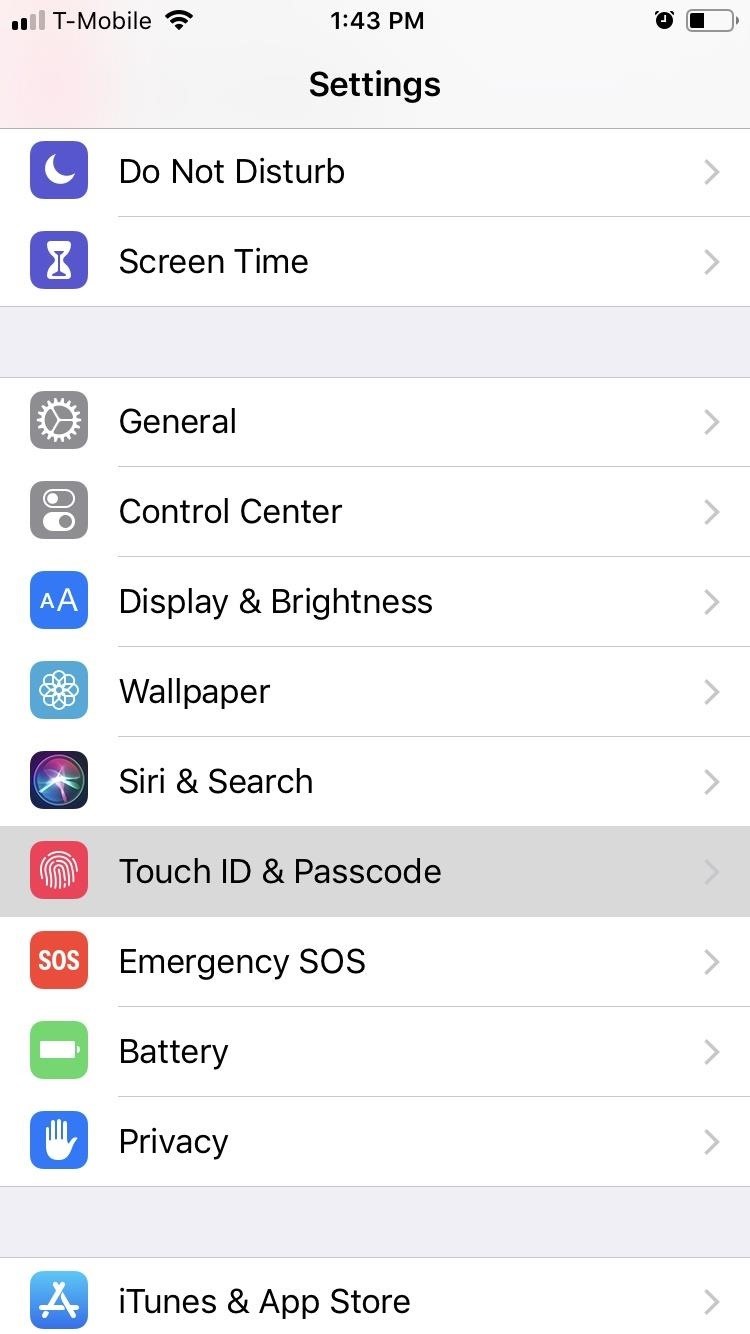
By default, your lock screen contains a treasure trove of personal data like recent notifications, your Wallet, and the Today View, which is a collection of widgets of your most useful apps. Fortunately, many of the apps that contain this info can be specifically disabled from the lock screen by going to the „Touch ID & Passcode“ menu (or „Face ID & Passcode“ on iPhone X) within the Settings app.

From there, you can choose which apps you’d like to prevent access to from your lock screen. If you’d rather not have others see your texts, emails, or app alerts, or if you’d prefer people not see information from your apps in the Today View, you can disable those apps and features here.

Source: https://ios.gadgethacks.com/news/30-privacy-security-settings-ios-12-you-should-check-right-now-0185045/

Facebook pays teens to install VPN that spies on them

facebook vpn watching

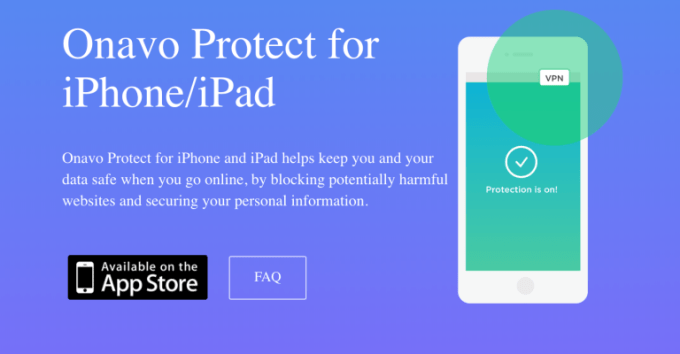
Desperate for data on its competitors, Facebook has been secretly paying people to install a “Facebook Research” VPN that lets the company suck in all of a user’s phone and web activity, similar to Facebook’s Onavo Protect app that Apple banned in June and that was removed in August. Facebook sidesteps the App Store and rewards teenagers and adults to download the Research app and give it root access to network traffic in what may be a violation of Apple policy so the social network can decrypt and analyze their phone activity, a TechCrunch investigation confirms.

Facebook admitted to TechCrunch it was running the Research program to gather data on usage habits.

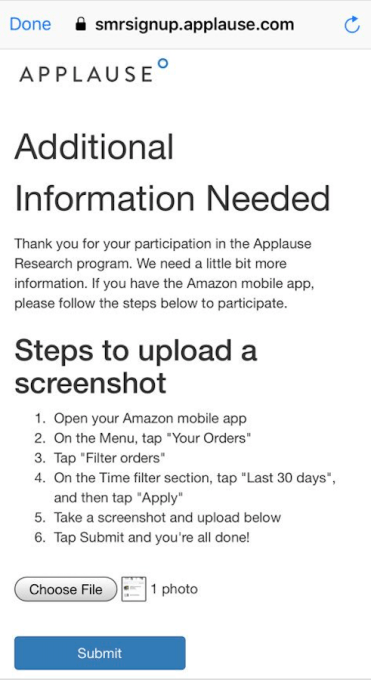
Since 2016, Facebook has been paying users ages 13 to 35 up to $20 per month plus referral fees to sell their privacy by installing the iOS or Android “Facebook Research” app. Facebook even asked users to screenshot their Amazon order history page. The program is administered through beta testing services Applause, BetaBound and uTest to cloak Facebook’s involvement, and is referred to in some documentation as “Project Atlas” — a fitting name for Facebook’s effort to map new trends and rivals around the globe.

Seven hours after this story was published, Facebook told TechCrunch it would shut down the iOS version of its Research app in the wake of our report. But on Wednesday morning, an Apple spokesperson confirmed that Facebook violated its policies, and it had blocked Facebook’s Research app on Tuesday before the social network seemingly pulled it voluntarily (without mentioning it was forced to do so). You can read our full report on the development here.

An Apple spokesperson provided this statement. “We designed our Enterprise Developer Program solely for the internal distribution of apps within an organization. Facebook has been using their membership to distribute a data-collecting app to consumers, which is a clear breach of their agreement with Apple. Any developer using their enterprise certificates to distribute apps to consumers will have their certificates revoked, which is what we did in this case to protect our users and their data.”

Facebook’s Research program will continue to run on Android.

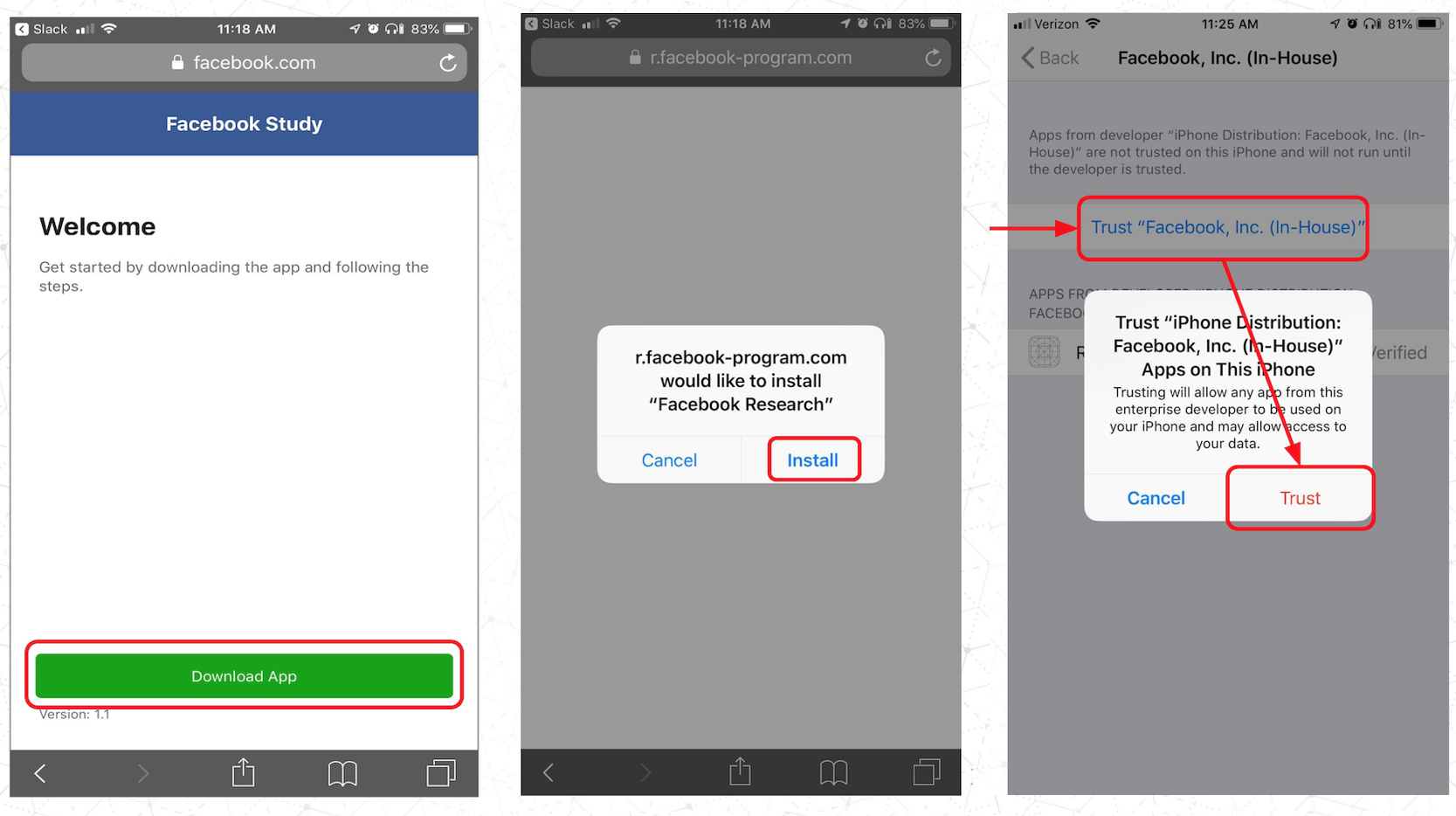
Facebook’s Research app requires users to ‘Trust’ it with extensive access to their dataWe asked Guardian Mobile Firewall’s security expert Will Strafach to dig into the Facebook Research app, and he told us that “If Facebook makes full use of the level of access they are given by asking users to install the Certificate, they will have the ability to continuously collect the following types of data: private messages in social media apps, chats from in instant messaging apps – including photos/videos sent to others, emails, web searches, web browsing activity, and even ongoing location information by tapping into the feeds of any location tracking apps you may have installed.” It’s unclear exactly what data Facebook is concerned with, but it gets nearly limitless access to a user’s device once they install the app.

The strategy shows how far Facebook is willing to go and how much it’s willing to pay to protect its dominance — even at the risk of breaking the rules of Apple’s iOS platform on which it depends. Apple may have asked Facebook to discontinue distributing its Research app.

A more stringent punishment would be to revoke Facebook’s permission to offer employee-only apps. The situation could further chill relations between the tech giants. Apple’s Tim Cook has repeatedly criticized Facebook’s data collection practices. Facebook disobeying iOS policies to slurp up more information could become a new talking point.

Facebook’s Research program is referred to as Project Atlas on sign-up sites that don’t mention Facebook’s involvement

“The fairly technical sounding ‘install our Root Certificate’ step is appalling,” Strafach tells us. “This hands Facebook continuous access to the most sensitive data about you, and most users are going to be unable to reasonably consent to this regardless of any agreement they sign, because there is no good way to articulate just how much power is handed to Facebook when you do this.”

Facebook’s surveillance app

Facebook first got into the data-sniffing business when it acquired Onavo for around $120 million in 2014. The VPN app helped users track and minimize their mobile data plan usage, but also gave Facebook deep analytics about what other apps they were using. Internal documents acquired by Charlie Warzel and Ryan Mac of BuzzFeed News reveal that Facebook was able to leverage Onavo to learn that WhatsApp was sending more than twice as many messages per day as Facebook Messenger. Onavo allowed Facebook to spot WhatsApp’s meteoric rise and justify paying $19 billion to buy the chat startup in 2014. WhatsApp has since tripled its user base, demonstrating the power of Onavo’s foresight.

Over the years since, Onavo clued Facebook in to what apps to copy, features to build and flops to avoid. By 2018, Facebook was promoting the Onavo app in a Protect bookmark of the main Facebook app in hopes of scoring more users to snoop on. Facebook also launched the Onavo Bolt app that let you lock apps behind a passcode or fingerprint while it surveils you, but Facebook shut down the app the day it was discovered following privacy criticism. Onavo’s main app remains available on Google Play and has been installed more than 10 million times.

The backlash heated up after security expert Strafach detailed in March how Onavo Protect was reporting to Facebook when a user’s screen was on or off, and its Wi-Fi and cellular data usage in bytes even when the VPN was turned off. In June, Apple updated its developer policies to ban collecting data about usage of other apps or data that’s not necessary for an app to function. Apple proceeded to inform Facebook in August that Onavo Protect violated those data collection policies and that the social network needed to remove it from the App Store, which it did, Deepa Seetharaman of the WSJ reported.

But that didn’t stop Facebook’s data collection.

Project Atlas

TechCrunch recently received a tip that despite Onavo Protect being banished by Apple, Facebook was paying users to sideload a similar VPN app under the Facebook Research moniker from outside of the App Store. We investigated, and learned Facebook was working with three app beta testing services to distribute the Facebook Research app: BetaBound, uTest and Applause. Facebook began distributing the Research VPN app in 2016. It has been referred to as Project Atlas since at least mid-2018, around when backlash to Onavo Protect magnified and Apple instituted its new rules that prohibited Onavo. Previously, a similar program was called Project Kodiak. Facebook didn’t want to stop collecting data on people’s phone usage and so the Research program continued, in disregard for Apple banning Onavo Protect.

Facebook’s Research App on iOS

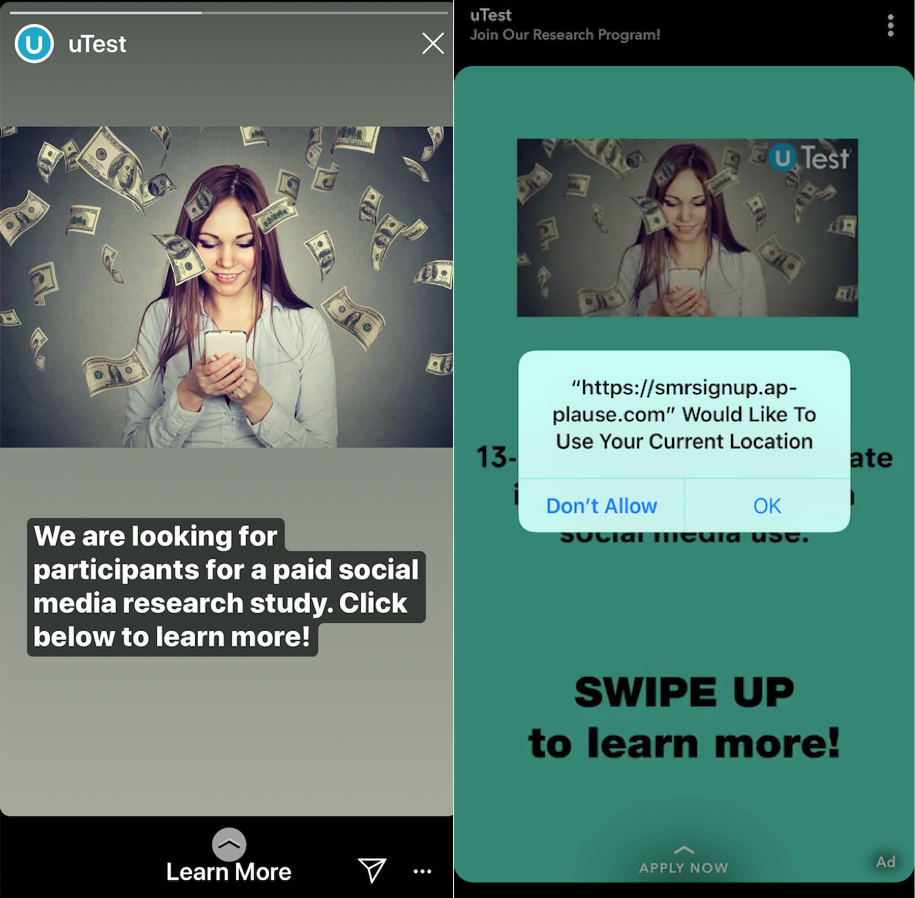
Ads (shown below) for the program run by uTest on Instagram and Snapchat sought teens 13-17 years old for a “paid social media research study.” The sign-up page for the Facebook Research program administered by Applause doesn’t mention Facebook, but seeks users “Age: 13-35 (parental consent required for ages 13-17).” If minors try to sign-up, they’re asked to get their parents’ permission with a form that reveal’s Facebook’s involvement and says “There are no known risks associated with the project, however you acknowledge that the inherent nature of the project involves the tracking of personal information via your child’s use of apps. You will be compensated by Applause for your child’s participation.” For kids short on cash, the payments could coerce them to sell their privacy to Facebook.

The Applause site explains what data could be collected by the Facebook Research app (emphasis mine):

“By installing the software, you’re giving our client permission to collect data from your phone that will help them understand how you browse the internet, and how you use the features in the apps you’ve installed . . . This means you’re letting our client collect information such as which apps are on your phone, how and when you use them, data about your activities and content within those apps, as well as how other people interact with you or your content within those apps. You are also letting our client collect information about your internet browsing activity (including the websites you visit and data that is exchanged between your device and those websites) and your use of other online services. There are some instances when our client will collect this information even where the app uses encryption, or from within secure browser sessions.”

Meanwhile, the BetaBound sign-up page with a URL ending in “Atlas” explains that “For $20 per month (via e-gift cards), you will install an app on your phone and let it run in the background.” It also offers $20 per friend you refer. That site also doesn’t initially mention Facebook, but the instruction manual for installing Facebook Research reveals the company’s involvement.

Facebook’s intermediary uTest ran ads on Snapchat and Instagram, luring teens to the Research program with the promise of money


Facebook seems to have purposefully avoided TestFlight, Apple’s official beta testing system, which requires apps to be reviewed by Apple and is limited to 10,000 participants. Instead, the instruction manual reveals that users download the app from r.facebook-program.com and are told to install an Enterprise Developer Certificate and VPN and “Trust” Facebook with root access to the data their phone transmits. Apple requires that developers agree to only use this certificate system for distributing internal corporate apps to their own employees. Randomly recruiting testers and paying them a monthly fee appears to violate the spirit of that rule.

Security expert Will Strafach found Facebook’s Research app contains lots of code from Onavo Protect, the Facebook-owned app Apple banned last year

Once installed, users just had to keep the VPN running and sending data to Facebook to get paid. The Applause-administered program requested that users screenshot their Amazon orders page. This data could potentially help Facebook tie browsing habits and usage of other apps with purchase preferences and behavior. That information could be harnessed to pinpoint ad targeting and understand which types of users buy what.

TechCrunch commissioned Strafach to analyze the Facebook Research app and find out where it was sending data. He confirmed that data is routed to “vpn-sjc1.v.facebook-program.com” that is associated with Onavo’s IP address, and that the facebook-program.com domain is registered to Facebook, according to MarkMonitor. The app can update itself without interacting with the App Store, and is linked to the email address PeopleJourney@fb.com. He also discovered that the Enterprise Certificate first acquired in 2016 indicates Facebook renewed it on June 27th, 2018 — weeks after Apple announced its new rules that prohibited the similar Onavo Protect app.

“It is tricky to know what data Facebook is actually saving (without access to their servers). The only information that is knowable here is what access Facebook is capable of based on the code in the app. And it paints a very worrisome picture,” Strafach explains. “They might respond and claim to only actually retain/save very specific limited data, and that could be true, it really boils down to how much you trust Facebook’s word on it. The most charitable narrative of this situation would be that Facebook did not think too hard about the level of access they were granting to themselves . . . which is a startling level of carelessness in itself if that is the case.”

[Update: TechCrunch also found that Google’s Screenwise Meter surveillance app also breaks the Enterprise Certificate policy, though it does a better job of revealing the company’s involvement and how it works than Facebook does.]

“Flagrant defiance of Apple’s rules”

In response to TechCrunch’s inquiry, a Facebook spokesperson confirmed it’s running the program to learn how people use their phones and other services. The spokesperson told us “Like many companies, we invite people to participate in research that helps us identify things we can be doing better. Since this research is aimed at helping Facebook understand how people use their mobile devices, we’ve provided extensive information about the type of data we collect and how they can participate. We don’t share this information with others and people can stop participating at any time.”

Facebook’s Research app requires Root Certificate access, which Facebook gather almost any piece of data transmitted by your phone

Facebook’s spokesperson claimed that the Facebook Research app was in line with Apple’s Enterprise Certificate program, but didn’t explain how in the face of evidence to the contrary. They said Facebook first launched its Research app program in 2016. They tried to liken the program to a focus group and said Nielsen and comScore run similar programs, yet neither of those ask people to install a VPN or provide root access to the network. The spokesperson confirmed the Facebook Research program does recruit teens but also other age groups from around the world. They claimed that Onavo and Facebook Research are separate programs, but admitted the same team supports both as an explanation for why their code was so similar.

Facebook’s Research program requested users screenshot their Amazon order history to provide it with purchase data

However, Facebook’s claim that it doesn’t violate Apple’s Enterprise Certificate policy is directly contradicted by the terms of that policy. Those include that developers “Distribute Provisioning Profiles only to Your Employees and only in conjunction with Your Internal Use Applications for the purpose of developing and testing”. The policy also states that “You may not use, distribute or otherwise make Your Internal Use Applications available to Your Customers” unless under direct supervision of employees or on company premises. Given Facebook’s customers are using the Enterprise Certificate-powered app without supervision, it appears Facebook is in violation.

Seven hours after this report was first published, Facebook updated its position and told TechCrunch that it would shut down the iOS Research app. Facebook noted that the Research app was started in 2016 and was therefore not a replacement for Onavo Protect. However, they do share similar code and could be seen as twins running in parallel. A Facebook spokesperson also provided this additional statement:

“Key facts about this market research program are being ignored. Despite early reports, there was nothing ‘secret’ about this; it was literally called the Facebook Research App. It wasn’t ‘spying’ as all of the people who signed up to participate went through a clear on-boarding process asking for their permission and were paid to participate. Finally, less than 5 percent of the people who chose to participate in this market research program were teens. All of them with signed parental consent forms.”

Facebook did not publicly promote the Research VPN itself and used intermediaries that often didn’t disclose Facebook’s involvement until users had begun the signup process. While users were given clear instructions and warnings, the program never stresses nor mentions the full extent of the data Facebook can collect through the VPN. A small fraction of the users paid may have been teens, but we stand by the newsworthiness of its choice not to exclude minors from this data collection initiative.

Facebook disobeying Apple so directly and then pulling the app could hurt their relationship. “The code in this iOS app strongly indicates that it is simply a poorly re-branded build of the banned Onavo app, now using an Enterprise Certificate owned by Facebook in direct violation of Apple’s rules, allowing Facebook to distribute this app without Apple review to as many users as they want,” Strafach tells us. ONV prefixes and mentions of graph.onavo.com, “onavoApp://” and “onavoProtect://” custom URL schemes litter the app. “This is an egregious violation on many fronts, and I hope that Apple will act expeditiously in revoking the signing certificate to render the app inoperable.”

Facebook is particularly interested in what teens do on their phones as the demographic has increasingly abandoned the social network in favor of Snapchat, YouTube and Facebook’s acquisition Instagram. Insights into how popular with teens is Chinese video music app TikTok and meme sharing led Facebook to launch a clone called Lasso and begin developing a meme-browsing feature called LOL, TechCrunch first reported. But Facebook’s desire for data about teens riles critics at a time when the company has been battered in the press. Analysts on tomorrow’s Facebook earnings call should inquire about what other ways the company has to collect competitive intelligence now that it’s ceased to run the Research program on iOS.

Last year when Tim Cook was asked what he’d do in Mark Zuckerberg’s position in the wake of the Cambridge Analytica scandal, he said “I wouldn’t be in this situation . . . The truth is we could make a ton of money if we monetized our customer, if our customer was our product. We’ve elected not to do that.” Zuckerberg told Ezra Klein that he felt Cook’s comment was “extremely glib.”

Now it’s clear that even after Apple’s warnings and the removal of Onavo Protect, Facebook was still aggressively collecting data on its competitors via Apple’s iOS platform. “I have never seen such open and flagrant defiance of Apple’s rules by an App Store developer,” Strafach concluded. Now that Facebook has ceased the program on iOS and its Android future is uncertain, it may either have to invent new ways to surveil our behavior amidst a climate of privacy scrutiny, or be left in the dark.

Additional reporting by Zack Whittaker. Updated with comment from Facebook, and on Wednesday with a statement from Apple. 

Source: https://techcrunch.com/2019/01/29/facebook-project-atlas/
How hackers are stealing keyless cars

Wirelessly unlocking your car is convenient, but it comes at a price. The increasing number of keyless cars on the road has led to a new kind of crime — key fob hacks!  With the aid of new cheap electronic accessories and techniques, a key fob’s signal is now relatively easy for criminals to intercept or block. Imagine a thief opening your car and driving away with it without setting off any alarms!

According to the FBI, car theft numbers have been on a downward spiral since their peak in 1991. However, numbers have been steadily inching their way up again since 2015. In fact, there was a 3.8 percent increase in car theft cases in 2015, a 7.4 increase in 2016 and another 4.1 increase in the first half of 2017.

In order to fight this upward trend and prevent your car from becoming a car theft statistic itself, awareness is definitely the key.

So arm yourself against this new wave of car crimes. Here are the top keyless car hacks everyone needs to know about.

1. Relay hack

Always-on key fobs present a serious weakness in your car’s security. As long as your keys are in range, anyone can open the car and the system will think it’s you. That’s why newer car models won’t unlock until the key fob is within a foot.

However, criminals can get relatively cheap relay boxes that capture key fob signals up to 300 feet away, and then transmit them to your car.

Here’s how this works. One thief stands near your car with a relay box while an accomplice scans your house with another one. When your key fob signal is picked up, it is transmitted to the box that’s closer to your car, prompting it to open.

In other words, your keys could be in your house, and criminals could walk up to your car and open it. This isn’t just a theory either; it’s actually happening.

According to the German Automotive Club, here are the top cars that are vulnerable to key fob relay attacks:

Audi: A3, A4, A6

BMW: 730d

Citroen: DS4 CrossBack

Ford: Galaxy, Eco-Sport

Honda: HR-V

Hyundai: Santa Fe CRDi

Kia: Optima

Lexus: RX 450h

Mazda: CX-5

Mini: Clubman

Mitsubishi: Outlander

Nissan: Qashqai, Leaf

Vauxhall: Ampera

Range Rover: Evoque

Renault: Traffic

Ssangyong: Tivoli XDi

Subaru: Levorg

Toyota: Rav4

Volkswagen: Golf GTD, Touran 5T

2. Keyless jamming

In this scenario, the crooks will block your signal so when you issue a lock command from your key fob, it won’t actually reach your car and your doors will remain unlocked. The crooks can then have free access to your vehicle.

Safety tip: To prevent this from happening to you, always manually check your car doors before stepping away. You can also install a steering wheel lock to prevent car thieves from stealing your car even if they do get inside.

3. Tire pressure sensor hijack

Here’s a novel technique, but it is happening — crooks are hijacking your tire sensors to send false tire pressure readings. Why? So they can lure you into stopping your car, creating an opportunity for them to attack you. Sounds crazy, but this scheme is out there.

Safety tip: If you have to check your tires, always pull over at a well-lit, busy public area, preferably at a gas station or a service garage so you can ask for assistance.

4. Telematics exploits

One of the current buzzwords for connected cars is something called telematics. What is telematics? Simply put, it’s a connected system that can monitor your vehicle’s behavior remotely. This data may include your car’s location, speed, mileage, tire pressure, fuel use, braking, engine/battery status, driver behavior and more.

But as usual, anything that’s connected to the internet is vulnerable to exploits and telematics is no exception. If hackers manage to intercept your connection, they can track your vehicle and even control it remotely. Quite scary!

Safety tip: Before you get a car with built-in telematics, consult with your car dealer about the cybersecurity measures they’re employing on connected cars. If you do have a connected car, make sure its software is always up-to-date.

5. Networking attacks

Aside from taking over your car via telematics, hackers can also employ old-school denial-of-service attacks to overwhelm your car and potentially shut down critical functions like airbags, anti-lock brakes, and door locks. Since some connected cars even have built-in Wi-Fi hotspot capabilities, this attack is completely feasible. As with regular home Wi-Fi networks, they can even steal your personal data if they manage to infiltrate your car’s local network.

Also, it’s a matter of physical safety. Remember, modern cars are basically run by multiple computers and Engine Control Modules (ECMs) and if hackers can shut these systems down, they can put you in grave danger.

Safety tip: Changing your car’s onboard Wi-Fi network’s password regularly is a must.

6. Onboard diagnostics (OBD) hacks

Did you know that virtually every car has an onboard diagnostics (OBD) port? This is an interface that allows mechanics to access your car’s data to read error codes, statistics and even program new keys.

It turns out, anyone can buy exploit kits that can utilize this port to replicate keys and program new ones to use them for stealing vehicles. Now, that’s something that you don’t want to be a victim of.

Safety tip: Always go to a reputable mechanic. Plus, a physical steering wheel lock can also help.

7. In-car phishing

Another old-school internet hack is also making its way to connected cars, specifically models with internet connectivity and built-in web browsers.

Yep, it’s the old phishing scheme and crooks can send you emails and messages with malicious links and attachments that can install malware on your car’s system. As usual, once malware is installed, anything’s possible. Worse yet, car systems don’t have built-in malware protections (yet), so this can be hard to spot.

Safety tip: Practice good computer safety practices even when connected to your car. Never open emails and messages nor follow links from unknown sources.

How about car insurance?

Unfortunately, this rise in car theft numbers will not only put your keyless car at increased risk, but it can also hike up your insurance rates as well.

If you have a keyless car, please check your car insurance and see if it’s covered against car hacks. Since these types of crimes are relatively new, there might be some confusion on who’s going to be liable for what — will it be the driver, the car maker or the car computer developer?

According to financial advice site MoneySupermarket, most car insurance policies currently have these in place when dealing with emerging car technologies:

  • Drivers have one insurance policy that covers both manual and autonomous (self-driving) car modes.
  • If the driver of a self-driving car inflicts injury or damage to a third party, that party can claim against that driver’s car insurer regardless of what driving mode the car was in when the accident occurred.
  • Now here’s the part that covers car theft due to key fob and wireless attacks. Apparently, drivers won’t be liable for faults and weaknesses in their car’s systems and they will be able to file a claim if they are injured or have suffered loss because of those faults.

With key fob relay car theft and hacks, MoneySupermarket said that insurance companies will pay out as long as the car owner has taken reasonable steps to protect their vehicle.

However, if your particular car model is a common target for keyless theft, car insurance companies may charge you with higher premiums.

Steps to stop relay attacks

But still, it’s important to have the best possible protection against these emerging car crimes.

There are a few easy ways to block key fob attacks. You can buy a signal-blocking pouch that can hold your keys, like a shielded RFID-blocking pouch.

Stick it in the fridge…

If you don’t want to spend any money, you can stick your key fob into the refrigerator or freezer. The multiple layers of metal will block your key fob’s signal. Just check with the fob’s manufacturer to make sure freezing your key fob won’t damage it.

…or even inside the microwave

If you’re not keen to freeze your key fob, you can do the same thing with your microwave oven. (Hint: Don’t turn it on.) Stick your key fob in there, and criminals won’t be able to pick up its signal. Like any seasoned criminal, they’ll just move on to an easier target.

Wrap your keyfob in foil

Since your key fob’s signal is blocked by metal, you can also wrap it up in aluminum foil. While that’s the easiest solution, it can also leak the signal if you don’t do it right. Plus, you might need to stock up on foil. You could also make a foil-lined box to put your keys in, if you’re in a crafting mood.


Source: https://www.komando.com/happening-now/495924/7-clever-ways-hackers-are-stealing-keyless-cars

Google needs to apologize for violating the trust of its users once again

SAN FRANCISCO, CA - MAY 28: Google senior vice president of product Sundar Pichai delivers the keynote address during the 2015 Google I/O conference on May 28, 2015 in San Francisco, California. The annual Google I/O conference runs through May 29. (Photo by Justin Sullivan/Getty Images)Justin Sullivan/Getty Images

  • An Associated Press investigation recently discovered that Google still collects its users‘ location data even if they have their Location History turned off.
  • After the report was published, Google quietly updated its help page to describe how location settings work.
  • Previously, the page said „with Location History off, the places you go are no longer stored.“
  • Now, the page says, „This setting does not affect other location services on your device,“ adding that „some location data may be saved as part of your activity on other services, like Search and Maps.“
  • The quiet changing of false information is a major violation of users‘ trust.
  • Google needs to do better.

Google this week acknowledged that it quietly tracks its users‘ locations, even if those people turn off their Location History — a clarification that came in the wake of an Associated Press investigation.

It’s a major violation of users‘ trust.

And yet, nothing is going to happen as a result of this episode.

It’s happened before

Google has a history of bending the rules:

  • In 2010, Google’s Street View cars were caught eavesdropping on people’s Wi-Fi connections.
  • In 2011, Google agreed to forfeit $500 million after a criminal investigation by the Justice Department found that Google illegally allowed advertisements from online Canadian pharmacies to sell their products in the US.
  • In 2012, Google circumvented the no-cookies policy on Apple’s Safari web browser and paid a $22.5 million fine to the Federal Trade Commission as a result.

Ultimately, Google came out of all of these incidents just fine. It paid some money here and there, and sat in a few courtrooms, but nothing really happened to the company’s bottom line. People continued using Google’s services.

Other companies have done it too

Remember Cambridge Analytica?

Five months ago in March, a 28-year-old named Christopher Wylie blew the whistle on his employer, the data-analytics company, Cambridge Analytica, at which he served as a director of research.

It was later revealed that Cambridge Analytica had collected the data of over 87 million Facebook users in an attempt to influence the 2016 presidential election in favor of the Republican candidate, Donald Trump.

One month later, Facebook CEO Mark Zuckerberg was summoned in front of Congress to answer questions related to the Cambridge Analytica scandal over a two-day span.

mark zuckerberg congress facebook awkwardFacebook CEO Mark Zuckerberg, takes a drink of water while testifying before a joint hearing of the Commerce and Judiciary Committees on Capitol Hill in Washington, Tuesday, April 10, 2018, about the use of Facebook data to target American voters in the 2016 election.AP Photo/Andrew Harnik

Many users felt like their trust was violated. A hashtag movement called „#DeleteFacebook“ was born.

And yet, nothing has really changed at Facebook since that scandal, which similarly involved the improper collection of user data, and the violation of users‘ trust.

Facebook seems to be doing just fine. During its Q2 earnings report in late July, Facebook reported over $13 billion in revenue — a 42% jump year-over-year — and an 11% increase in both daily and monthly active users.

In short, Facebook is not going anywhere. And neither is Google.

Too big — and too good — to fail

Just like Facebook has no equal among the hundreds of other social networks out there, the same goes for Google and competing search engines.

According to StatCounter, Google has a whopping 90% share of the global search engine market.

The next biggest search engine in the world is Microsoft’s Bing, which has a paltry 3% market share.

In other words, a cataclysmic event would have to occur for people to switch search engines. Or, another search engine would have to come along and completely unseat Google.

But that’s probably not going to happen.

GoogleUladzik Kryhin/Shutterstock

For almost 20 years now, Google dominated the search engine game. Its other services have become similarly prevalent: Gmail, and Google Docs, have all become integral parts of people’s personal and work lives. Of course, there are similar mail and productivity services out there, but using Google is far more convenient, since most people use more than one Google product, and having all of your applications talk to each other and share information is mighty convenient.

This isn’t meant to cry foul: Google is one of the top software makers in the world, but it has earned that status by constantly improving and iterating on its products, and even itself, over the past two decades. But one does wonder what event, if any, could possibly make people quit a service as big and convenient and powerful as Google once and for all.

The fact is: That probably won’t happen. People likely won’t quit Google’s services, unless there’s some major degradation of quality. But Google, as a leader in Silicon Valley, should strive to do better for its customers. Intentional or not, misleading customers about location data is a bad thing. Google failed its customers: It let users think they had more control when they did, and they only corrected their language about location data after a third-party investigation. But there was no public acknowledgement of an error, and no mea culpa.

Google owes its users a true apology. Quietly updating an online help page isn’t good enough.


http://uk.businessinsider.com/google-location-data-violates-user-trust-nothing-will-happen-2018-8?r=US&IR=T

Microsoft wants regulation of facial recognition technology to limit ‚abuse‘

Facial recognition put to the test

Microsoft has helped innovate facial recognition software. Now it’s urging the US government to enact regulation to control the use of the technology.

In a blog post, Microsoft (MSFT)President Brad Smith said new laws are necessary given the technology’s „broad societal ramifications and potential for abuse.“

He urged lawmakers to form „a government initiative to regulate the proper use of facial recognition technology, informed first by a bipartisan and expert commission.“

Facial recognition — a computer’s ability to identify or verify people’s faces from a photo or through a camera — has been developing rapidly. Apple (AAPL), Google (GOOG), Amazon and Microsoft are among the big tech companies developing and selling such systems. The technology is being used across a range of industries, from private businesses like hotels and casinos, to social media and law enforcement.

Supporters say facial recognition software improves safety for companies and customers and can help police track police down criminals or find missing children. Civil rights groups warn it can infringe on privacy and allow for illegal surveillance and monitoring. There is also room for error, they argue, since the still-emerging technology can result in false identifications.

The accuracy of facial recognition technologies varies, with women and people of color being identified with less accuracy, according to MIT research.

„Facial recognition raises a critical question: what role do we want this type of technology to play in everyday society?“ Smith wrote on Friday.

Smith’s call for a regulatory framework to control the technology comes as tech companies face criticism over how they’ve handled and shared customer data, as well as their cooperation with government agencies.

Last month, Microsoft was scrutinized for its working relationship with US Immigration and Customs Enforcement. ICE had been enforcing the Trump administration’s „zero tolerance“ immigration policy that separated children from their parents when they crossed the US border illegally. The administration has since abandoned the policy.

Microsoft urges Trump administration to change its policy separating families at border

Microsoft wrote a blog post in January about ICE’s use of its cloud technology Azure, saying it could help it „accelerate facial recognition and identification.“

After questions arose about whether Microsoft’s technology had been used by ICE agents to carry out the controversial border separations, the company released a statement calling the policy „cruel“ and „abusive.“

In his post, Smith reiterated Microsoft’s opposition to the policy and said he had confirmed its contract with ICE does not include facial recognition technology.

Amazon(AMZN) has also come under fire from its own shareholders and civil rights groups over local police forces using its face identifying software Rekognition, which can identify up to 100 people in a single photo.

Some Amazon shareholders coauthored a letter pressuring Amazon to stop selling the technology to the government, saying it was aiding in mass surveillance and posed a threat to privacy rights.

Amazon asked to stop selling facial recognition technology to police

And Facebook (FB) is embroiled in a class-action lawsuit that alleges the social media giant used facial recognition on photos without user permission. Its facial recognition tool scans your photos and suggests you tag friends.

Neither Amazon nor Facebook immediately responded to a request for comment about Smith’s call for new regulations on face ID technology.

Smith said companies have a responsibility to police their own innovations, control how they are deployed and ensure that they are used in a „a manner consistent with broadly held societal values.“

„It may seem unusual for a company to ask for government regulation of its products, but there are many markets where thoughtful regulation contributes to a healthier dynamic for consumers and producers alike,“ he said.

https://money.cnn.com/2018/07/14/technology/microsoft-facial-recognition-letter-government/index.html

Hey Alexa, What Are You Doing to My Kid’s Brain?

“Unless your parents purge it, your Alexa will hold on to every bit of data you have ever given it, all the way back to the first things you shouted at it as a 2-year-old.”

Among the more modern anxieties of parents today is how virtual assistants will train their children to act. The fear is that kids who habitually order Amazon’s Alexa to read them a story or command Google’s Assistant to tell them a joke are learning to communicate not as polite, considerate citizens, but as demanding little twerps.

This worry has become so widespread that Amazon and Google both announced this week that their voice assistants can now encourage kids to punctuate their requests with „please.“ The version of Alexa that inhabits the new Echo Dot Kids Edition will thank children for „asking so nicely.“ Google Assistant’s forthcoming Pretty Please feature will remind kids to „say the magic word“ before complying with their wishes.

But many psychologists think kids being polite to virtual assistants is less of an issue than parents think—and may even be a red herring. As virtual assistants become increasingly capable, conversational, and prevalent (assistant-embodied devices are forecasted to outnumber humans), psychologists and ethicists are asking deeper, more subtle questions than will Alexa make my kid bossy. And they want parents to do the same.

„When I built my first virtual child, I got a lot of pushback and flak,“ recalls developmental psychologist Justine Cassell, director emeritus of Carnegie Mellon’s Human-Computer Interaction Institute and an expert in the development of AI interfaces for children. It was the early aughts, and Cassell, then at MIT, was studying whether a life-sized, animated kid named Sam could help flesh-and-blood children hone their cognitive, social, and behavioral skills. „Critics worried that the kids would lose track of what was real and what was pretend,“ Cassel says. „That they’d no longer be able to tell the difference between virtual children and actual ones.“

But when you asked the kids whether Sam was a real child, they’d roll their eyes. Of course Sam isn’t real, they’d say. There was zero ambiguity.

Nobody knows for sure, and Cassel emphasizes that the question deserves study, but she suspects today’s children will grow up similarly attuned to the virtual nature of our device-dwelling digital sidekicks—and, by extension, the context in which they do or do not need to be polite. Kids excel, she says, at dividing the world into categories. As long as they continue to separate humans from machines, she says, there’s no need to worry. „Because isn’t that actually what we want children to learn—not that everything that has a voice should be thanked, but that people have feelings?“

Point taken. But what about Duplex, I ask, Google’s new human-sounding, phone calling AI? Well, Cassell says, that complicates matters. When you can’t tell if a voice belongs to a human or a machine, she says, perhaps it’s best to assume you’re talking to a person, to avoid hurting a human’s feelings. But the real issue there isn’t politeness, it’s disclosure; artificial intelligences should be designed to identify themselves as such.

What’s more, the implications of a kid interacting with an AI extend far deeper than whether she recognizes it as non-human. „Of course parents worry about these devices reinforcing negative behaviors, whether it’s being sassy or teasing a virtual assistant,” says Jenny Radesky, a developmental behavioral pediatrician at the University of Michigan and co-author of the latest guidelines for media use from the American Academy of Pediatrics. “But I think there are bigger questions surrounding things like kids’ cognitive development—the way they consume information and build knowledge.”

Consider, for example, that the way kids interact with virtual assistants may not actual help them learn. This advertisement for the Echo Dot Kids Edition ends with a girl asking her smart speaker the distance to the Andromeda Galaxy. As the camera zooms out, we hear Alexa rattle off the answer: „The Andromeda Galaxy is 14 quintillion, 931 quadrillion, 389 trillion, 517 billion, 400 million miles away“:

To parents it might register as a neat feature. Alexa knows answers to questions that you don’t! But most kids don’t learn by simply receiving information. „Learning happens happens when a child is challenged,“ Cassell says, „by a parent, by another child, a teacher—and they can argue back and forth.“

Virtual assistants can’t do that yet, which highlights the importance of parents using smart devices with their kids. At least for the time being. Our digital butlers could be capable of brain-building banter sooner than you think.

This week, Google announced its smart speakers will remain activated several seconds after you issue a command, allowing you to engage in continuous conversation without repeating „Hey, Google,“ or „OK, Google.“ For now, the feature will allow your virtual assistant to keep track of contextually dependent follow-up questions. (If you ask what movies George Clooney has starred in and then ask how tall he his, Google Assistant will recognize that „he“ is in reference to George Clooney.) It’s a far cry from a dialectic exchange, but it charts a clear path toward more conversational forms of inquiry and learning.

And, perhaps, something even more. „I think it’s reasonable to ask if parenting will become a skill that, like Go or chess, is better performed by a machine,“ says John Havens, executive director of the the IEEE Global Initiative on Ethics of Autonomous and Intelligent Systems. „What do we do if a kid starts saying: Look, I appreciate the parents in my house, because they put me on the map, biologically. But dad tells a lot of lame dad jokes. And mom is kind of a helicopter parent. And I really prefer the knowledge, wisdom, and insight given to me by my devices.

Havens jokes that he sounds paranoid, because he’s speculating about what-if scenarios from the future. But what about the more near-term? If you start handing duties over to the machine, how do you take them back the day your kid decides Alexa is a higher authority than you are on, say, trigonometry?

Other experts I spoke with agreed it’s not too early for parents to begin thinking deeply about the long-term implications of raising kids in the company of virtual assistants. „I think these tools can be awesome, and provide quick fixes to situations that involve answering questions and telling stories that parents might not always have time for,“ Radesky says. „But I also want parents to consider how that might come to displace some of the experiences they enjoy sharing with kids.“

Other things Radesky, Cassell, and Havens think parents should consider? The extent to which kids understand privacy issues related to internet-connected toys. How their children interact with devices at their friends‘ houses. And what information other family’s devices should be permitted to collect about their kids. In other words: How do children conceptualize the algorithms that serve up facts and entertainment; learn about them; and potentially profit from them?

„The fact is, very few of us sit down and talk with our kids about the social constructs surrounding robots and virtual assistants,“ Radesky says.

Perhaps that—more than whether their children says „please“ and „thank you“ to the smart speaker in the living room—is what parents should be thinking about.

Source:
https://www.wired.com/story/hey-alexa-what-are-you-doing-to-my-kids-brain/
Lawmakers, child development experts, and privacy advocates are expressing concerns about two new Amazon products targeting children, questioning whether they prod kids to be too dependent on technology and potentially jeopardize their privacy.

In a letter to Amazon CEO Jeff Bezos on Friday, two members of the bipartisan Congressional Privacy Caucus raised concerns about Amazon’s smart speaker Echo Dot Kids and a companion service called FreeTime Unlimited that lets kids access a children’s version of Alexa, Amazon’s voice-controlled digital assistant.

“While these types of artificial intelligence and voice recognition technology offer potentially new educational and entertainment opportunities, Americans’ privacy, particularly children’s privacy, must be paramount,” wrote Senator Ed Markey (D-Massachusetts) and Representative Joe Barton (R-Texas), both cofounders of the privacy caucus.

The letter includes a dozen questions, including requests for details about how audio of children’s interactions is recorded and saved, parental control over deleting recordings, a list of third parties with access to the data, whether data will be used for marketing purposes, and Amazon’s intentions on maintaining a profile on kids who use these products.

In a statement, Amazon said it „takes privacy and security seriously.“ The company said „Echo Dot Kids Edition uses on-device software to detect the wake word and only the wake word. Only once the wake word is detected does it start streaming to the cloud, and it will present a visual indication (the light ring at the top of the device turns blue) to show that it is streaming to the cloud.“

Echo Dot Kids is the latest in a wave of products from dominant tech players targeting children, including Facebook’s communications app Messenger Kids and Google’s YouTube Kids, both of which have been criticized by child health experts concerned about privacy and developmental issues.

Like Amazon, toy manufacturers are also interested in developing smart speakers that would live in a child’s room. In September, Mattel pulled Aristotle, a smart speaker and digital assistant aimed at children, after a similar letter from Markey and Barton, as well as a petition that garnered more than 15,000 signatures.

One of the organizers of the petition, the nonprofit group Campaign for a Commercial Free Childhood, is now spearheading a similar effort against Amazon. In a press release Friday, timed to the letter from Congress, a group of child development and privacy advocates urged parents not to purchase Echo Dot Kids because the device and companion voice service pose a threat to children’s privacy and well-being.

“Amazon wants kids to be dependent on its data-gathering device from the moment they wake up until they go to bed at night,” said the group’s executive director Josh Golin. “The Echo Dot Kids is another unnecessary ‘must-have’ gadget, and it’s also potentially harmful. AI devices raise a host of privacy concerns and interfere with the face-to-face interactions and self-driven play that children need to thrive.”

FreeTime on Alexa includes content targeted at children, like kids’ books and Alexa skills from Disney, Nickelodeon, and National Geographic. It also features parental controls, such as song filtering, bedtime limits, disabled voice purchasing, and positive reinforcement for using the word “please.”

Despite such controls, the child health experts warning against Echo Dot Kids wrote, “Ultimately, though, the device is designed to make kids dependent on Alexa for information and entertainment. Amazon even encourages kids to tell the device ‘Alexa, I’m bored,’ to which Alexa will respond with branded games and content.”

In Amazon’s April press release announcing Echo Dot Kids, the company quoted one representative from a nonprofit group focused on children that supported the product, Stephen Balkam, founder and CEO of the Family Online Safety Institute. Balkam referenced a report from his institute, which found that the majority of parents were comfortable with their child using a smart speaker. Although it was not noted in the press release, Amazon is a member of FOSI and has an executive on the board.

In a statement to WIRED, Amazon said, „We believe one of the core benefits of FreeTime and FreeTime Unlimited is that the services provide parents the tools they need to help manage the interactions between their child and Alexa as they see fit.“ Amazon said parents can review and listen to their children’s voice recordings in the Alexa app, review FreeTime Unlimited activity via the Parent Dashboard, set bedtime limits or pause the device whenever they’d like.

Balkam said his institute disclosed Amazon’s funding of its research on its website and the cover of its report. Amazon did not initiate the study. Balkam said the institute annually proposes a research project, and reaches out to its members, a group that also includes Facebook, Google, and Microsoft, who pay an annual stipend of $30,000. “Amazon stepped up and we worked with them. They gave us editorial control and we obviously gave them recognition for the financial support,” he said.

Balkam says Echo Dot Kids addresses concerns from parents about excessive screen time. “It’s screen-less, it’s very interactive, it’s kid friendly,” he said, pointing out Alexa skills that encourage kids to go outside.

In its review of the product, BuzzFeed wrote, “Unless your parents purge it, your Alexa will hold on to every bit of data you have ever given it, all the way back to the first things you shouted at it as a 2-year-old.”

Sources:
https://www.wired.com/story/congress-privacy-groups-question-amazons-echo-dot-for-kids/

Lets Get Rid of the “Nothing to Hide, Nothing to Fear” Mentality

With Zuckerberg testifying to the US Congress over Facebook’s data privacy and the implementation of GDPR fast approaching, the debate around data ownership has suddenly burst into the public psyche. Collecting user data to serve targeted advertising in a free platform is one thing, harvesting the social graphs of people interacting with apps and using it to sway an election is somewhat worse.

Suffice to say that neither of the above compare to the indiscriminate collection of ordinary civilians’ data on behalf of governments every day.

In 2013, Edward Snowden blew the whistle on the systematic US spy program he helped to architect. Perhaps the largest revelation to come out of the trove of documents he released were the details of PRISM, an NSA program that collects internet communications data from US telecommunications companies like Microsoft, Yahoo, Google, Facebook and Apple. The data collected included audio and video chat logs, photographs, emails, documents and connection logs of anyone using the services of 9 leading US internet companies. PRISM benefited from changes to FISA that allowed warrantless domestic surveillance of any target without the need for probable cause. Bill Binney, former US intelligence official, explains how, for instances where corporate control wasn’t achievable, the NSA enticed third party countries to clandestinely tap internet communication lines on the internet backbone via the RAMPART-A program.What this means is that the NSA was able to assemble near complete dossiers of all web activity carried out by anyone using the internet.

But this is just in the US right?, policies like this wouldn’t be implemented in Europe.

Wrong unfortunately.

GCHQ, the UK’s intelligence agency allegedly collects considerably more metadata than the NSA. Under Tempora, GCHQ can intercept all internet communications from submarine fibre optic cables and store the information for 30 days at the Bude facility in Cornwall. This includes complete web histories, the contents of all emails and facebook entires and given that more than 25% of all internet communications flow through these cables, the implications are astronomical. Elsewhere, JTRIG, a unit of GCHQ have intercepted private facebook pictures, changed the results of online polls and spoofed websites in real time. A lot of these techniques have been made possible by the 2016 Investigatory Powers Act which Snowden describes as the most “extreme surveillance in the history of western democracy”.

But despite all this, the age old reprise; “if you’ve got nothing to hide, you’ve got nothing to fear” often rings out in debates over privacy.

Indeed, the idea is so pervasive that politicians often lean on the phrase to justify ever more draconian methods of surveillance. Yes, they draw upon the selfsame rhetoric of Joseph Goebbels, propaganda minister for the Nazi regime.

In drafting legislation for the the Investigatory Powers Act, May said that such extremes were necessary to ensure “no area of cyberspace becomes a haven for those who seek to harm us, to plot, poison minds and peddle hatred under the radar”.

When levelled against the fear of terrorism and death, its easy to see how people passively accept ever greater levels of surveillance. Indeed, Naomi Klein writes extensively in Shock Doctrine how the fear of external threats can be used as a smokescreen to implement ever more invasive policy. But indiscriminate mass surveillance should never be blindly accepted, privacy should and always will be a social norm, despite what Mark Zuckerberg said in 2010. Although I’m sure he may have a different answer now.

So you just read emails and look at cat memes online, why would you care about privacy?

In the same way we’re able to close our living room curtains and be alone and unmonitored, we should be able to explore our identities online un-impinged. Its a well rehearsed idea that nowadays we’re more honest to our web browsers than we are to each other but what happens when you become cognisant that everything you do online is intercepted and catalogued? As with CCTV, when we know we’re being watched, we alter our behaviour in line with whats expected.

As soon as this happens online, the liberating quality provided by the anonymity of the internet is lost. Your thinking aligns with the status quo and we lose the boundless ability of the internet to search and develop our identities. No progress can be made when everyone thinks the same way. Difference of opinion fuels innovation.

This draws obvious comparisons with Bentham’s Panopticon, a prison blueprint for enforcing control from within. The basic setup is as follows; there is a central guard tower surrounded by cells. In the cells are prisoners. The tower shines bright light so that the watchman can see each inmate silhouetted in their cell but the prisoners cannot see the watchman. The prisoners must assume they could be observed at any point and therefore act accordingly. In literature, the common comparison is Orwell’s 1984 where omnipresent government surveillance enforces control and distorts reality. With revelations about surveillance states, the relevance of these metaphors are plain to see.

In reality, theres actually a lot more at stake here.

With the Panopticon certain individuals are watched, in 1984 everyone is watched. On the modern internet, every person, irrespective of the threat they pose, is not only watched but their information is stored and archived for analysis.

Kafka’s The Trial, in which a bureaucracy uses citizens information to make decisions about them, but denies them the ability to participate in how their information is used, therefore seems a more apt comparison. The issue here is that corporations, more so, states have been allowed to comb our data and make decisions that affect us without our consent.

Maybe, as a member of a western democracy, you don’t think this matters. But what if you’re a member of a minority group in an oppressive regime? What if you’re arrested because a computer algorithm cant separate humour from intent to harm?

On the other hand, maybe you trust the intentions of your government, but how much faith do you have in them to keep your data private? The recent hack of the SEC shows that even government systems aren’t safe from attackers. When a business database is breached, maybe your credit card details become public, when a government database that has aggregated millions of data points on every aspect of your online life is hacked, you’ve lost all control of your ability to selectively reveal yourself to the world. Just as Lyndon Johnson sought to control physical clouds, he who controls the modern cloud, will rule the world.

Perhaps you think that even this doesn’t matter, if it allows the government to protect us from those that intend to cause harm then its worth the loss of privacy. The trouble with indiscriminate surveillance is that with so much data you see everything but paradoxically, still know nothing.

Intelligence is the strategic collection of pertinent facts, bulk data collection cannot therefore be intelligent. As Bill Binney puts it “bulk data kills people” because technicians are so overwhelmed that they cant isolate whats useful. Data collection as it is can only focus on retribution rather than reduction.

Granted, GDPR is a big step forward for individual consent but will it stop corporations handing over your data to the government? Depending on how cynical you are, you might think that GDPR is just a tool to clean up and create more reliable deterministic data anyway. The nothing to hide, nothing to fear mentality renders us passive supplicants in the removal of our civil liberties. We should be thinking about how we relate to one another and to our Governments and how much power we want to have in that relationship.

To paraphrase Edward Snowden, saying you don’t care about privacy because you’ve got nothing to hide is analogous to saying you don’t care about freedom of speech because you have nothing to say.

http://behindthebrowser.space/index.php/2018/04/22/nothing-to-fear-nothing-to-hide/

Most dangerous attack techniques, and what’s coming next 2018

RSA Conference 2018

Experts from SANS presented the five most dangerous new cyber attack techniques in their annual RSA Conference 2018 keynote session in San Francisco, and shared their views on how they work, how they can be stopped or at least slowed, and how businesses and consumers can prepare.

dangerous attack techniques

The five threats outlined are:

1. Repositories and cloud storage data leakage
2. Big Data analytics, de-anonymization, and correlation
3. Attackers monetize compromised systems using crypto coin miners
4. Recognition of hardware flaws
5. More malware and attacks disrupting ICS and utilities instead of seeking profit.

Repositories and cloud storage data leakage

Ed Skoudis, lead for the SANS Penetration Testing Curriculum, talked about the data leakage threats facing us from the increased use of repositories and cloud storage:

“Software today is built in a very different way than it was 10 or even 5 years ago, with vast online code repositories for collaboration and cloud data storage hosting mission-critical applications. However, attackers are increasingly targeting these kinds of repositories and cloud storage infrastructures, looking for passwords, crypto keys, access tokens, and terabytes of sensitive data.”

He continued: “Defenders need to focus on data inventories, appointing a data curator for their organization and educating system architects and developers about how to secure data assets in the cloud. Additionally, the big cloud companies have each launched an AI service to help classify and defend data in their infrastructures. And finally, a variety of free tools are available that can help prevent and detect leakage of secrets through code repositories.”

Big Data analytics, de-anonymization, and correlation

Skoudis went on to talk about the threat of Big Data Analytics and how attackers are using data from several sources to de-anonymise users:

“In the past, we battled attackers who were trying to get access to our machines to steal data for criminal use. Now the battle is shifting from hacking machines to hacking data — gathering data from disparate sources and fusing it together to de-anonymise users, find business weaknesses and opportunities, or otherwise undermine an organisation’s mission. We still need to prevent attackers from gaining shell on targets to steal data. However, defenders also need to start analysing risks associated with how their seemingly innocuous data can be combined with data from other sources to introduce business risk, all while carefully considering the privacy implications of their data and its potential to tarnish a brand or invite regulatory scrutiny.”

Attackers monetize compromised systems using crypto coin miners

Johannes Ullrich, is Dean of Research, SANS Institute and Director of SANS Internet Storm Center. He has been looking at the increasing use of crypto coin miners by cyber criminals:

“Last year, we talked about how ransomware was used to sell data back to its owner and crypto-currencies were the tool of choice to pay the ransom. More recently, we have found that attackers are no longer bothering with data. Due to the flood of stolen data offered for sale, the value of most commonly stolen data like credit card numbers of PII has dropped significantly. Attackers are instead installing crypto coin miners. These attacks are more stealthy and less likely to be discovered and attackers can earn tens of thousands of dollars a month from crypto coin miners. Defenders therefore need to learn to detect these coin miners and to identify the vulnerabilities that have been exploited in order to install them.”

Recognition of hardware flaws

Ullrich then went on to say that software developers often assume that hardware is flawless and that this is a dangerous assumption. He explains why and what needs to be done:

“Hardware is no less complex then software and mistakes have been made in developing hardware just as they are made by software developers. Patching hardware is a lot more difficult and often not possible without replacing entire systems or suffering significant performance penalties. Developers therefore need to learn to create software without relying on hardware to mitigate any security issues. Similar to the way in which software uses encryption on untrusted networks, software needs to authenticate and encrypt data within the system. Some emerging homomorphic encryption algorithms may allow developers to operate on encrypted data without having to decrypt it first.”

most dangerous attack techniques

More malware and attacks disrupting ICS and utilities instead of seeking profit

Finally, Head of R&D, SANS Institute, James Lyne, discussed the growing trend in malware and attacks that aren’t profit centred as we have largely seen in the past, but instead are focused on disrupting Industrial Control Systems (ICS) and utilities:

“Day to day the grand majority of malicious code has undeniably been focused on fraud and profit. Yet, with the relentless deployment of technology in our societies, the opportunity for political or even military influence only grows. And rare publicly visible attacks like Triton/TriSYS show the capability and intent of those who seek to compromise some of the highest risk components of industrial environments, i.e. the safety systems which have historically prevented critical security and safety meltdowns.”

He continued: “ICS systems are relatively immature and easy to exploit in comparison to the mainstream computing world. Many ICS systems lack the mitigations of modern operating systems and applications. The reliance on obscurity or isolation (both increasingly untrue) do not position them well to withstand a heightened focus on them, and we need to address this as an industry. More worrying is that attackers have demonstrated they have the inclination and resources to diversify their attacks, targeting the sensors that are used to provide data to the industrial controllers themselves. The next few years are likely to see some painful lessons being learned as this attack domain grows, since the mitigations are inconsistent and quite embryonic.”

Source: https://www.helpnetsecurity.com/2018/04/23/dangerous-attack-techniques/

Android’s trust problem

Illustration by William Joel / The Verge

Published today, a two-year study of Android security updates has revealed a distressing gap between the software patches Android companies claim to have on their devices and the ones they actually have. Your phone’s manufacturer may be lying to you about the security of your Android device. In fact, it appears that almost all of them do.

Coming at the end of a week dominated by Mark Zuckerberg’s congressional hearings and an ongoing Facebook privacy probe, this news might seem of lesser importance, but it goes to the same issue that has drawn lawmakers’ scrutiny to Facebook: the matter of trust. Facebook is the least-trusted big US tech company, and Android might just be the operating system equivalent of it: used by 2 billion people around the world, tolerated more than loved, and susceptible to major lapses in user privacy and security.

The gap between Android and its nemesis, Apple’s iOS, has always boiled down to trust. Unlike Google, Apple doesn’t make its money by tracking the behavior of its users, and unlike the vast and varied Android ecosystem, there are only ever a couple of iPhone models, each of which is updated with regularity and over a long period of time. Owning an iPhone, you can be confident that you’re among Apple’s priority users (even if Apple faces its own cohort of critics accusing it of planned obsolescence), whereas with an Android device, as evidenced today, you can’t even be sure that the security bulletins and updates you’re getting are truthful.

Android is perceived as untrustworthy in large part because it is. Beside the matter of security misrepresentations, here are some of the other major issues and villains plaguing the platform:

Version updates are slow, if they arrive at all. I’ve been covering Android since its earliest Cupcake days, and in the near-decade that’s passed, there’s never been a moment of contentment about the speed of OS updates. Things seemed to be getting even worse late last year when the November batch of new devices came loaded with 2016’s Android Nougat. Android Oreo is now nearly eight months old — meaning we’re closer to the launch of the next version of Android than the present one — and LG is still preparing to roll out that software for its 2017 flagship LG G6.

Promises about Android device updates are as ephemeral as Snapchat messages. Before it became the world’s biggest smartphone vendor, Samsung was notorious for reneging on Android upgrade promises. Sony’s Xperia Z3 infamously fell foul of an incompatibility between its Snapdragon processor and Google’s Android Nougat requirements, leaving it prematurely stuck without major OS updates. Whenever you have so many loud voices involved — carriers and chip suppliers along with Google and device manufacturers — the outcome of their collaboration is prone to becoming exactly as haphazard and unpredictable as Android software upgrades have become.

Google is obviously aware of the situation, and it’s pushing its Android One initiative to give people reassurances when buying an Android phone. Android One guarantees OS updates for at least two years and security updates for at least three years. But, as with most things Android, Android One is only available on a few devices, most of which are of the budget variety. You won’t find the big global names of Samsung, Huawei, and LG supporting it.

Some Android OEMs snoop on you. This is an ecosystem problem rather than something rooted in the operating system itself, but it still discolors Android’s public reputation. Android phone manufacturers habitually lade their devices with bloatware (stuff you really don’t want or need on your phone), and some have even taken to loading up spyware. Blu’s devices were yanked from Amazon for doing exactly that: selling phones that were vulnerable to remote takeovers and could be exploited to have the user’s text messages and call records clandestinely recorded. OnePlus also got in trouble for having an overly inquisitive user analytics program, which beamed personally identifiable information back to the company’s HQ without explicit user consent.

Huawei is perhaps the most famous example of a potentially conflicted Android phone manufacturer, with US spy agencies openly urging their citizens to avoid Huawei phones for their own security. No hard evidence has yet been presented of Huawei doing anything improper, however the US is not the only country to express concern about the company’s relationship with the Chinese government — and mistrust is based as much on smoke as it is on the actual fire.

Android remains vulnerable, thanks in part to Google’s permissiveness. It’s noteworthy that, when Facebook’s data breach became public and people started looking into what data Facebook had on them, only their Android calls and messages had been collected. Why not the iPhone? Because Apple’s walled-garden philosophy makes it much harder, practically impossible, for a user to inadvertently give consent to privacy-eroding apps like Facebook’s Messenger to dig into their devices. Your data is simply better protected on iOS, and even though Android has taken significant steps forward in making app permissions more granular and specific, it’s still comparatively easy to mislead users about what data an app is obtaining and for what purposes.

Android hardware development is chaotic and unreliable. For many, the blistering, sometimes chaotic pace of change in Android devices is part of the ecosystem’s charm. It’s entertaining to watch companies try all sorts of zany and unlikely designs, with only the best of them surviving more than a few months. But the downside of all this speed is lack of attention being paid to small details and long-term sustainability.

LG made a huge promotional push two years ago around its modular G5 flagship, which was meant to usher in a new accessory ecosystem and elevate the flexibility of LG Android devices to new heights. Within six months, that modular project was abandoned, leaving anyone that bought modular LG accessories — on the expectation of multigenerational support — high and dry. And speaking of dryness, Sony recently got itself in trouble for overpromising by calling its Xperia phones “waterproof.”

Samsung’s Galaxy Note 7 is the best and starkest example of the dire consequences that can result from a hurried and excessively ambitious hardware development cycle. The Note 7 had a fatal battery flaw that led many people’s shiny new Samsung smartphones to spontaneously catch fire. Compare that to the iPhone’s pace of usually incremental changes, implemented at predictable intervals and with excruciating fastidiousness.

Android Marshmallow official logo

Besides pledging to deliver OS updates that never come, claiming to have delivered security updates that never arrived, and taking liberties with your personal data, Android OEMs also have a tendency to exaggerate what their phones can actually do. They don’t collaborate on much, so in spite of pouring great efforts into developing their Android software experience, they also just feed the old steadfast complaint of a fragmented ecosystem.

The problem of trust with Android, much like the problem of trust in Facebook, is grounded in reality. It doesn’t matter that not all Android device makers engage in shady privacy invasion or overreaching marketing claims. The perception, like the Android brand, is collective

https://www.theverge.com/2018/4/13/17233122/android-software-patch-trust-problem