The new ChatGPT-powered web browser is OpenAI’s boldest play yet to reinvent how people use the web.
Illustration: WIRED Staff
OpenAI announced on Tuesday it’s rolling out a new internet browser called Atlas that integrates directly with ChatGPT. Atlas includes features like a sidebar window people can use to ask ChatGPT questions about the web pages they visit. There’s also an AI agent that can click around and complete tasks on a user’s behalf.
“We think that AI represents a rare, once-a-decade opportunity to rethink what a browser can be about,” OpenAI CEO Sam Altman said during a livestream announcing Atlas. “Tabs were great, but we haven’t seen a lot of browser innovation since then.”
Atlas debuts as Silicon Valley races to use generative AI to reshape how people experience the internet. Google has also announced a plethora of AI features for its popular Chrome browser, including a “sparkle” button that launches its Gemini chatbot. Chrome remains the most used browser worldwide.
OpenAI says the Atlas browser will be available starting today for ChatGPT users globally on macOS. Windows and mobile options are currently in the works. Atlas is free to use, though its agent features are reserved for subscribers to OpenAI’s ChatGPT Plus or ChatGPT Pro plans.
“We’ve made some major upgrades to search on ChatGPT when accessed via Atlas,” Ryan O’Rouke, OpenAI’s lead designer for the browser, said during the livestream. If a user asks for movie reviews in the Atlas search bar, a chatbot-style answer will pop up first, rather than the more traditional collection of blue links users might expect when searching the web via Google.
Now, in addition to that result, users can switch to other tabs to see a collection of website links, images, videos, or news related to their queries. It’s a bit of an inversion of the Google Chrome experience. Rather than the search result being a collection of links with AI features added on top of that, the AI chatbot is central in Atlas, with the list of website links or image results as secondary.
Another feature OpenAI highlighted in the livestream is Atlas’ ability to collect “browser memories.” The capability is optional, and is an iteration of ChatGPT’s existing memory tool that stores details about users based on their past interactions with the chatbot. The browser can recall what you searched for in the past and use that data when suggesting topics of interest and actions to take, like automating an online routine it detects or returning back to a website you previously visited that could be helpful for a current project.
Tech giants and smaller startups have been experimenting with baking AI into web browsers for the past several years. Microsoft was one of the first movers when it threw its AI tool, called Bing at the time, into its Edge browser as a sidebar. Since then, browser-focused companies like Opera and Brave have also continued to tinker with different AI integrations. Another notable entry in the AI browser wars is Perplexity’s Comet, which launched this year and is also free to use.
AI isn’t coming—it’s here. Today’s STEM students aren’t fighting it; they’re learning to read it, question it, and use it. The new skill isn’t coding the machine, but understanding its logic well enough to steer it.
A degree in computer science used to promise a cozy career in tech. Now, students’ ambitions are shaped by AI, in fields that blend computing with analysis, interpretation, and data.
In the early 2010s, nearly every STEM-savvy college-bound kid heard the same advice: Learn to code. Python was the new Latin. Computer science was the ticket to a stable, well-paid, future-proof life.
But in 2025, the glow has dimmed. “Learn to code” now sounds a little like “learn shorthand.” Teenagers still want jobs in tech, but they no longer see a single path to get there. AI seems poised to snatch up coding jobs, and there aren’t a plethora of AP classes in vibe coding. Their teachers are scrambling to keep up.
“There’s a move from taking as much computer science as you can to now trying to get in as many statistics courses” as possible, says Benjamin Rubenstein, an assistant principal at New York’s Manhattan Village Academy. Rubenstein has spent 20 years in New York City classrooms, long enough to watch the “STEM pipeline” morph into a network of branching paths instead of one straight line. For his students, studying stats feels more practical.
Forty years ago, students inspired by NASA dreamed of becoming physicists or engineers. Twenty years after that, the allure of jobs at Google or other tech giants sent them into computer science. Now, their ambitions are shaped by AI, leading them away from the stuff AI can do (coding) and toward the stuff it still struggles with. As the number of kids seeking computer science degrees falters, STEM-minded high schoolers are looking at fields that blend computing with analysis, interpretation, and data.
Rubenstein still requires every student to take computer science before graduation, “so they can understand what’s going on behind the scenes.” But his school’s math department now pairs data literacy with purpose: an Applied Mathematics class where students analyze New York Police Department data to propose policy changes, and an Ethnomathematics course linking math to culture and identity. “We don’t want math to feel disconnected from real life,” he says.
It’s a small but telling shift—one that, Rubenstein says, isn’t happening in isolation. After a long boom, universities are seeing the computer-science surge cool. The number of computer science, computer engineering, and information degrees awarded in the 2023–2024 academic year in the US and Canada fell by about 5.5 percent from the previous year, according to a survey by the nonprofit Computing Research Association.
At the high school level, the appetite for data is visible. AP Statistics logged 264,262 exam registrations in 2024, making it one of the most-requested AP tests, per Education Week. AP computer-science exams still draw big numbers—175,261 students took AP Computer Science Principles, and 98,136 took AP Computer Science A in 2024—but the signal is clear: Data literacy now sits alongside coding, not beneath it.
“Students who see themselves as STEM people will pursue whatever they think makes them a commodity, something valued in the workplace,” Rubenstein says. “The workplace can basically shift education if it wants to by saying, ‘Here’s what we need from students.’ K–12 will follow suit.”
Amid all this, AI’s rise leaves teachers in a difficult position. They’re trying to prepare students for a future defined by machine learning while managing how easily those same tools can short-circuit the learning process.
Yet Rubenstein believes AI could become a genuine ally for STEM educators, not a replacement. He imagines classrooms where algorithms help teachers identify which students grasp a concept and which need more time, or suggest data projects aligned with a student’s interests—ways to make learning more individualized and applied.
It’s part of the same shift he’s seen in his students: a move toward learning how to interpret and use technology, not just build it. Other educators are starting to think along similar lines, exploring how AI tools might strengthen data literacy or expand access to personalized STEM instruction.
At the University of Georgia, science education researcher Xiaoming Zhai is already testing what that could look like. His team builds what he calls “multi-agent classroom systems,” AI assistants that interact with teachers and students to model the process of scientific inquiry.
Zhai’s projects test a new kind of literacy: not just how to use AI but how to think with it. He tells the story of a visiting scholar who had never written a line of code yet used generative AI to build a functioning science simulation.
“The bar for coding has been lowered,” he says. “The real skill now is integrating AI with your own discipline.”
Zhai believes AI shouldn’t be treated as an amalgamation of STEM disciplines but as part of its core. The next generation of scientists, he says, will use algorithms the way their predecessors used microscopes—to detect patterns, test ideas, and push the boundaries of what can be known. Coding is no longer the frontier; the real skill is learning how to interpret and collaborate with machine intelligence. As chair of a national committee on AI in science education, Zhai is pushing to make that shift explicit, urging schools to teach students to harness AI’s precision while staying alert to its blind spots.
“AI can do some work humans can’t,” he says, “but it also fails spectacularly outside its training data. We don’t want students who think AI can do everything or who fear it completely. We want them to use it responsibly.”
That balance between fluency and skepticism, ambition and identity, is quietly rewriting what STEM means in schools like Rubenstein’s. Computer-science classes aren’t going away, but they’re sharing the stage with forensics electives, science-fiction labs and data-ethics debates.
“Students can’t think of things as compartmentalized anymore,” Rubenstein says. “You need multiple disciplines to make good decisions.”
AI isn’t coming—it’s here. Today’s STEM students aren’t fighting it; they’re learning to read it, question it, and use it. The new skill isn’t coding the machine, but understanding its logic well enough to steer it.
This holiday season, rather than searching on Google, more Americans will likely be turning to large language models to find gifts, deals, and sales. Retailers could see up to a 520 percent increase in traffic from chatbots and AI search engines this year compared to 2024, according to a recent shopping report from Adobe. OpenAI is already moving to capitalize on the trend: Last week, the ChatGPT maker announced a major partnership with Walmart that will allow users to buy goods directly within the chat window.
As people start relying on chatbots to discover new products, retailers are having to rethink their approach to online marketing. For decades, companies tried to game Google’s search results by using strategies known collectively as search engine optimization, or SEO. Now, in order to get noticed by AI bots, more brands are turning to “generative engine optimization,” or GEO. The cottage industry is expected to be worth nearly $850 million this year, according to one market research estimate.
GEO, in many ways, is less a new invention than the next phase of SEO. Many GEO consultants, in fact, came from the world of SEO. At least some of their old strategies likely still apply since the core goal remains the same: anticipate the questions people will ask and make sure your content appears in the answers. But there’s also growing evidence that chatbots are surfacing different kinds of information than search engines.
Imri Marcus, chief executive of the GEO firm Brandlight, estimates that there used to be about a 70 percent overlap between the top Google links and the sources cited by AI tools. Now, he says, that correlation has fallen below 20 percent.
Search engines often favor wordiness—think of the long blog posts that appear above recipes on cooking websites. But Marcus says that chatbots tend to favor information presented in simple, structured formats, like bulleted lists and FAQ pages. “An FAQ can answer a hundred different questions instead of one article that just says how great your entire brand is,” he says. “You essentially give a hundred different options for the AI engines to choose.”
The things people ask chatbots are often highly specific, so it’s helpful for companies to publish extremely granular information. “No one goes to ChatGPT and asks, ‘Is General Motors a good company?’” says Marcus. Instead, they ask if the Chevy Silverado or the Chevy Blazer has a longer driving range. “Writing more specific content actually will drive much better results because the questions are way more specific.”
These insights are helping to refine the marketing strategies of Brandlight’s clients, which include LG, Estée Lauder, and Aetna. “Models consume things differently,” says Brian Franz, chief technology, data and analytics officer at Estée Lauder Companies. “We want to make sure the product information, the authoritative sources that we use, are all the things that are feeding the model.” Asked whether he would ever consider partnering with OpenAI to let people shop Estée Lauder products within the chat window, Franz doesn’t hesitate. “Absolutely,” he says.
At least for the time being, brands are mostly worried about consumer awareness, rather than directly converting chatbot mentions into sales. It’s about making sure when people ask ChatGPT „What should I put on my skin after a sunburn?“ their product pops up, even if it’s unlikely anyone will immediately click and buy it. “Right now, in this really early learning stage where it feels like it’s almost going to explode, I don’t think we want to look at the ROI of a particular piece of content we created,” Franz says.
To create all of this new AI-optimized content, companies are, of course, turning to AI itself. “At the beginning, people speculated that AI engines will not be training on AI content,” Marcus says. “That’s not really the case.”
There are hundreds of prepaid phone plans, but they all borrow from the same few mobile networks. Here’s what you need to know when shopping for cell service in the US.
Prepaid phone plans are for more than just setting up a burner phone. Instead of getting locked into a contract and indefinitely paying for a phone you may never actually own, prepaid phone plans promise lower prices while delivering the same coverage and speed as the major networks like AT&T, T-Mobile, and Verizon. What’s not to love?
Although prepaid phones sometimes get a bad rap, they make a lot of sense for some customers, particularly if you’re partial to buying unlocked phones and owning them outright. By cutting out contracts that stipulate several lines, financing on phones like the iPhone 17 that can climb well over $1,000, and extras you may not need, like mobile hot spot coverage, prepaid phone services end up much cheaper than major carriers without big performance losses. Still, they aren’t made equally. Most prepaid phone providers tap into an existing cellular network, but they have different limitations on how much access you have to that network. Here’s everything you need to know.
What Are Mobile Virtual Network Operators?
Prepaid phone plans used to be easy to sort out, but after decades of mergers and acquisitions, the lines have gotten a little messy. The best place to start is the difference between mobile virtual network operators (MVNOs) and mobile network operators (MNOs). MNOs own and operate a mobile network, and they include T-Mobile, AT&T, and Verizon. MVNOs use an existing network. For example, Cricket Wireless uses AT&T’s network, while Google Fi relies on T-Mobile.
The lines between MNOs and MVNOs have blurred in recent years. Previously independent MVNOs like TracFone have been gobbled up by larger carriers (in this case, Verizon). Other brands used to operate mobile networks but now serve as MVNOs. A good example of that is MetroPCS, which merged with T-Mobile in 2012 and eventually became Metro by T-Mobile in 2018.
With how intertwined MVNOs and MNOs are these days, it’s hard to separate them based purely on infrastructure. The more important distinction is whether your phone plan is prepaid or postpaid: With a prepaid plan, you pay for your data and time up front. With a postpaid plan, you’re billed for the data you’ve used after you’ve already used it.
Beyond when you pay, there are a few other aspects that separate MVNOs from traditional MNOs:
Unlocked phones. The idea of a “carrier-locked” phone doesn’t exist with MVNOs. You’ll need an unlocked phone to use with an MVNO.
Bring your own phone. MVNOs generally don’t force you to lease (or finance) a phone as part of your service, bringing down the price. Ideally, you’ll buy a phone outright and bring it to an MVNO.
No contracts. Because MVNOs are prepaid, you don’t have to sign a contract. You pay for your service upfront.
Lower prices. MVNOs are almost universally less expensive than a major carrier. Some of the reasons are obvious, like the fact that you need to buy a phone outright, but others are hidden away, such as congestion speeds (more on that later). Regardless, you’ll spend less with an MVNO in almost every case.
Those are the broad differences, but you’ll find smaller distinctions within MVNOs themselves. For instance, Tello Mobile is what you’d call a “full MVNO,” managing everything from marketing to billing and customer service. Boost by T-Mobile is a lighter MVNO, where aspects of service like support are more closely tied to a major carrier (in this case, T-Mobile).
Downsides of MVNOs and Prepaid Mobile Plans
It’d be great if prepaid MVNOs were cheaper than major carriers without any downsides, but that’s not the case. For MVNOs, the devil’s in the details. MVNOs are treated somewhat as second-class citizens on the network, at least when push comes to shove. That means you might experience slower or even throttled speeds in some cases.
MVNOs aren’t forthcoming about these limitations, but you can find them spelled out in policy documentation. Let’s look at Mint Mobile’s network management policy as an example.
The first hurdle is deprioritization. “Other brands may be prioritized higher on the T-Mobile network,” reads Mint’s network management policy. “For all Service plans, T-Mobile may also reduce speeds during times of network congestion.” These policies aren’t clear about how severe the slowdown is, but generally, if a network has a lot of congestion, MVNOs will see slower speeds before those on major carriers.
In most parts of the country, this isn’t a problem. However, you’ll likely experience slower speeds in major cities and at large events. If you’re at a concert and everyone is trying to post Instagram stories and TikToks, you’ll probably notice a significant slowdown.
Another downside with most MVNOs is throttling. You’ll be able to purchase an “unlimited” data plan, but there are usually soft caps to the amount of data you can use before speeds slow. Again using Mint as an example, it classifies “heavy data users” as those who use more than 35 GB of data in a month, and it says these users will “have their data usage prioritized below the data usage (including tethering) of other customers at times and at locations where there are competing customer demands for network resources, which may result in slower data speeds.”
Those are the two big drawbacks, but some smaller limitations pop up depending on the provider you look at. Mint, for instance, uses “video optimization,” which basically means video streams are capped at standard definition when using mobile data (480p). This happens automatically on the network, even if you’re trying to stream a higher resolution.
I’m using Mint as a touchstone here, but these practices are common among most MVNOs. Cricket has similar data restrictions and video limitations as does Optimum Mobile. Major carriers that have direct prepaid plans, like T-Mobile, generally have higher data limits before reducing speeds.
Outside of those limitations, some MVNOs don’t offer additional cellular features like roaming or a mobile hot spot. Those limitations aren’t universal, but they’re some good things to look out for when you’re looking at providers and plans.
Can You Use the Same Number With a Prepaid Mobile Plan?
The US Federal Communications Commission (FCC) determined decades ago that phone providers don’t own phone numbers. Broadly, you’re allowed to keep your number when transferring to a new carrier, regardless of whether that’s a prepaid or postpaid carrier. In fact, since 2009, the FCC requires carriers to transfer—or, more properly, “port”—your number within one business day.
Under the FCC’s rules, a carrier can’t deny porting your number, even if you refuse to pay a porting fee. However, porting fees are allowed. Some carriers, such as T-Mobile, don’t have any fees for porting your number. Others charge anywhere from a few dollars to $20.
There are situations where you can’t port your number—for instance, if you’re moving to a different region. Most MVNOs allow you to check if you can bring your own number over. Visible by Verizon, for example, features a portability checker on its website, along with a detailed guide on transferring your number.
Is T-Mobile an MVNO?
T-Mobile is a mobile network operator, or MNO, so it wouldn’t fall under the category of an MVNO. However, T-Mobile owns several MVNOs, including Metro by T-Mobile and Mint Mobile.
Do Prepaid Phone Plans Need a Credit Check?
You generally don’t need a credit check with prepaid phone plans. Virtual carriers like Metro by T-Mobile use prepaid service instead of postpaid service. You pay for your calls, texts, and data up front, while traditional carriers use a postpaid model where you’re billed at the end of your billing cycle.
Although prepaid phone services don’t need a credit check for the service itself, you may need a credit check if you want to finance or lease a phone. Many prepaid phone services allow you to bring your own device if you’re unable to finance or lease a new phone.
Can I Bring My Own Phone to an MVNO?
Nearly all MVNOs allow you to bring your own phone. That’s one of the big advantages of using an MVNO over a major carrier, in fact. You’ll need an unlocked phone, however.
T-Mobile, Verizon, and AT&T all allow you to unlock devices that are locked to their networks, with some stipulations. For instance, Verizon keeps your device locked for 60 days from the purchase date. Regardless of the particular policy, you’ll need to own the device outright before you can unlock it.
MVNOs and the Networks They Use
There are a ton of MVNOs, and I don’t use “a ton” lightly. There are dozens and dozens of prepaid providers, absolutely, but also smaller, niche MVNOs. For instance, Secure Phone is an MVNO largely focused on selling its own GPS-tracking phone and app; the cellular service isn’t the main draw. There are also plenty of MVNOs that aren’t really around anymore. GoSmart Mobile, for example, still allows you to sign up for a plan on its website, but it doesn’t offer anything beyond 3G speeds. I’ve excluded those providers.
Here’s a list of MVNOs mainly focused on providing prepaid cellular service, separated by network. Most MVNOs only use a single network, but some tap into multiple networks. You’ll see those names listed multiple times. I haven’t included providers that use other networks for roaming. Boost Mobile, for example, uses its own network, but it taps into the T-Mobile and Verizon networks when roaming.
MVNOs on the T-Mobile Network
Astound Mobile
boom! Mobile
Flex Mobile
Fliggs Mobile
Gen Mobile
Google Fi
Helium Mobile
Infimobile
Jethro Mobile
Kroger Wireless
Metro by T-Mobile
Mint Mobile
Mobi
Noble Mobile
Optimum Mobile
Patriot Mobile
RedPocket Mobile
SpeedTalk Mobile
Tello Mobile
Teltik
Ting Mobile
Ultra Mobile
US Mobile
MVNOs on the Verizon Network
Affinity Cellular
boom! Mobile
Cox Mobile
Credo Mobile
Infimobile
MobileX
Page Plus Cellular
Patriot Mobile
RedPocket Mobile
Simple Mobile
Spectrum Mobile
Straight Talk Wireless
Ting Mobile
Total Wireless
TracFone
US Mobile
Visible by Verizon
Walmart Family Mobile
Xfinity Mobile
MVNOs on the AT&T Network
AirVoice Wireless
Consumer Cellular
Cricket Wireless
H2O Wireless
Klarna Mobile
Patriot Mobile
PureTalk
RedPocket Mobile
Ting Mobile
Unreal Mobile
US Mobile
Be Picky With Prepaid Plans
There’s nothing wrong with a prepaid phone, especially today. Although prepaid plans sprang up as an alternative for customers who couldn’t pass the credit checks to lease or finance a phone, that’s not the case today. There are budget phones that carriers will (almost literally) give away for free, and most carriers own a handful of prepaid services for customers who don’t want a contract.
You should be careful when browsing MVNOs, though. It takes little more than some startup money, a graphic designer, and a bit of promotion to spin up an MVNO—just look at Trump Mobile. MVNOs are all using existing infrastructure, so performance actually isn’t as important as it seems. It’s more important to pay attention to the limitations of service and customer service. That’s what MVNOs provide.
OpenAI said it will allow users in the U.S. to make purchases directly through ChatGPT using a new Instant Checkout feature powered by a payment protocol for AI co-developed with Stripe.
The new chatbot shopping feature is a big step toward helping OpenAI monetize its 700 million weekly users, many of whom currently pay nothing to interact with ChatGPT, as well as a move that could eventually steal significant market share from traditional Google search advertising.
The rollout of chatbot shopping features—including the possibility of AI agents that will shop on behalf of users—could also upend e-commerce, radically transforming the way businesses design their websites and try to market to consumers.
OpenAI said it was rolling out its Instant Checkout feature with Etsy sellers today, but would begin adding over a million Shopify merchants, including brands such as Glossier, Skims, Spanx, and Vuori “soon.”
The company also said it was open-sourcing the Agentic Commerce Protocol, a payment standard developed in partnership with payments processor Stripe that powers the Instant Checkout feature, so that any retailer or business could decide to build a shopping integration with ChatGPT. (Stripe’s and OpenAI’s commerce protocol, in turn, supports the open-source Model Context Protocol, or MCP, that was originally developed by AI company Anthropic last year. MCP is designed to allow AI models to directly hook into the backend systems of businesses and retailers. The new Agentic Commerce Protocol also supports more conventional API calls too.)
OpenAI will take what it described as small fee from the merchant on each purchase, helping to bolster the company’s revenue at a time when it is burning through many billions of dollars each year to train and support the running of its AI models.
How it works
OpenAI had previously launched a shopping feature in ChatGPT that helped users find products that were best suited to them, but the suggested results then linked out to merchants’ websites, where a user had to complete the purchase—analogous to the way a Google search works.
When a ChatGPT user asks a shopping-related question—such as “the best hiking boots for me that cost under $150” or “possible birthday gifts for my 10-year old nephew”—the chatbot will still respond with product suggestions. Under the new system, if a user likes one of the suggestions and Instant Checkout is enabled, they will be able to click a “Buy” button in the chatbot response and confirm their order, shipping, and payment details without ever leaving the chat.
OpenAI said its “product results are organic and unsponsored, ranked purely on relevance to the user.” The company also emphasized that the results are not affected by the fee the merchant pays it to support Instant Checkout.
Then, to determine which merchants that carry that particular product should be surfaced for the user, “ChatGPT considers factors like availability, price, quality, whether a merchant is the primary seller, and whether Instant Checkout is enabled,” when displaying results, the company said.
OpenAI said that ChatGPT subscribers, who pay a monthly fee for premium features, would be able to use the same credit or debit card to which they charge their subscription or store alternate payment methods to use.
OpenAI’s decision to launch the shopping feature using Stripe’s Agentic Commerce Protocol will be a big boost for that payment standard, which can be used across different AI platforms and also works with different payment processors—although it is easier to integrate for existing Stripe customers. The protocol works by creating an encrypted token for payment details and other sensitive data.
Currently, OpenAI says that the user remains in control, having to explicitly agree to each step of the purchasing process before any action is taken. But it is easy to imagine that in the future, users may be able to authorize ChatGPT or other AI models to act more “agentically” and actually make purchases for the user based on a prompt, without having to check back in with a user.
The fact that users never have to leave the chat interface to make the purchase may pose a challenge to Alphabet’s Google, which makes most of its money by referring users to companies’ websites. Although Google may be able to roll out similar shopping features within its Gemini chatbot or “AI Mode” in Google Search, it’s unclear whether what it could charge for transactions completed in these AI-native ways would compensate for any loss in referral revenue and what the opportunities would be for the display of other advertising around chatbot queries.
The integration of advanced AI like OpenAI’s GPT-4o into Apple’s Vision Pro + Version 2 can significantly enhance its vision understanding capabilities. Here are ten possible use cases:
1. Augmented Reality (AR) Applications: – Interactive AR Experiences: Enhance AR applications by providing real-time object recognition and interaction. For example, users can point the device at a historical landmark and receive detailed information and interactive visuals about it. – AR Navigation: Offer real-time navigation assistance in complex environments like malls or airports, overlaying directions onto the user’s view.
2. Enhanced Photography and Videography: – Intelligent Scene Recognition: Automatically adjust camera settings based on the scene being captured, such as landscapes, portraits, or low-light environments, ensuring optimal photo and video quality. – Content Creation Assistance: Provide suggestions and enhancements for capturing creative content, such as framing tips, real-time filters, and effects.
3. Healthcare and Medical Diagnosis: – Medical Imaging Analysis: Assist in analyzing medical images (e.g., X-rays, MRIs) to identify potential issues, providing preliminary diagnostic support to healthcare professionals. – Remote Health Monitoring: Enable remote health monitoring by analyzing visual data from wearable devices to track health metrics and detect anomalies.
4. Retail and Shopping: – Virtual Try-Ons: Allow users to virtually try on clothing, accessories, or cosmetics using the device’s camera, enhancing the online shopping experience. – Product Recognition: Identify products in stores and provide information, reviews, and price comparisons, helping users make informed purchasing decisions.
5. Security and Surveillance: – Facial Recognition: Enhance security systems with facial recognition capabilities for authorized access and threat detection. – Anomaly Detection: Monitor and analyze security footage to detect unusual activities or potential security threats in real-time.
6. Education and Training: – Interactive Learning: Use vision understanding to create interactive educational experiences, such as identifying objects or animals in educational content and providing detailed explanations. – Skill Training: Offer real-time feedback and guidance for skills training, such as in sports or technical tasks, by analyzing movements and techniques.
7. Accessibility and Assistive Technology: – Object Recognition for the Visually Impaired: Help visually impaired users navigate their surroundings by identifying objects and providing auditory descriptions. – Sign Language Recognition: Recognize and translate sign language in real-time, facilitating communication for hearing-impaired individuals.
8. Home Automation and Smart Living: – Smart Home Integration: Recognize household items and provide control over smart home devices. For instance, identifying a lamp and allowing users to turn it on or off via voice commands. – Activity Monitoring: Monitor and analyze daily activities to provide insights and recommendations for improving household efficiency and safety.
9. Automotive and Driver Assistance: – Driver Monitoring: Monitor driver attentiveness and detect signs of drowsiness or distraction, providing alerts to enhance safety. – Object Detection: Enhance autonomous driving systems with better object detection and classification, improving vehicle navigation and safety.
10. Environmental Monitoring: – Wildlife Tracking: Use vision understanding to monitor and track wildlife in natural habitats for research and conservation efforts. – Pollution Detection: Identify and analyze environmental pollutants or changes in landscapes, aiding in environmental protection and management.
These use cases demonstrate the broad potential of integrating advanced vision understanding capabilities into Apple’s Vision Pro + Version 2, enhancing its functionality across various domains and providing significant value to users.
AOH1996 has been developed over two decades to target a protein found in all forms of the disease
A new “cancer-stopping” drug has been found to “annihilate” solid cancerous tumours in early stage studies.
The chemotherapy drug leaves healthy cells unaffected, scientists said.
The AOH1996 drug is named after a child – Anna Olivia Healy, born in 1996, who died when she was only nine after being diagnosed with a rare childhood cancer neuroblastoma.
Prof Linda Malkas and her team spent two decades developing the drug that targets a protein in all cancers, including the cancer that led to Anna’s death.
The protein, proliferating cell nuclear antigen (PCNA), was once thought too challenging to aim targeted therapies at.
PCNA in its mutated form encourages tumours to grow by aiding DNA replication and repair of cancerous cells.
Prof Malkas and her team at the City of Hope in California, one of the United States’ largest cancer research and treatment organisations, said the targeted chemotherapy appears to “annihilate” all solid tumours in preclinical research.
Selectively kills cancer cells
AOH1996 was tested in more than 70 cell lines and was found to selectively kill cancer cells by disrupting the normal cell reproductive cycle, but it did not interrupt the reproductive cycle of healthy stem cells.
Pre-clinical studies suggest the drug has been shown to be effective in treating cells derived from breast, prostate, brain, ovarian, cervical, skin and lung cancers.
The drug still needs to go through rigorous safety and efficacy testing and large-scale clinical trials before it can be used widely.
The first patient received the potentially cancer-stopping pill in October with the phase one clinical trial still ongoing and expected to last for at least two years.
Patients are still being recruited to the trial.
Researchers are also still examining mechanisms that make the drug work in animal studies.
‘Like snowstorm that closes airline hub’
Prof Malkas said: “PCNA is like a major airline terminal hub containing multiple plane gates.
“Data suggests PCNA is uniquely altered in cancer cells, and this fact allowed us to design a drug that targeted only the form of PCNA in cancer cells.
“Our cancer-killing pill is like a snowstorm that closes a key airline hub, shutting down all flights in and out only in planes carrying cancer cells.”
The professor called the results “promising” but made clear that research has only found AOH1996 can suppress tumour growth in cell and animal models.
Long Gu, the lead author of the study, said: “No one has ever targeted PCNA as a therapeutic because it was viewed as ‘undruggable’, but clearly City of Hope was able to develop an investigational medicine for a challenging protein target.”
The study, titled “Small Molecule Targeting of Transcription-Replication Conflict for Selective Chemotherapy”, was published in the Cell Chemical Biology journal.
As iOS 14 betas continue to roll out and the software’s full release grows near, more people are noticing just how revolutionary some of its privacy and security features appear to be.
There’s some exciting stuff there, but one of the most interesting – and, until recently, overlooked – features is called “Approximate Location.”
It means enormous changes for location-based services on iOS, and could affect many third-party apps in ways that aren’t entirely clear yet. Here are the significant points all iPhone users should know.
Approximate Location Will Hide Your Exact Location
Based on the details that Apple has given, Approximate Location is a new tool that can be enabled in iOS. Instead of switching off location-based data, this feature will make it…fuzzy. Apple reports that it will limit the location data sent to apps to a general 10-mile region.
You could be anywhere in that 10 miles, doing anything, but apps will only be able to tell that your device is in that specific region. This is going to change several important things about apps that want to know your location, but is a big boon for privacy while still enabling various app services.
Not all the details are certain yet, but we do know that apps will be able to track when a device moves from one region to another. Apps will probably be able to extrapolate on that data and know that you were somewhere along a particular border between one region and another.
However, companies still won’t be able to tell what exactly you were doing near the border, or how long you stayed near the border before crossing over. If you cross over the same borders a lot, then apps will probably be able to make some basic guesses, like you’re commuting to work, dropping kids off at school, or visiting a preferred shopping center, but that’s basically all they will be able to tell.
For many third-party app services, these new 10-mile Approximate Location Regions won’t pose much of a problem. Apps that are recommending nearby restaurants you might like, parks you can visit, available hotels, and similar suggestions don’t need to know your exact location to be accurate – the 10-mile zone should work fine. The same is true of weather apps, and a variety of other services.
But not all third-party apps are interested in location data just to offer services. They also want to use it for their own ends…and that’s where things get more complicated.
A whole crowd of third-party apps want to track your exact location, not for services, but to collect important data about their users. Even common apps like Netflix tend to do this! They are tracking behavior and building user profiles that they can use for advertising purposes, or provide to advertisers interested in building these profiles themselves.
Apple has already changed other types of tracking to require permission from app users. But turning on Approximate Location is another hurdle that blocks apps from knowing exactly what users are doing. Not only does this make it more difficult to build behavioral profiles, but it also makes it hard or impossible to attribute a user visit to any specific online campaign.
There are solutions to this, but it will be a change of pace for advertisers. Apps can use Wi-Fi pings, check-in features, and purchase tracking to still get an idea of what people are doing, and where. That’ll require a lot more user involvement than before, which puts privacy in the hands of the customer.
It’s Not Clear How This Will Affect Apps That Depend on Location Tracking
Then there’s the class of apps that needs to know precise locations of users to work properly.
For example, what happens when an app wants to provide precise directions to an address after you have chosen it? Or – perhaps most likely – will alerts pop up when you try to use these services, requiring you to shut off Approximate Location to continue? We’ve already seen how this works with Apple Maps, which asks you to allow one “precise location” to help with navigation, or turn it on for the app entirely.
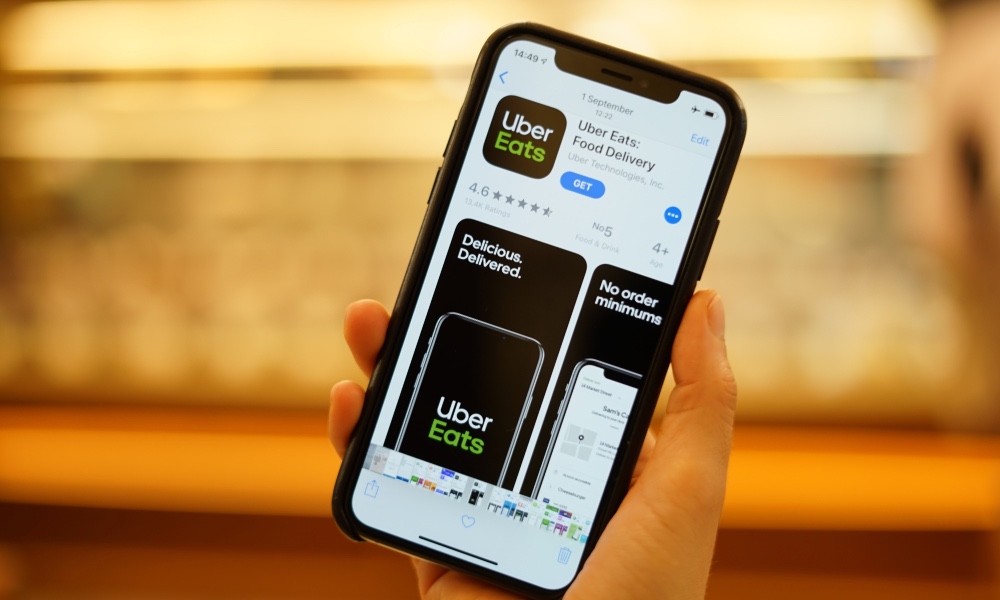
Then there’s the problem with ridesharing and food delivery apps. They can’t offer some their core services with Approximate Location turned on, so we can expect warnings or lockouts from these apps as well.
But even with this micromanaging, more privacy features are probably worth it.
While it may have slipped the attention of many consumers, online businesses around the world were rocked by Apple’s June 2020 decision to make the IDFA fully opt-in. What does that mean exactly?
Well, IDFA stands for Identifier for Advertisers, and it’s a protocol that creates an ID tag for every user device so that device activity can be tracked by advertisers for personalized marketing and ad offers.
While IDFA made it easy to track online behavior without actually knowing a user’s private info, the practice has come under some scrutiny as the importance of online privacy continues to increase.
While Apple still provides the IDFA, it’s now entirely based on direct permission granted by users. In other words, if an app wants to track what a device is doing through an IDFA, a big pop-up will show up that says, roughly, “This app wants to track what you’re doing on this device so it can send you ads. Do you want to allow that?” Users are broadly expected to answer no.
So, what does that mean for advertisers and for your personal user experience going forward? Continue reading to learn what it means for you.
Apple’s change is a big one for mobile advertisers, but it doesn’t mean that ads will disappear from your iPhone. Consumers will still get ads in all the usual places on their phones. That includes in their internet browsers, and in some of the apps that they use.
The big difference is that those ads will be far less likely to be 1) personalized based on what you like doing on your phone and 2) retargeted based on the products and ads you’ve looked at before. So the ads will still appear, but they will tend to be more general in nature.
Big Platforms Will Need to Get More Creative with Tracking
Without the
IDFA option, advertising platforms face a need for more innovation. Advertising
lives off data, and Apple’s move encourages smarter data strategies.
What’s that going to look like? We’ll have to wait and see, but one potential solution is “fingerprinting” a device, or making a device profile, a lot like marketers make buyer personas. This involves gathering ancillary data about a device’s IP addresses, location, activity periods, Bluetooth, and other features, then combining it into a profile that shows how the device is being used and what that says about the user.
Another
option is to develop more ways to track “events” instead of devices. An app
event could be anything from logging on for the first time to reaching the
first level of a game, etc. By looking at events across the entire user base,
advertisers can divide users into different groups of behavior and target ads
based on what that behavior says about them.
Developers and Advertisers Will Design New Ways to Monitor Apps
Advertisers
still need app data from iOS to make effective decisions about ads. Since
individual device data is now largely out of reach for them, we’re going to
start seeing more innovation on this side, too. Companies are going to start
focusing on broad data that they do have to make plans based on what they do
know – in other words, what users are doing directly on the app itself, instead
of on the entire device.
Apple is helping with this, too: The company has announced a new SKAdNetwork platform that is essentially designed to replace some of what the IDFA program used to do. It doesn’t track individual device activity, but it does track overall interaction with apps, so creators will still know things like how many people are downloading apps, where they are downloading from, and what features are getting the most use, etc. The key will be finding ways to make intelligent ad decisions from that collective data, and looking for synergistic ways to share it with partners – something advertisers traditionally haven’t done much in the past.
Retargeting
is the ad tactic of showing a user products and ads they have already viewed in
the past, which makes a purchase more likely. It’s a very important part of the
sales process, but becomes more difficult when device activity can’t be
directly monitored. However, there’s another highly traditional option for retargeting:
Getting a customer’s contact information. Depending on how active someone is on
the Web, something like an email address or phone number can provide plenty of
useful retargeting data. Expect a renewed focus on web forms and collecting
contact information within apps.
Online Point of Sale Will Become Even More Important
The online shopping cart is already a locus of valuable information: Every time you add a product, look at shipping prices, abandon a shopping cart, pick a payment method, choose an address, and complete an order – all of it provides companies with data they can use for retargeting, customer profiles, personalized ads and discounts, and so on.
Nothing Apple is doing will affect online POS data, so we can expect it to become even more important. However, most POS data currently stays in house, so the big question is if – and how – large ad platforms might use it in the future. Which brings us to another important point: auctioning data.
Auctioning Mobile User Data Is Less Viable Than Ever
A big secondary market for mobile advertising is selling device data to other advertisers (it’s also technically a black market when it happens on the dark web with stolen data, but there’s a legitimate version, too). Now bids for iOS data don’t really have anywhere to go – how can you bid on a list of device use information when that data isn’t being collected anymore? And if someone is selling that data, how do you know if it’s not outdated or just fake?
These secondary auction markets and “demand-side platforms” (DSPs) have been facing pressure in recent years over fears they aren’t exactly healthy for the industry. Apple nixing the IDFA won’t end them, but it will refocus the secondary selling on top-level data (the kind we discussed in the points above) and less on more personal user data.
The era of
device tracking has only begun to change. Apple’s decision about IDFA was expected,
and is only the beginning of the shift away from this tactic. Google is also expected
to make a similar change with its own version of the technology, GAID (Google
Ad Identifier). Meanwhile, major web browsers like Safari and Chrome are
dropping support for third-party cookies as well.
This is great
for customer privacy, which is clearly a new core concern for the big tech
names. It’s also ushering in a new age of marketing where advertisers will have
to grapple with unseen data – and find new ways to move ahead. In some ways, it’s
an analyst’s dream come true.
On October 29, 1969, in this room at UCLA, a student programmer sent the first message using ARPANET, a precursor to the modern internet. The message didn’t go well. The programmer, Charley Kline, got halfway through the word login before the program crashed. It wasn’t a great start.
It would take a few more decades until the internet started entering our homes, but its impact is almost incalculable. It’s transformed nearly every facet of life, and whole human generations identify around its existence.













 TheIdea – The Innovation Agency